Mobile client galleries

Mobile-friendly galleries for clients opening links on phones

Let clients open a gallery link on a phone, browse a phone-sized layout, switch folders, favorite photos, and download files when downloads are enabled.

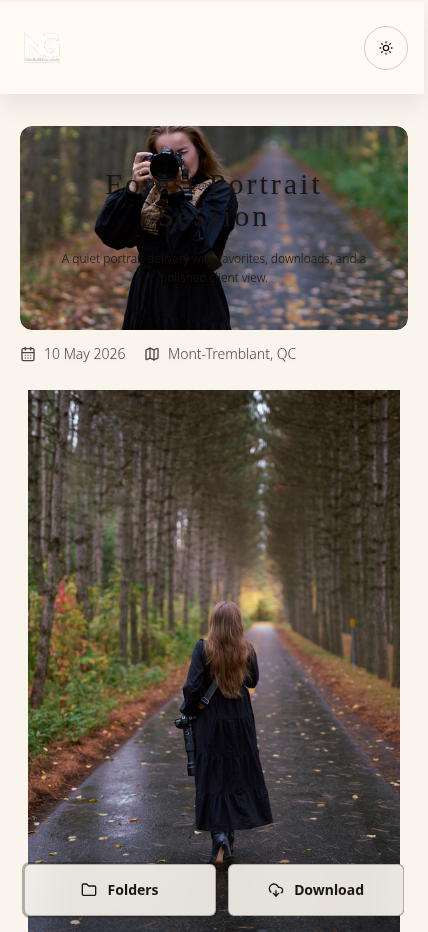
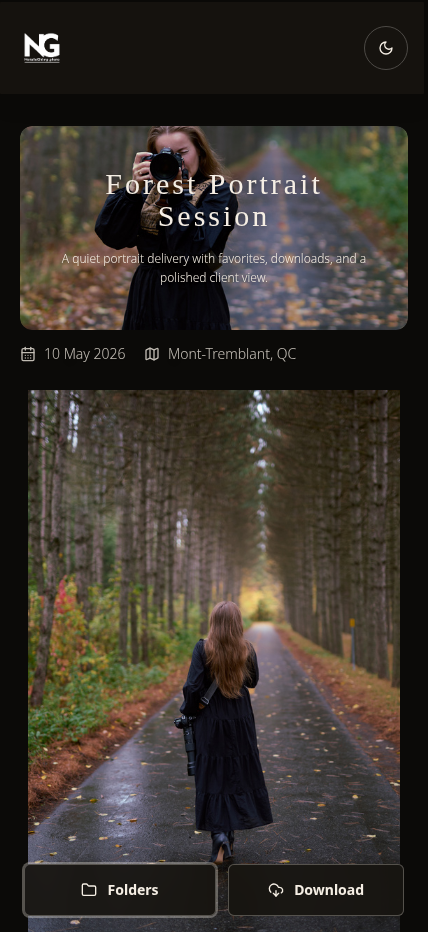
SendPhoto mobile client gallerySendPhoto mobile client gallery

How it works

When this matters

Use this when galleries are likely to be opened from text messages, email invites, social DMs, or any client handoff where the first device is a phone.

SendPhoto mobile optimization is built for how clients actually receive gallery links: email invites, text messages, social DMs, and family shares.

Photographers do not need a separate mobile app or a second delivery page just because a client starts on a phone. SendPhoto customer galleries adapt the cover, navigation, image grid, lightbox, and client actions across phone, tablet, and desktop screens.

  • Phone-ready gallery covers and layouts
  • Mobile folder and collection controls
  • Favorites and liked-photo filtering
  • Mobile-aware lightbox behavior
  • Download actions when downloads are enabled

Client experience

What clients can expect

A closer look at what clients see and what photographers can control.

Gallery covers and layouts adapt across device sizes.
Clients can switch folders or collections on mobile when multiple collections exist.
Clients can favorite photos and filter to liked images.
Large gallery browsing uses lazy-loaded thumbnails and continued loading.

Practical setup

A gallery that still works when the first open is on a phone

Client galleries are often opened from email, text, or a direct message. Mobile support needs to cover the first screen, folder navigation, image browsing, favorites, downloads, and large-gallery loading.

Why phone-first delivery matters

Many clients do not wait until they are at a desktop to open a gallery. Mobile-friendly gallery delivery should handle that first open without making the client pinch, hunt for folders, or leave the gallery to download files.

  • Gallery covers and layouts adapt for phone screens
  • Mobile navigation keeps folders and actions reachable
  • Larger galleries can keep loading as clients move through the set
Mobile gallery layout and covers

SendPhoto customer galleries can use cover and gallery layouts that adapt across phone, tablet, and desktop screens, with mobile cover image support when a phone-specific cover is available.

  • Phone-ready covers for narrow screens
  • Responsive gallery layouts
  • A polished first screen when the link comes from a text or DM

Mobile navigation for folders and downloads

When a gallery has multiple collections, clients can use mobile folder controls to move between sections. If downloads are allowed, a download action can be shown from the same mobile control area.

  • Folder and collection controls for organized galleries
  • Download actions shown only when downloads are enabled
  • No desktop switch just to move between gallery sections

Browsing, favorites, and lightbox actions

A mobile-friendly gallery needs to support the full review flow. Clients can open images, move through the set, favorite photos, and filter the gallery to liked photos.

  • Mobile-aware lightbox behavior
  • Favorite and liked-photo filtering
  • Per-photo actions when the gallery and item support them

Large-gallery loading on phones

SendPhoto galleries use lazy-loaded thumbnails and loading previews while images load. Larger galleries can load more items as the client approaches the end of the current gallery view.

  • Lazy-loaded thumbnails
  • Loading previews while images load
  • Continued loading for larger galleries

Mobile downloads when enabled

Mobile optimization should respect the photographer's delivery settings. SendPhoto shows download actions only when the gallery allows downloads, and mobile download states can show progress, ready, retry, and failure labels.

  • View-only proofing when downloads are off
  • File saving from the same gallery when downloads are on
  • Download status feedback for mobile clients

Best fit

Wedding galleries where couples forward the link to family and friends

Portrait proofing where clients favorite selects before final delivery

Event galleries where attendees open the gallery soon after the event

Mobile-friendly delivery checklist

Use this checklist before sending a gallery link that clients are likely to open from a phone.

  1. 1 Choose a cover image that still works when cropped for a narrow screen.
  2. 2 Organize the gallery into collections when the delivery has natural sections.
  3. 3 Confirm whether downloads should be on or off for this delivery stage.
  4. 4 Use favorites when clients need to review, proof, or choose selects.
  5. 5 Open the gallery on a phone-sized screen before sharing an important client delivery.
  6. 6 Send the link through the channel your client will actually use, such as email, text, or DM.

Which mobile setup fits the delivery?

Scenario Recommended setup Why it helps
Client opens from a text message Use a readable mobile cover and phone-ready gallery layout The first screen should feel like the real delivery experience, not a reduced preview.
Gallery has multiple folders Use collections with mobile folder controls Clients can move between sections without scrolling back to the top or switching devices.
Client needs to choose favorites Use favorites and liked-photo filtering Proofing can happen from the same gallery even when the client starts on a phone.
Downloads are final delivery only Keep downloads off for proofing, then enable them for final delivery Proofing and final delivery do not have to behave the same way by accident.
Gallery is large Rely on lazy thumbnails, loading previews, and continued loading Clients can keep browsing without a manual page step interrupting every section.

Frequently asked questions

What does mobile optimization mean in SendPhoto?

Mobile optimization means the client gallery is designed to work on phone-sized screens. SendPhoto supports mobile gallery navigation, responsive cover and gallery layouts, phone-aware lightbox behavior, favorites, folder browsing, and download actions when downloads are enabled.

Do clients need a mobile app to view a SendPhoto gallery?

No. Clients can open a SendPhoto gallery link in a browser. The page should not require a separate native app just so clients can browse photos from a phone.

Can clients switch folders or collections on mobile?

Yes. When a gallery has multiple collections, SendPhoto can show mobile folder controls that open a collection selector. This helps clients move between sections of a wedding, portrait, event, or commercial gallery from a phone.

Can clients favorite photos from a phone?

Yes. Clients can like or favorite photos in the gallery and filter the gallery to liked images. This is useful for proofing, selecting favorites, and narrowing a larger gallery from a phone.

Can clients download photos on mobile?

Yes, when downloads are enabled for the gallery and the item supports download. SendPhoto can show mobile download actions and download states such as progress, ready, retry, or failure.

Do large galleries work on phones?

SendPhoto supports lazy-loaded thumbnails, loading previews, and continued loading as clients browse larger galleries. Actual loading still depends on the gallery, device, browser, and network connection.

Product media

See the mobile gallery experience

Use phone-sized screenshots and client-facing video to show how the gallery feels after a client opens the delivery link.

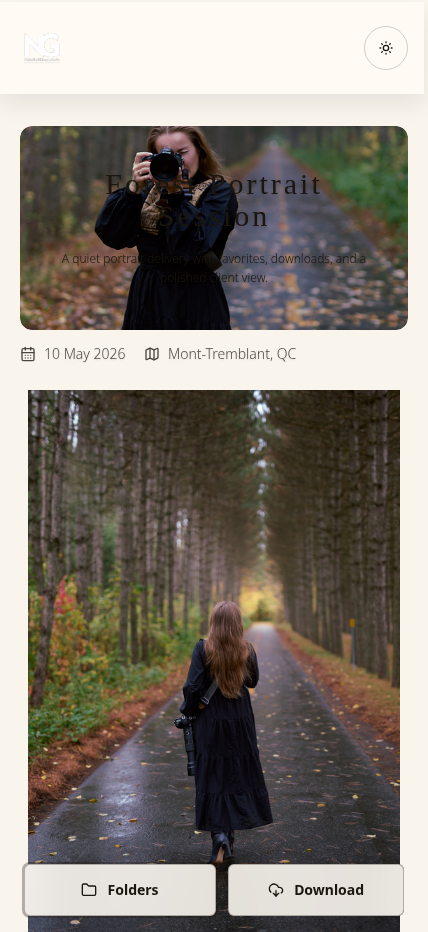
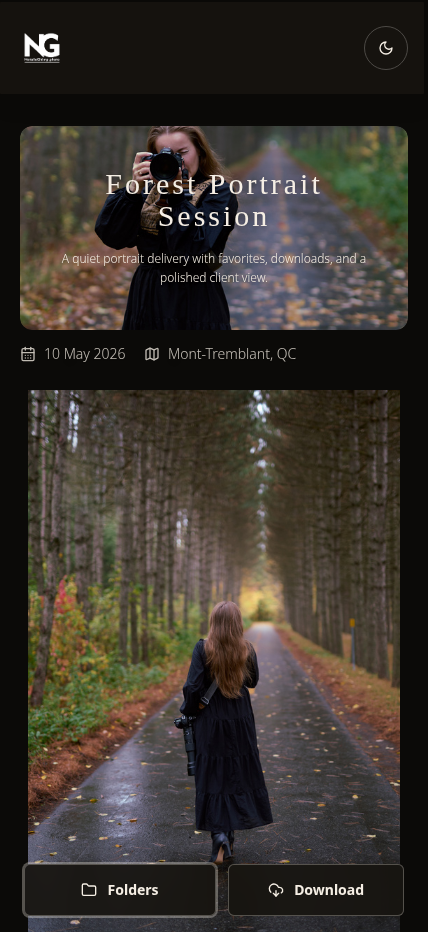
SendPhoto mobile client gallery with cover image and bottom actionsOpen full viewSendPhoto mobile client gallery with cover image and bottom actionsOpen full view
Clients can open a SendPhoto gallery from a phone and browse a layout built for mobile viewing.
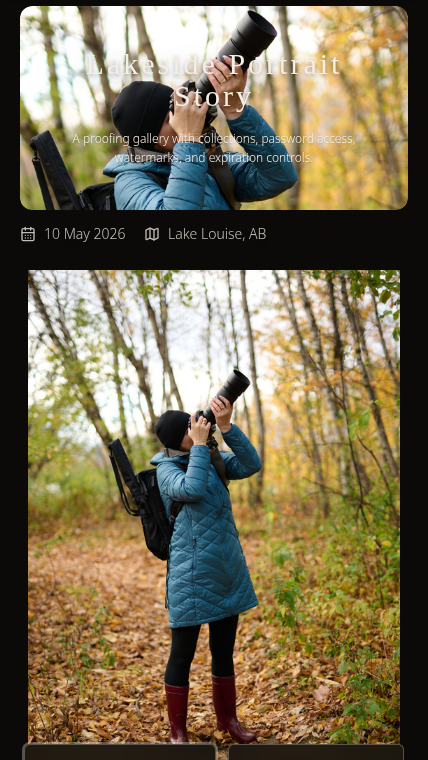
SendPhoto mobile gallery for a portrait sessionOpen full viewSendPhoto mobile gallery for a portrait sessionOpen full view
Phone-sized gallery screens help portrait and family clients review sessions without switching devices.
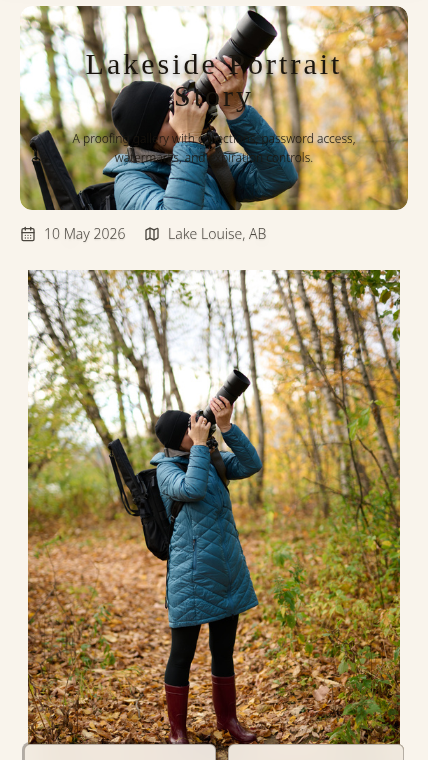
SendPhoto mobile client gallery with watermarked proofing imageOpen full viewSendPhoto mobile client gallery with watermarked proofing imageOpen full view
Mobile proofing can still support protected review when watermarks are part of the workflow.

Mobile client gallery scrolling preview

A short client-facing scroll preview shows how a SendPhoto gallery feels during normal phone browsing.

Build the gallery around the job, not the workaround.

Use SendPhoto for gallery delivery, access controls, organized browsing, and client-ready downloads in one workflow.