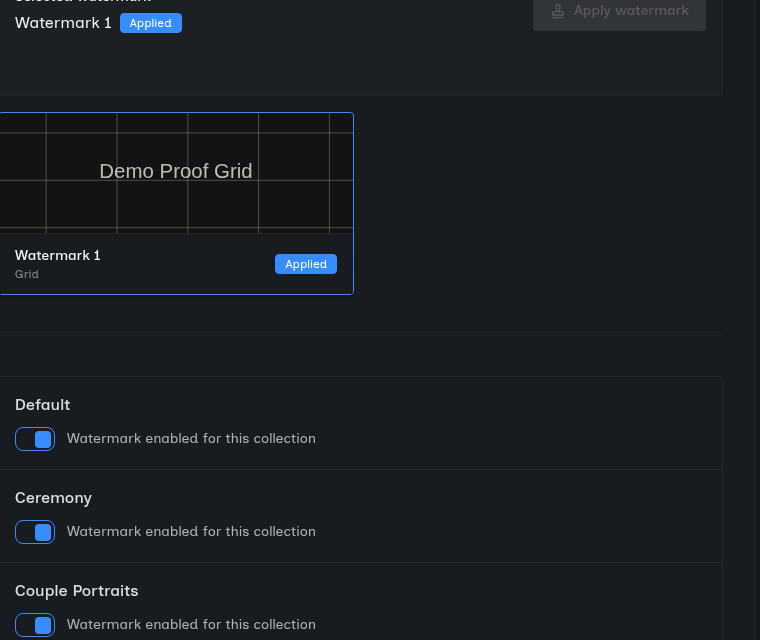
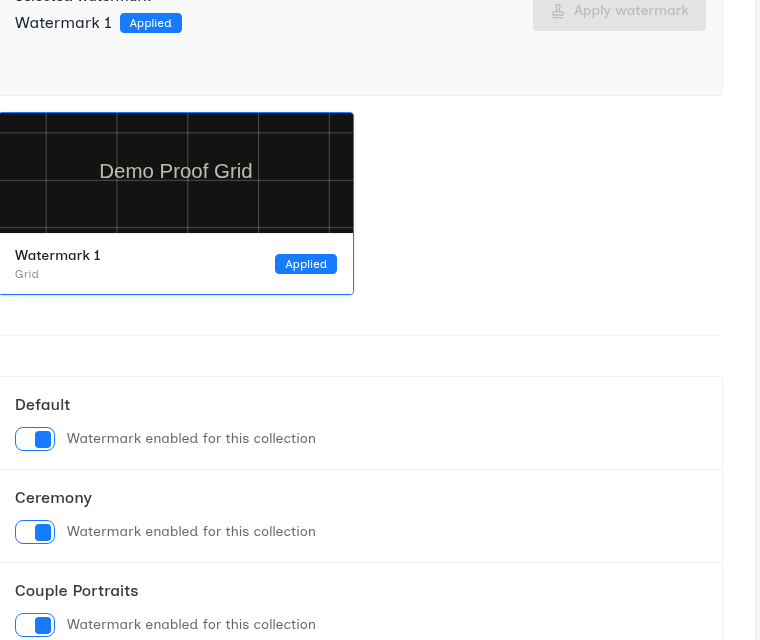
Watermarks Without theWorkflow Overhead
Protect your work during browsing, deliver clean images during download. Upload once, get both watermarked previews and pristine downloads automatically. The best of both worlds with zero extra effort.
The Watermark Workflow Nightmare
Double Export Hell
You want watermarked previews for protection and clean downloads for clients. Traditional solution? Export twice—once with watermarks, once without. Double the storage. Double the upload time. Double the workflow overhead for every shoot.
Permanent Watermark Dilemma
Some photographers watermark everything permanently. Protection? Yes. Client satisfaction? Not always. Clients want clean images for printing, social media, and family sharing. Your watermark becomes their frustration.
No Protection Option
Skip watermarks entirely and risk unauthorized use. Clients share unprotected proofs on social media without credit. Your work circulates with no attribution. Free marketing opportunity wasted.
The Storage Tax
Storing both watermarked and clean versions doubles your storage costs. 500 photos per shoot? You're storing 1,000. Multiply across dozens of galleries and you're paying for duplicated files. Protection shouldn't cost this much.
The Forced Choice
Most platforms force you to choose: protection or convenience. Watermark everything permanently and frustrate clients. Skip watermarks and lose protection. Export twice and waste hours. There should be a better way—and now there is.
Dynamic Watermarks That Just Work
SendPhoto applies watermarks on the fly during gallery viewing, then delivers clean, unwatermarked images when clients download. You upload once. Protection and convenience, automatically.
Watermarked Previews
Gallery viewing shows watermarked images. Your logo protects shared screenshots and social posts.
Clean Downloads
Downloaded images are pristine and unwatermarked. Perfect for printing, framing, and sharing.
Upload Once
No double exports. No duplicate storage. Just upload and SendPhoto handles the rest automatically.
Custom Text or Image Watermarks
Use your logo as a PNG overlay with transparency, or add custom text with your studio name. Choose fonts, colors, and styles that match your brand. Your watermark, your way.
Position and Opacity Control
Place watermarks in any corner or center. Adjust opacity for subtle branding or bold protection. Tile across the entire image or use a single placement. Complete creative control over your protection.
Per-Gallery Watermark Settings
Different shoots need different protection. Wedding proofs get your elegant script watermark. Corporate headshots get a subtle corner logo. Real estate listings go unwatermarked for MLS compliance. Set it per gallery, not globally.
Saveable Watermark Presets
Create watermark presets for different shoot types. Save your wedding watermark style, portrait watermark style, and corporate style. Apply them with one click. Consistency without repetitive setup.
See It In Action
Senior Portrait Workflow
How Jennifer protects proofs while delivering clean finals
The Shoot
Jennifer photographs Alex's senior portraits. She captures 342 shots across outdoor location and studio setups. After editing, she has 87 keeper images for the family to review and select favorites.
Upload with Watermark Settings
Jennifer uploads the 87 edited images to SendPhoto. She enables watermarks with her logo in the bottom-right corner at 60% opacity. Total setup time: 30 seconds.No double export. No separate watermarked folder.
Family Browses Watermarked Previews
Alex and his parents browse the gallery. Every image shows Jennifer's logo watermark. Alex shares his favorite shot on Instagram (screenshot from gallery). The watermark is visible—inadvertently marketing Jennifer's brand to Alex's 847 followers.
Family Selects and Purchases
The family selects 24 favorites for their package. They pay Jennifer. She updates the gallery settings to allow downloads for their purchased selections.
Clean Downloads Delivered
The family downloads their 24 images. Every downloaded file is pristine—no watermark. Perfect for graduation announcements, framing, and sharing with relatives. Jennifer protected her proofs and delivered professional final images, all from one upload.
What Jennifer Achieved:
- Protected proofs from unauthorized use during selection process
- Free marketing when Alex shared watermarked preview on Instagram
- Delivered clean, professional images for purchased selections
- Zero workflow overhead—no double exports, no duplicate storage
How Dynamic Watermarks Work
Technical excellence with zero complexity
Watermarks are applied server-side when clients view galleries, not during your upload. You upload clean, original images. Our servers add watermarks on-the-fly during browsing. No performance impact on your workflow. No double storage.
Upload your logo as a PNG with transparent background. SendPhoto overlays it on gallery images at your chosen position and opacity. Supports any logo size and shape. Your branding, professionally applied to every preview.
Prefer text watermarks? Add your studio name, copyright notice, or custom text. Choose from professional fonts, adjust size, color, and opacity. Apply in corners or center. Simple text, powerful protection.
Position watermarks in any corner, center, or tiled across the entire image. Adjust margin spacing to avoid overlapping with important image elements. Protect without distracting from your composition.
Create and save watermark presets for different shoot types. Wedding watermark, portrait watermark, event watermark—save your settings and apply them with one click to new galleries. Consistent branding, zero repetitive setup.
Protection Without the Workflow Tax
Stop choosing between protection and convenience. Get watermarked previews for security and clean downloads for clients—automatically, from a single upload.