
Choose an AI photo editing tool for the task that slows you down: reducing noise, removing an object, preparing RAW files, or applying a consistent look across a shoot. Those are different jobs, and one “best AI editor” label does not tell you which tool fits yours.
This guide compares documented workflows in four tools, checked against vendor documentation on September 27, 2026. It is not a hands-on image-quality ranking. The suggested starting points below are our interpretation of those capabilities; use your own files to judge the results before committing to a new workflow.
Pick the job before the app
- You already use Lightroom Classic and need noise reduction: start by evaluating its built-in Denoise.
- You need to remove a specific distraction and refine the result: consider Photoshop's Remove tool and layer-based workflow.
- You want RAW noise and optical corrections before your usual editor: compare DxO PureRAW with the processing you already use.
- You spend most of your time applying a look across an event or portrait session: evaluate Imagen's profile-based editing workflow.
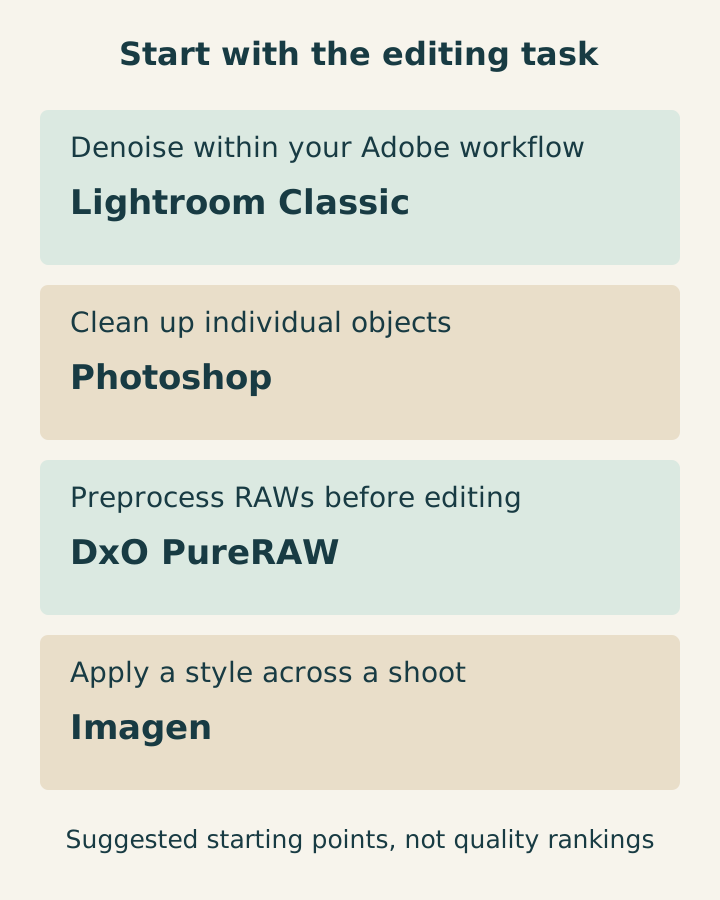
These tools overlap. The shortlist is a way to choose what to try first, not a claim that each app can do only one thing.
Lightroom Classic: start with the tools in your existing workflow
Adobe documents Denoise, Raw Details and Super Resolution in Lightroom Classic's Enhance tools. Denoise uses AI to reduce noise; Super Resolution increases width and height by two, producing four times the pixel count. Adobe also identifies supported file formats and notes that Enhance relies heavily on the GPU. See the current Lightroom Classic Enhance documentation.
Why shortlist it: if your photos are already in a Lightroom Classic catalog, try the built-in processing before adding another application and extra output files.
What to check: confirm that the exact file type and installed version support the feature you want. An option available for one RAW format is not automatically available for every JPEG, TIFF or DNG. Check processing time on your own computer and inspect fine texture after denoising.
Suggested trial: use a low-light portrait with visible skin texture and a photograph containing fine fabric, foliage or feathers. Compare moderate and stronger settings at the same display size. More pixels from enlargement should not be mistaken for proof of more accurate detail.
Photoshop: controlled cleanup of individual images
Photoshop's Remove tool targets unwanted objects and distractions. Adobe documents controls for adding or subtracting selected areas and creating the removal on a new layer. Its current documentation also distinguishes automatic, generative and non-generative modes, with cloud or on-device choices where supported. See Adobe's Remove tool guide.
Why shortlist it: an individual portrait or commercial frame may need careful cleanup that you want to inspect and refine separately from the original image.
What to check: look at repeating patterns, straight lines, shadows and the boundary around the removed object. Check which processing mode you selected; do not assume that every mode works locally or that your hardware supports the on-device option.
Suggested trial: remove a small distraction beside a patterned wall, then inspect whether the wall still aligns. Keep the untouched original and compare the whole composition as well as the repaired area. If the edit changes a meaningful part of the scene, agree on that change with the client before delivering it.
DxO PureRAW: a RAW preparation step before your editor
DxO describes PureRAW as a tool for denoising and optical corrections before further editing. Its guide documents batch processing, a Lightroom Classic plugin and output choices including linear DNG, TIFF and JPEG. It also says that input support depends on supported RAW files, cameras and lenses. See the DxO PureRAW overview and support links.
Why shortlist it: you want to compare a dedicated RAW preparation step while keeping your usual editor for the final look and retouching.
What to check: verify your camera and lens combination before evaluating results. Confirm that the output format opens correctly in the next application and that the added files fit your storage and backup workflow. Avoid judging two outputs with different exposure, sharpening or display scales as if noise reduction were the only change.
Suggested trial: process the same supported RAW through your current workflow and through PureRAW. Bring both into the editor you actually use, match the viewing conditions, and compare noise, small details and lens corrections. Include the export and handoff time in your notes.
Imagen: profile-based editing across a shoot
Imagen documents Personal AI Profiles learned from previous edits and ready-made Talent AI Profiles. Its workflow applies adjustments such as exposure, white balance and color according to a profile, with review and further adjustment afterward. It involves uploading photos for processing; its FAQ also describes cloud backup behavior. See Imagen's workflow and profile FAQ.
Why shortlist it: your main repetitive task is establishing a look across many images, rather than repairing one difficult detail.
What to check: confirm compatibility with your editing software and decide whether a ready-made profile is enough or you have suitable previous edits for a personal profile. Review current upload, backup and data settings before using client files. Check the current billing terms for your expected volume and any optional features; do not infer the total cost from a single advertised per-photo figure.
Suggested trial: use a small set from one shoot that includes daylight, shade and mixed indoor light. Check consistency across the set, then count how many images still need individual correction. A pleasing first frame does not establish that the profile handles the entire job well.
Compare results with a small, repeatable sample
Do not run all four apps against an unrelated stock photo and declare a winner. Compare tools that address the same problem, using files you are permitted to process.
For a practical evaluation, choose 10–20 representative files from your own work. This is a suggested sample, not a statistically validated benchmark. Include an easy image, a difficult image and the lighting or detail problems you encounter regularly.
Record the following for each relevant workflow:
- Input and settings: original file name, app version, feature and strength or profile used.
- Time to a usable result: include import, upload, processing, manual fixes and export, not just the progress-bar time.
- Visible defects: check skin texture, hair, fine patterns, edges and repaired backgrounds at 100%, then at the intended delivery size.
- Consistency: compare neighboring frames for shifts in exposure, white balance and color.
- Handoff: confirm output dimensions, file format, editability and whether you can reopen the result in your next application.
- Total cost: note the current subscription or license, usage allowance, optional processing charges and any added storage you need.
Keep your original files and normal backups. Make your decision on the number of files you would actually deliver and the correction time still required. This guide supplies no measured speed, accuracy or quality scores for the tools.
Keep the editing fundamentals in the review
Automation does not decide what the photograph should look like. First check exposure and white balance, then contrast and color. Inspect selective adjustments and cleanup, and judge sharpening at the final output size. A preset or AI profile is a starting point you can revise.
Choose a few reference edits that represent your intended style. Compare new results with them instead of increasing every adjustment because a slider or automated feature is available. Look for over-smoothed skin, harsh halos and color changes that distract from the subject.
For documentary work or any brief that requires a faithful record, establish which changes are acceptable before using content removal or generation. For other client work, communicate meaningful alterations rather than assuming that “AI enhanced” describes every kind of edit clearly.
Finish the edit before sharing the gallery
Shortlist one workflow, evaluate a small set, and confirm the export requirements before processing a full job. Review the finished files yourself; an automated pass is not the final approval.
Once the edits and exports are ready, use the SendPhoto getting-started guide to upload them to a gallery and share access. Keep the editor responsible for the image changes and the delivery note clear about which files the client should download.