Deliver your next shoot in a client-ready gallery.

Your photos, beautifully presented. One link for clients to browse, choose favorites, and download—without creating an account.

Create your first gallery free

5 GB storage · 1 gallery · No credit card

See the gallery experience
Your work. Ready for your client.SendPhoto
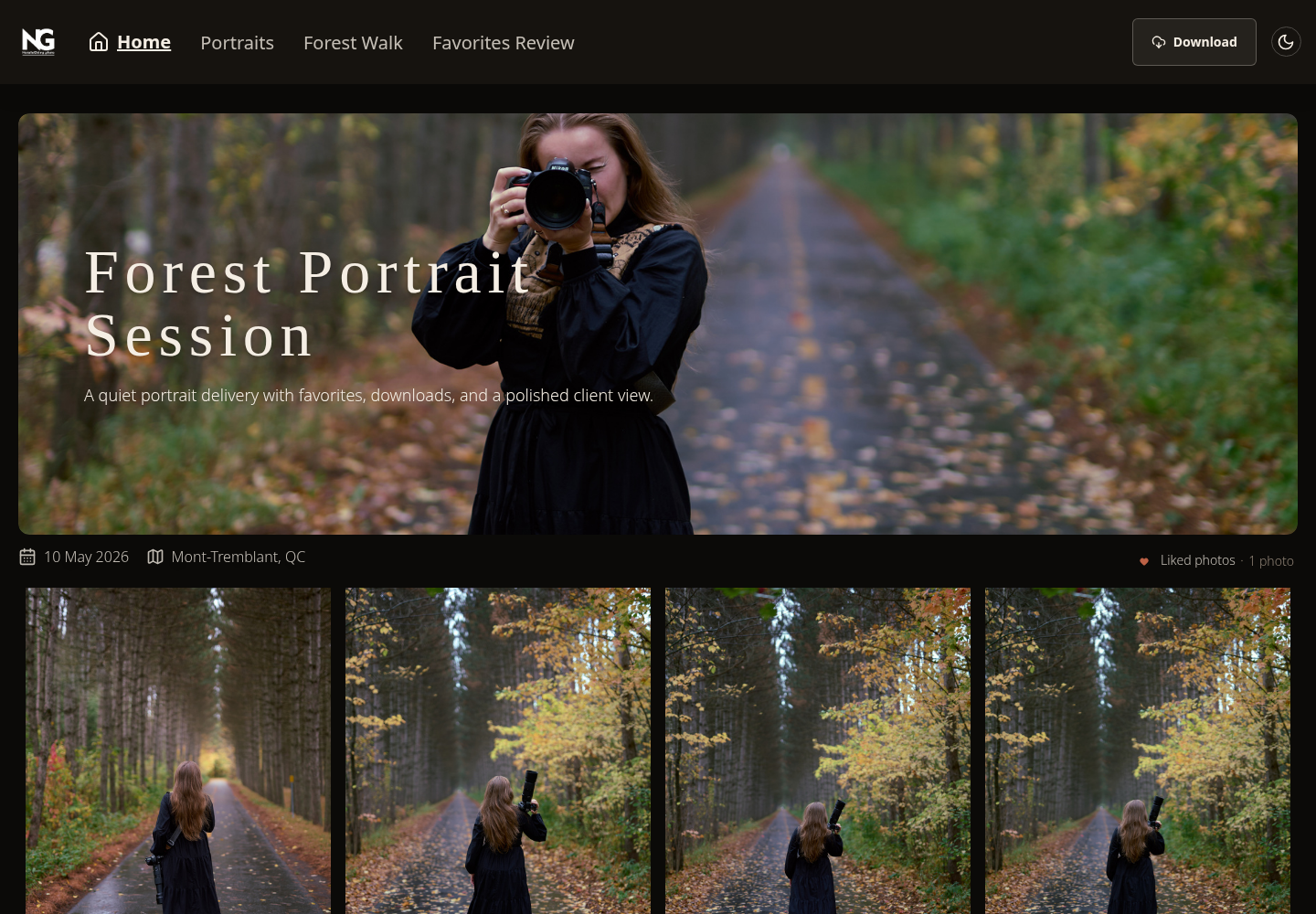
A real SendPhoto client gallery with photos arranged for browsing
A client gallery, not another folder to explain.

From finished shoot
to a link worth sharing.

1

Upload your photos

Create a gallery and add your shoot. Keep sets organized in collections.
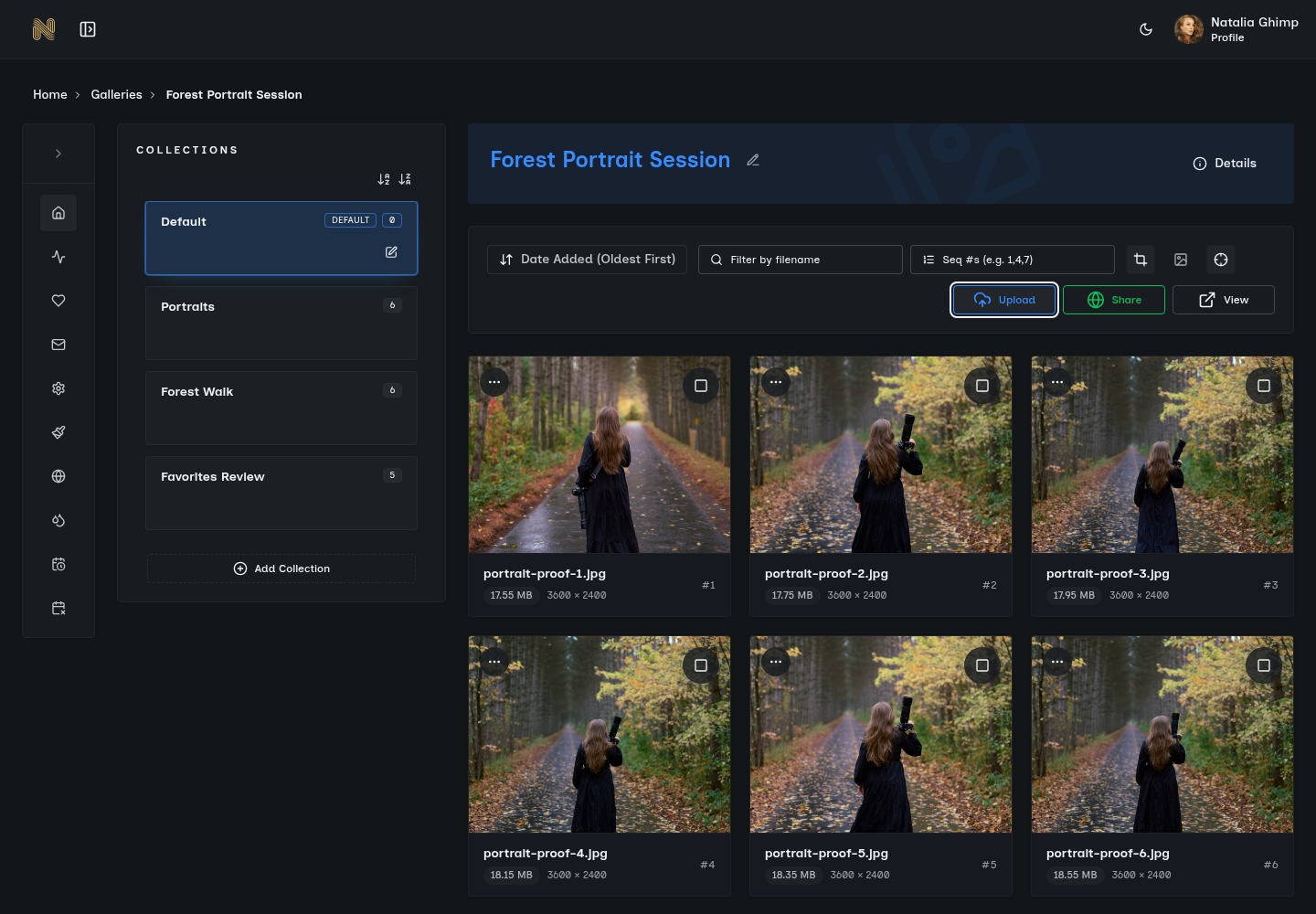
Uploading photos into a SendPhoto gallery
2

Make it yours

Choose your presentation and set the access and download options your job needs.
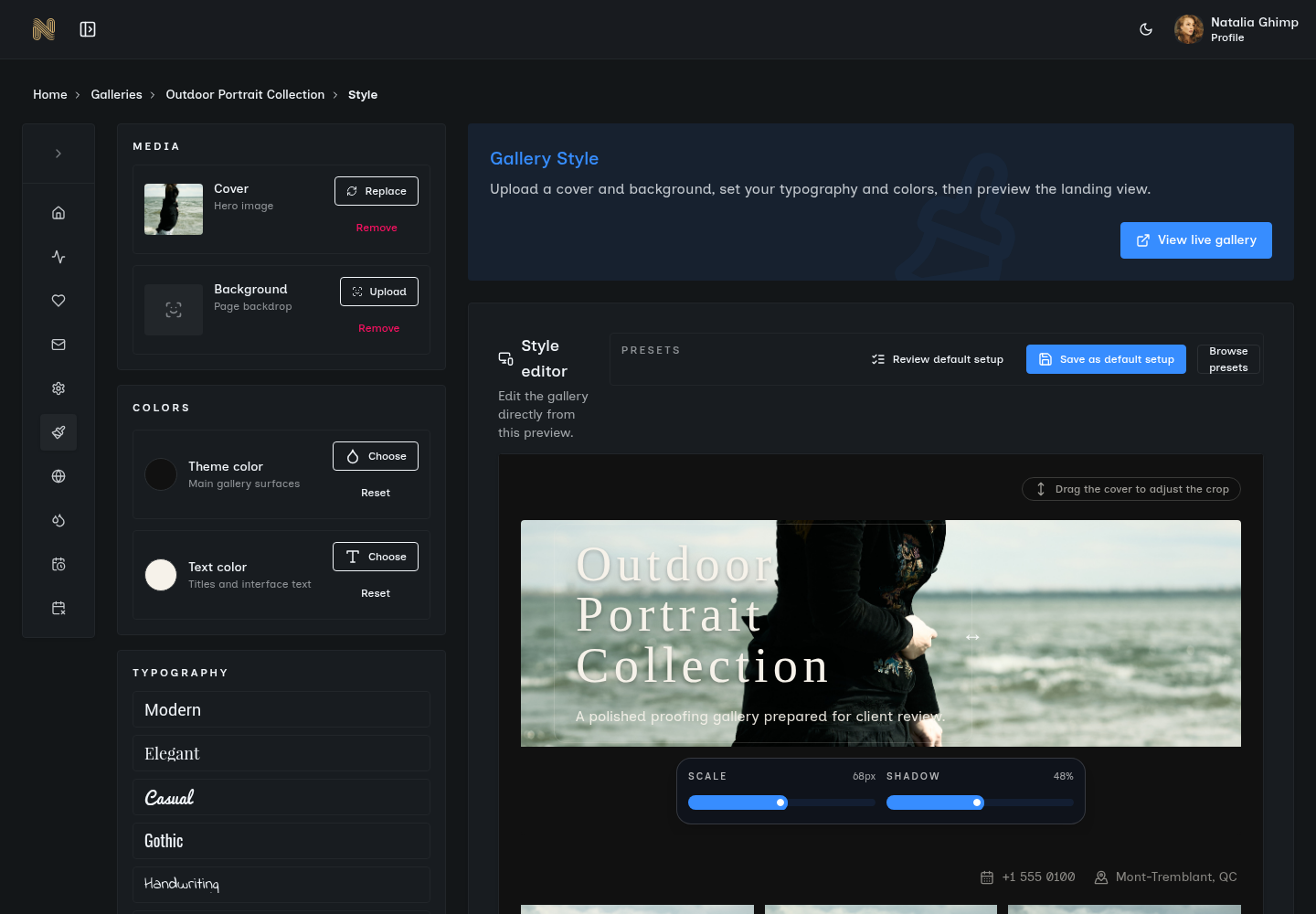
Gallery presentation settings in SendPhoto
3

Share the gallery

Send the link. Clients browse, select favorites, and download the photos you make available.
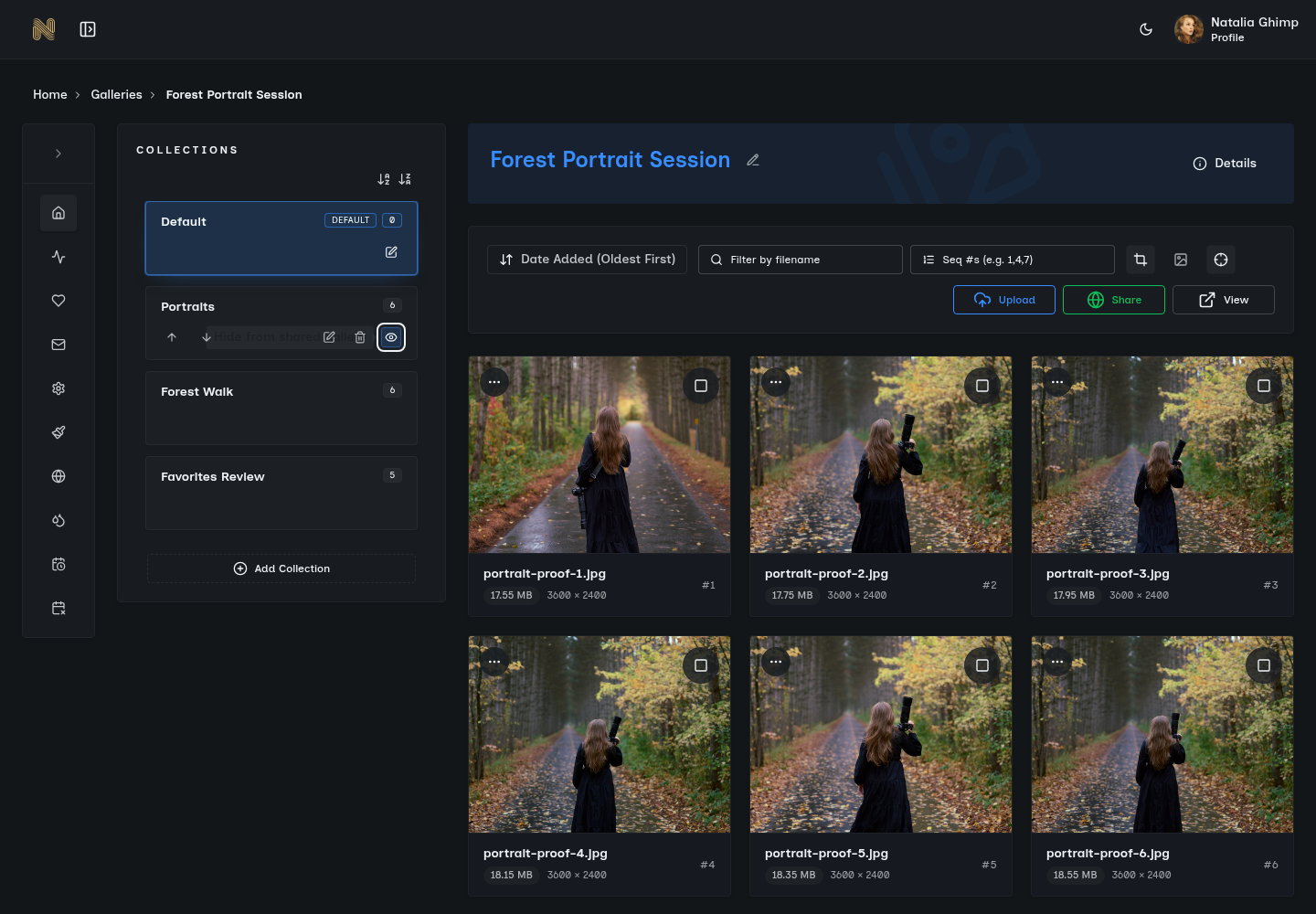
Sharing a SendPhoto gallery with a client

Your brand, from
gallery to inbox.

Give every delivery your studio’s look, voice, and web address.
Galleries with your signature
Choose colors, fonts, covers, and backgrounds. Add your logo, use style presets, and set separate mobile covers for a considered first impression.
Invites worth opening
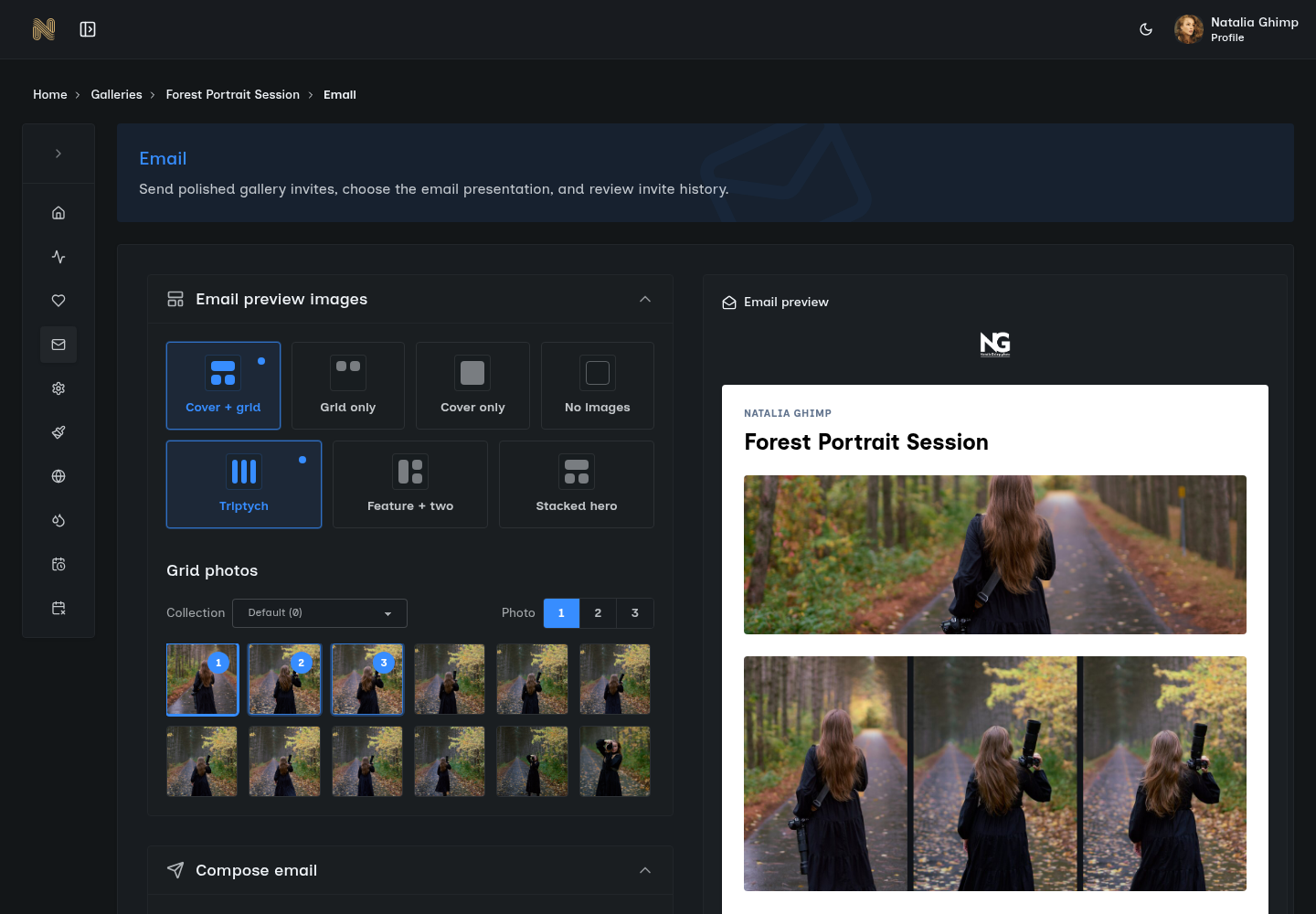
Send gallery invitations with branded layouts, gallery imagery, and a personal rich-text message. Customize the email presentation and footer preferences.
Bring your own domain
Share galleries from your own web address, so the handoff lives under your studio’s domain. Explore custom domains.
Bring your own email
Connect your own email provider through custom SMTP settings. Send branded invitations and keep invite history in the gallery workflow.
SendPhoto email styling controls beside a branded gallery invitation with studio logo and photo layout
Choose how your gallery invitation looks before you send it. Explore gallery email invites.

Make it yours on Free. Paid plans remove SendPhoto branding from your public home page and invite emails.

Keep control.
Stay in the loop.

Watermarks with your signature

Use text or image watermarks with control over placement, size, and opacity. Apply them to a gallery and choose which collections use them.

Explore watermark controls

Know what happens after “sent”

See recorded visits, favorites, photo views, and downloads in client activity timelines. Invite history includes first and last visits.

Optional tracking respects visitor consent.

Collections that stay organized
Group a shoot into sets, choose their order and visibility, and keep collection folders in ZIP downloads.
Downloads on your terms
Choose original or scaled-down files. Offer individual photos, selected collections, or full-gallery downloads.
Favorites for client selections
Clients mark the photos they love and filter their favorites, with email-based syncing for their selections.
Photos, video, and pro formats
Deliver mixed photo and video galleries, with support for major RAW families and professional image formats.
A plan for private galleries
Use shared passwords, gallery expiration, reminders, and scheduled deletion to manage each delivery.
A clear view of your storage
See account and gallery storage usage, track your plan limits, and know when you need more room.
Explore all gallery features

Start with a real gallery.
Grow when you need to.

Try your delivery workflow before choosing a paid plan.

Your first gallery

Free

5 GB storage, one active gallery, and 10 GB lifetime upload credits. SendPhoto branding stays on Free.

Create your first gallery free

More room for client work

From $3/month

Paid plans start at 20 GB, include unlimited galleries, and remove SendPhoto branding from your public home page and invite emails.

Find your storage plan

Before your first delivery.

Do my clients need an account?

No. Clients open the gallery link you share. If you add password protection, they enter the gallery password.

What can I do on the Free plan?

Create one active gallery with 5 GB of storage and 10 GB of lifetime upload credits. Core gallery features are included; SendPhoto branding remains.

Can I control what clients download?

Yes. Set download permissions for your gallery, with original or scaled-down files. You can also use watermarks and password protection.

When would I need a paid plan?

Upgrade when you need more storage, multiple active galleries, or branding removal. Compare the current limits and billing options on our pricing page.

Your next delivery
starts here.

Create your first gallery free

No credit card. Start with one gallery.