
Good social media photography starts before you post. Shoot with the final crop in mind, choose one strong first image, keep your editing style consistent, and make it easy for viewers to understand who the photos are for. The goal is not only to fill a feed. It is to show work that still feels professional when a potential client taps through from a phone.
This is a practical shooting-and-posting workflow, not a follower-growth experiment. The crop examples use a credited real photograph; no engagement lift, client shoot or platform upload result is claimed.
Shoot for the screen the photo will live on
Social images are usually seen quickly, on a small screen, and often between unrelated posts. A technically good photo can still fail if the subject is too small, the crop is awkward, or the first image needs too much explanation.
Before a shoot, plan a few social-first frames:
| Use case | Shooting habit to try | Why it helps |
|---|---|---|
| Vertical post or reel cover | Leave extra space above and below the subject | Gives room for cropping without cutting hands, heads, or dresses |
| Square grid post | Keep important details away from the far edges | Leaves options if the profile preview uses a different crop |
| Carousel opener | Create one simple, high-impact frame | Introduces the subject before the supporting frames |
| Story preview | Shoot a few clean vertical details | Works well behind short text, tags, or location labels |
Capture the portfolio frame and a few framing alternatives rather than depending on a severe crop later. The ratios below are teaching choices, not a list of current platform requirements. Check the actual post composer, cover and profile preview: their crops and interface controls can differ.
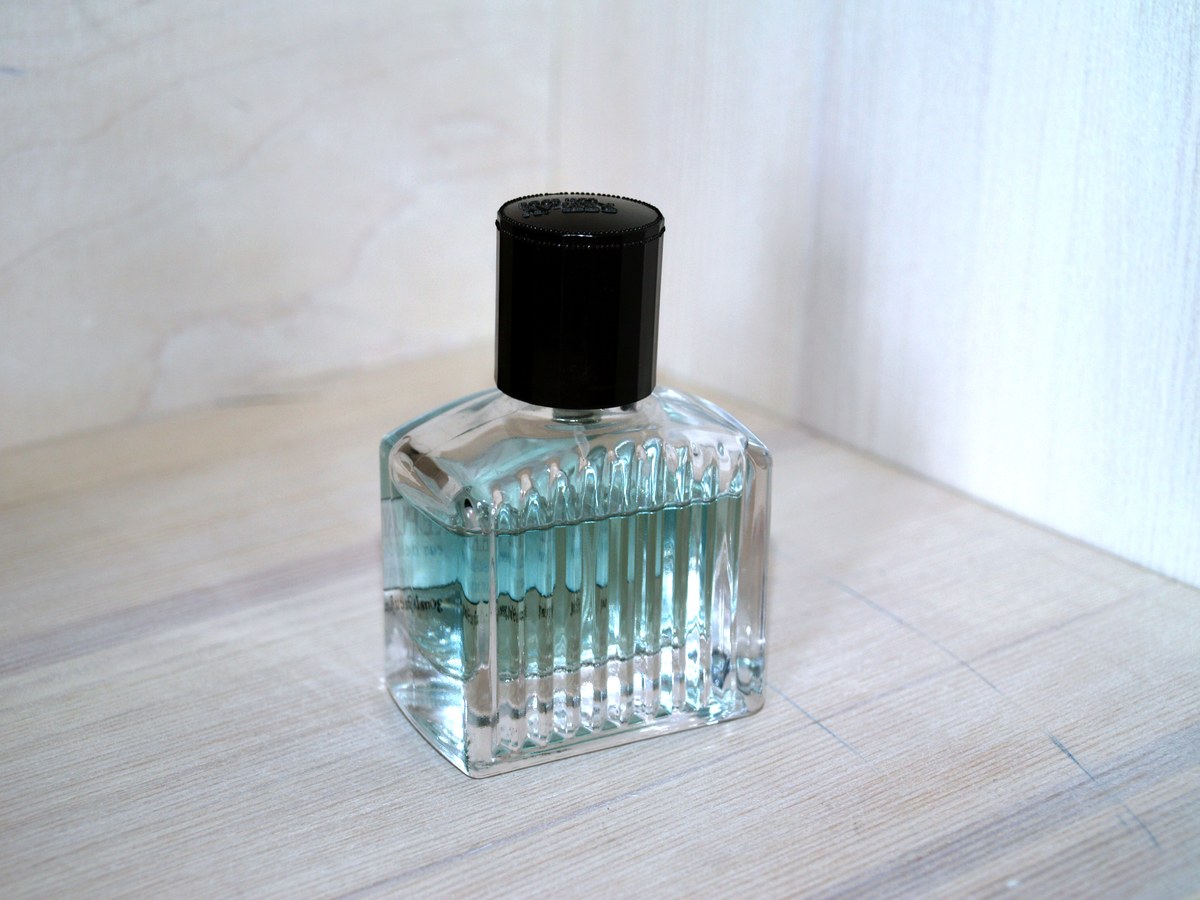
Photo: “Perfume glass bottle” by Santeri Viinamäki, CC BY-SA 4.0. The existing JPEG was resized to 1200 × 900; the smaller views here crop its display using CSS. These crop adaptations are offered under the same license. This is a published reference, not our product shoot, client work, platform screenshot or endorsement. The clipping comparison demonstrates geometry, not engagement.

Choose a hook image first
The first image should make the post clear without a caption. Pick a frame with a readable subject, clean light, and minimal visual clutter. For photographers, that often means a face, a finished space, a decisive action moment, or a detail that shows the style of the shoot.
Good hook images often have:
- One obvious subject
- A strong gesture, expression, color, or shape
- Enough contrast to read on a phone
- A crop that still works when shown small
- No important detail hidden under platform interface elements
Compare two candidate openers at the size viewers will see. Choose the one whose subject and purpose remain clear. That checks readability; it does not predict whether someone will stop, swipe or book.
Build carousels like a short edit
A carousel should feel like a mini gallery, not a folder dump. Sequence it the way you would guide a client through a shoot.
A proposed carousel structure, adjusted to the available images:
- Start with the strongest image.
- Add a wide context frame.
- Show a tighter portrait, detail, or action frame.
- Include a behind-the-scenes or process image if it helps.
- End with a memorable close, reaction, or finished result.
For weddings, a proposed sequence might be a couple portrait, ceremony wide shot, ring detail, reception dance frame and final exit image. For commercial work, try a finished hero, setup, product detail, environment and approved usage example. These are planning examples, not results from a measured carousel. Use only frames cleared for the intended public audience.
If you also deliver the full set to clients, keep social edits separate from the final gallery. A client gallery delivery workflow such as SendPhoto gallery delivery can hold the complete organized set while social posts show a smaller curated story.
Keep editing consistent without making every image identical
Consistency helps people recognize your work, but over-editing can make images feel artificial. Build a repeatable editing baseline instead of applying the same preset blindly.
Check these before exporting:
- Skin tones look natural across the post
- Important highlight and shadow detail remains visible in the small preview
- The set has a similar contrast level
- Color temperature feels intentional
- Crops look deliberate, not accidental
- Edges, gradients and text remain readable in the uploaded preview after platform processing
For a deeper export discussion, see the photo resolution guide, especially if you need separate files for social posting and client delivery.
Plan behind-the-scenes content during the shoot
Behind-the-scenes content works best when it is planned lightly, not when it interrupts the job. Capture a few quick clips or stills while changing locations, adjusting lights, preparing details, or reviewing frames.
Useful behind-the-scenes ideas:
- Light setup before the subject steps in
- Location scout frame beside the final image
- Detail of styling, props, or wardrobe
- Phone clip of the scene before editing
- Photographer point-of-view of the working space
Agree separately on who may appear, which frames may be public, credits, location disclosure and release timing. Keep unapproved faces, addresses, screens and confidential products out of behind-the-scenes material. A client accepting delivery or opening a password-protected gallery is not permission to post. Record approval of the specific preview and its intended use before publication.
Match captions to the post's job
Captions should add context, not rescue a confusing image. Decide what the post needs to do, then write accordingly.
| Post type | Caption should do |
|---|---|
| Portfolio post | Explain the assignment, mood, or result |
| Educational post | Give one practical lesson from the shoot |
| Behind-the-scenes post | Show how the image was made |
| Client preview | Use approved credits and explain what the preview includes |
| Booking post | Tell the reader what to do next |
Use details you can support about the assignment, light or process, and only name the client or location when cleared. For the bottle crop lesson here, an accurate teaching caption is: “The centered vertical crop retains the bottle; shifting the same crop left cuts its right side.” It does not imply that we shot the photograph or tested a social campaign.
Make posts accessible
Accessibility helps more people understand your work. It also forces you to describe the image clearly.
When the platform supports alt text, describe the image’s purpose and useful visible details, rather than repeating keywords. W3C’s image accessibility guidance distinguishes informative images from decorative ones. For the full bottle photograph, “Clear ribbed perfume bottle with a black cap on a pale table” supplies visual context without guessing a scent or claiming a brand endorsement. Check any text overlay in the actual composer and preview, including contrast, size and controls that cover it.
For video with meaningful audio, captions should include the speech and relevant non-speech information, such as a speaker change or an important sound. W3C’s caption guidance explains why automatic captions need checking and correction. Review synchronization, names and technical terms instead of assuming that enabling auto-captions completes the job.
Use analytics as feedback, not as your whole creative direction
Choose the job of the post before choosing a metric. Available analytics and their definitions vary by platform and account. Record the date window and whether a number counts people, views or events; do not call every interaction an inquiry. Review patterns over comparable windows:
- Which post formats get inquiries?
- Which images attract the right clients?
- Which educational posts get saved?
- Which behind-the-scenes posts receive useful questions or client feedback? Those signals do not directly measure trust.
- Which topics lead people to your portfolio or booking page?
Avoid changing your entire style because one post underperformed. Compare similar subjects, formats and time windows, noting paid promotion and audience differences. A hypothetical record of 20 saves from 1,000 views gives 20 ÷ 1,000 × 100 = 2 saves per 100 views. If views include repeats, that is not “2% of people saved it.” Record qualified inquiries separately and ask what led someone to contact you; an association with a post does not prove it caused the booking.
Repurpose without repeating the same post
One strong shoot can produce several useful pieces of content:
- Portfolio carousel from the final selects
- Story sequence from setup to final image
- Editing before-and-after post
- Short location or lighting tip
- Client delivery announcement after permission
- Blog or booking page example
If you are creating video-first content, the ideas in TikTok photo trends can help you adapt a still shoot into short-form content. If you work heavily from a phone, iPhone cinematic photography covers practical visual habits that can also support social content.
Connect social posts to a professional viewing experience
Use a public post for the cleared preview and a separately configured client gallery for the intended delivery set. Collections organize images; they do not by themselves give each audience different viewing permissions. Keep rejected edits and images intended for a narrower audience out of a wider-audience gallery.
For client-facing work, consider:
- A branded gallery for the finished set
- Collections for ceremony, portraits, reception, or product angles
- Download settings matched to the delivery agreement; create any required social crops in your editor
- A password access check when appropriate, with the understanding that viewers can forward the link and password
- A configured custom domain if you want the gallery link to match your brand
SendPhoto’s custom domains require configuration, including verified email and passing domain checks; a branded link is not a social-performance measurement. Download controls do not create permission to publish, prevent every copy of a visible photo or recall files already saved. Keep editable masters and independent backups outside the delivery gallery.
Social media photography checklist
Before posting, review:
- Is the first image clear at phone size?
- Does the crop work vertically, square, or both?
- Are colors consistent across the set?
- Does the caption explain the value of the work?
- Is client permission clear?
- Are social account mentions, credits and location disclosures accurate and approved?
- Is there a next step for viewers who want to book or view more?
- Is the full client gallery separate from the social preview?
Prepare one cleared post: choose its job, inspect the crop and small preview, write a supported caption and alt text, then check the intended next step. Save the uncropped master and the permission record. Assess results against that job rather than promising follower growth from a framing technique.