
The best way to share finished wedding photos is to give the couple a clearly organized gallery or download destination, agree what guests may see, and explain which link can be forwarded. A client gallery is useful for browsing a large wedding story. A direct file link can be enough when the couple only needs a copy of the finished files.
Do not assume that two links create two permission levels. Some services have client and guest roles within one collection; others need separately configured galleries. A second URL, a different collection name or an unlisted page does not by itself protect private images.
About this guide: SendPhoto publishes this article and is one of the options discussed. Provider documentation and plan terms were checked on September 27, 2026. The workflows below are planning guidance based on documented controls, not a claim that every provider has been tested with a live wedding or supports the same guest settings.
In this guide
- Agree on the couple and guest audiences
- Prepare the finished wedding delivery
- Choose one gallery or separate access
- Keep guest contributions separate
- Compare seven gallery options
- Check the recipient experience
- Adapt the delivery message
Agree on the couple and guest audiences
Before sharing, ask the couple which images may go to family, friends and other wedding suppliers. Getting-ready photographs, children, private moments and images the couple dislikes may need different treatment from a public highlights selection.
Write down three decisions for each audience:
- Viewing: the whole finished collection, selected parts of the day or a curated highlights set.
- Downloading: the agreed full-size files, a smaller sharing version or no enabled download.
- Purchasing and response: whether prints are available, whether an album selection is requested and who should send the final instructions.
The couple's delivery link need not be the link used on a wedding website or in a family group chat. If the same material and permissions are appropriate for everyone, one shared gallery may be sufficient. If they differ, configure an actual access boundary before distributing the guest link.
Prepare the finished wedding delivery
Use clear sections such as Highlights, Preparation, Ceremony, Portraits and Reception where they fit the wedding. Keep filenames stable so the couple can identify an image when asking for an album change or a print. Keep unfinished edits and internal working files outside the published destination.
Specify which download is intended for safekeeping or printing. A sharp-looking browser preview is not necessarily the file the client should save. If you also provide smaller social-sharing copies, label them separately. See sending photos without losing quality for the distinction between previews, full resolution and an unchanged file.
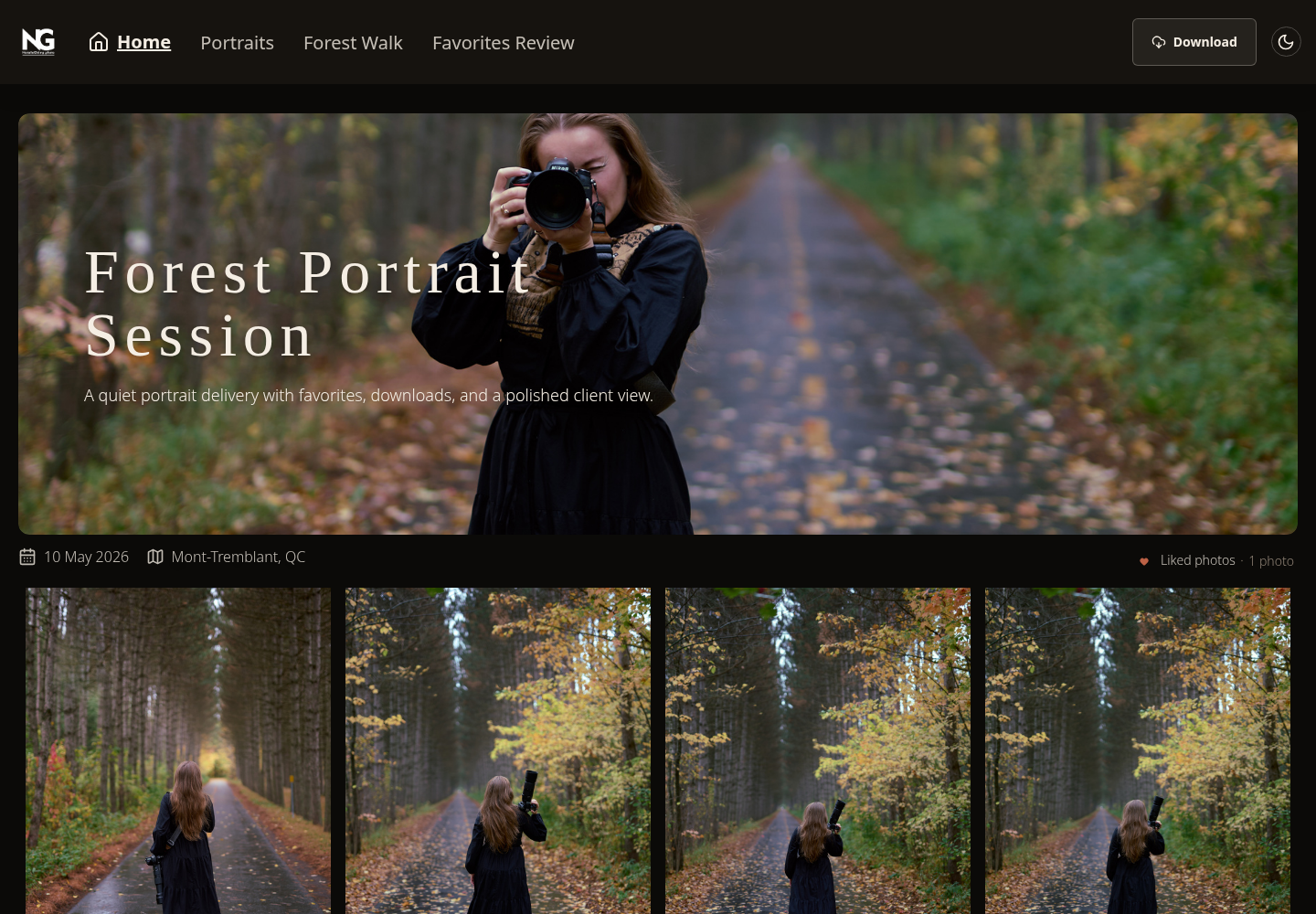
Existing SendPhoto client-gallery screenshot. This portrait session illustrates collection navigation and Download; it is not a wedding delivery or a demonstration of separate guest permissions. View the gallery example at full size.
Keep album selection separate from final-file delivery. A favorite can be a casual preference rather than an instruction to include an image in an album. Ask for a confirmed selection with filenames or the provider's supported selection tool, a requested count and a clear response date.
Choose one gallery or separate access
There are three useful arrangements. Choose the one the service can actually enforce.
- One gallery with the same permissions for everyone. Use this when the couple agrees that all invited viewers can see and download the same material. Explain whether the link and password may be forwarded.
- One collection with documented client and guest roles. Use the provider's role controls to restrict sets, individual photos or downloads where supported. Check each relevant permission; a viewing restriction and a download-size restriction are different controls.
- Separate galleries or destinations. Use this when you need a curated guest selection or when the service does not offer the required separation within one gallery. Upload only the files intended for each audience and configure access independently. Check whether the plan permits another gallery and whether duplicated files consume additional storage or upload allowance.
For the second and third arrangements, make sure the guest route does not reveal a link to the private collection, an unrestricted full-gallery download or other material meant only for the couple. A folder title is organization, not an access rule.
A password controls entry to a destination; anyone given that shared password may be able to pass it on. Expiring a link ends that route to future access but does not remove downloaded copies. Agree on the actual access period, tell the couple to save a copy and keep the studio's own backup separately.
Keep guest contributions separate
Collecting guests' candid photographs is a different job from delivering the photographer's edited collection. An upload link or QR code may help with contributions, but it should point to a destination intended for incoming guest files, not automatically to the couple's full delivery.
Decide who will review contributed images, who can view them and how long collection will remain open. Label the QR code clearly, for example “Upload your photos from the wedding,” rather than “Wedding gallery” if the finished professional photographs are not there yet. A QR code is simply another way to open a link; it does not add privacy or upload capability to the underlying service.
Do not assume that a gallery provider includes guest uploads because it allows guests to view photographs. Confirm that feature separately if it is part of the assignment.
Seven wedding gallery options
Choose around the required sharing arrangement, then the store, album and storage features. These are documented options to compare, not a ranking by measured speed or sales results.
- SendPhoto for browser-gallery delivery.
- Pixieset for documented client-exclusive sets and gallery sales.
- Pic-Time for gallery delivery with sales and marketing workflows.
- ShootProof for galleries, sales and studio tools.
- CloudSpot for gallery delivery with optional broader business tools.
- Pass Gallery for documented visitor roles and store workflows.
- SmugMug for hosting a photo library with presentation and selling options.
1. SendPhoto
SendPhoto lets clients open a browser gallery without creating a client account. Collections organize the shoot, while sharing, optional password protection and download controls support the handoff. The getting-started guide explains gallery setup and the actual Sharing & Downloads controls.
For a wedding, start by configuring the couple's intended gallery and checking its gallery-level and collection-level download settings. Decide guest access afterward. Do not treat a public link and a personal link as proof of different photo visibility, resolution limits or expiry rules.
If you need a separate curated guest destination, check the plan allowance before choosing that arrangement. The Free plan provides one gallery, 5 GB storage and 10 GB lifetime upload credits; deleting files does not reset lifetime credits. Current SendPhoto plans are the source for paid allowances. This guide does not promise a second free gallery, per-guest resolution rules or automatic cleanup.
Consider SendPhoto when the main task is browsing and downloading the finished wedding collection. Evaluate print sales, formal album proofing and specialist file formats separately if they are essential to the job.
2. Pixieset
Pixieset documents a specific way to separate audiences inside a collection: Client Exclusive Access. Its client-only access guide explains how clients and guests enter through different choices, with designated sets visible only to clients. A couple can also be allowed to mark individual photos private.
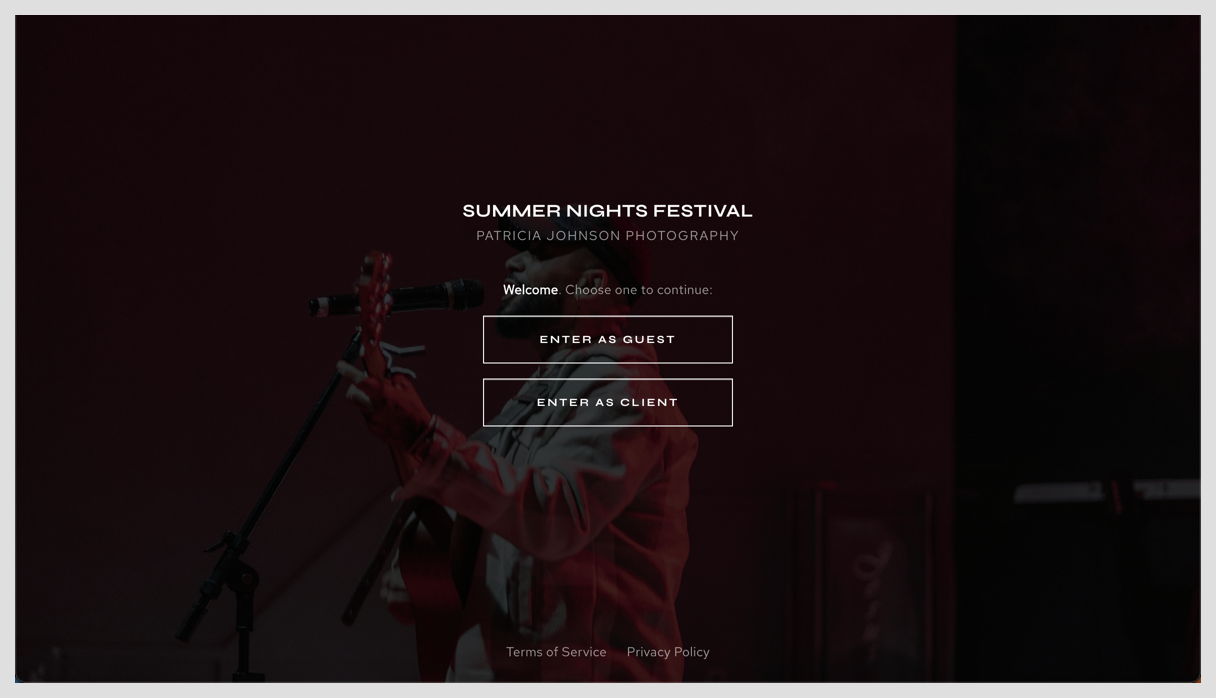
Screenshot credited to Pixieset's client-only access documentation. Its festival example demonstrates the two entry choices; it is not a wedding photographed or tested by SendPhoto. The permissions must still be configured behind those choices. View the Pixieset entry screen at full size.
The client-exclusive password and a general collection password serve different audiences. Pixieset says guest gallery downloads exclude client-only photos and sets. Check download sizes separately: Original-resolution collection downloads require an upgraded Client Gallery or Suite plan. Store download settings are separate.
Consider the Client Gallery plans when gallery delivery and print ordering belong together. Website and Studio Manager are separate product choices; the full suite is not a prerequisite for every wedding handoff.
3. Pic-Time
Pic-Time's Client Delivery Suite combines galleries with sales and marketing features, with photo and video allowances and other capabilities varying by tier. It is an option when post-wedding print and album sales are part of the studio's process.
Configure the intended recipients and download permissions before using sales campaigns. Decide what the couple receives as part of the booking and what guests may purchase. Verify the client and guest arrangement in the chosen product version rather than copying another provider's two-link instructions. Use marketing features only where they fit the agreed client experience; they do not guarantee additional revenue.
4. ShootProof
ShootProof's current plans use GB-based storage, with displayed photo counts serving as estimates. The Free plan lists 3 GB for photos; paid plans include photo and video capacity. Older guidance based on a 100-photo Free limit or active-photo-count pricing is outdated.
Consider it when galleries and sales should sit alongside contracts and invoices. Review applicable archive charges and booking add-ons as part of the cost. For a wedding, configure viewing and digital-download permissions around the actual audience and give clear print-ordering instructions if the store is enabled. Keep your own backup regardless of how long the hosted gallery stays available.
5. CloudSpot
CloudSpot's plan table separates gallery delivery from broader studio tools and varies storage and file support by tier. Free and Entry are JPEG-only. Choose around the finished files and business functions you need rather than assuming a larger subscription includes every production format.
For wedding delivery, make the intended couple access clear, then confirm the available controls before promising a different guest experience. If the separation you need is not supported within the chosen gallery, use an appropriately configured separate destination. Keep an album-selection request distinct from general favorites and from permission to download final files.
6. Pass Gallery
Pass documents Main Client, Photographer Invited, Client Invited and Guest roles. Its client-type guide says the invitation route determines a person's type and that download settings can distinguish these groups. Main Clients can receive selection requests and album proofs; the permitted experience depends on the configured settings.
For a wedding, decide who is the Main Client and which invitation route is intended for relatives or guests. Check scene visibility and high-resolution or web-size download access for the relevant groups. A shared selection is not necessarily a complete access boundary: Pass notes that someone who already has wider access may still navigate to other photos available to them.
Use the current Pass pricing page for storage, store commission and plan terms. Do not assume an older “100 GB to unlimited” summary describes every plan. Store and marketing features are reasons to compare the product, not a promise of hands-off sales.
7. SmugMug
SmugMug's plans combine photo hosting with presentation and commerce features that vary by tier. Unlimited full-resolution JPEG storage is separate from the optional Source RAW storage add-on. This can suit a studio maintaining a hosted library of finished weddings as well as new deliveries.
Choose the gallery privacy and download settings before distributing links. If using a separate guest gallery, publish only the intended selection and check its relationship to the rest of the site. Enable the store only where ordering is part of the planned experience. A hosted JPEG archive does not replace backups of camera originals and editing work.
Your wedding delivery checklist
- Confirm the files: finished exports, stable filenames and useful sections; no unfinished edits in the shared destination.
- Confirm each audience: agree with the couple which photos and downloads guests may receive.
- Check the recipient route: open the exact intended link in a signed-out or private browser so the photographer's login does not hide access requirements. If there are separate roles or galleries, check each one.
- Check downloads and navigation: confirm the available file version and that guests cannot reach private sets through navigation or a whole-gallery download.
- Explain the next action: save final files, choose album images or order prints; include the actual deadline where applicable.
- Keep backups: the couple should save their delivered copy and the studio should retain its own files according to the agreed arrangement.
These are checks for your real delivery, not a claim that the same controls exist on all seven services. For general method choices, see sharing photos with clients.
A wedding gallery delivery message
Adapt this template after configuring the real access settings. Remove lines that do not apply and replace every placeholder before sending.
Subject: Your wedding photographs are ready
Hello [Couple names],
Your finished wedding photographs are ready. Use your gallery link below to browse the collection and download the final files. Please save a copy somewhere you control.
Your gallery: [Couple's gallery link]
Access instructions: [The actual password, invitation or login instructions]
For family and friends: [Guest link and a short description of what guests can view or download, or a clear statement that the couple's link may be shared]
Availability: [The actual access deadline or agreed availability]
If you would like an album, please [the agreed selection method, image count and response date]. Reply if you need help downloading or choosing a file version.
Thank you again,
[Studio name]
Do not label a link “private” while telling the couple to forward it to everyone. The wording should match the permission settings and the couple's preferences.
If a browser gallery fits that plan, explore SendPhoto's current plans and follow the first-gallery tutorial. Choose and verify the audience arrangement before promising a separate guest experience.