
“Love this one” is difficult to act on when nobody knows which photograph it means. Useful photo feedback identifies the image, the version and the requested decision or change.
This guide explains how to collect that feedback, handle sensitive portrait requests and keep a clear record. For SendPhoto, use the gallery for browsing and likes, and collect written notes in an agreed email thread or shared document. The workflow below does not depend on native photo-comment threads, pinned notes or automatic approval states.
Why Commenting on Photos Matters for Professionals
Client review has a specific purpose: choosing a cover, confirming an album shortlist, requesting an edit or approving a named final version. Social-media comment counts do not tell you whether those decisions are complete.
A useful note contains image identifier + version + action + reason or location. For example: “portrait-014-v1.jpg: please remove the exit sign at the upper left; keep the crop unchanged.” A filename is more dependable than “the third photo,” because gallery order can change.
Organize feedback around three goals:
- Clear selections: record exactly which images the client wants included.
- Specific retouch requests: describe the change and the area affected.
- Explicit approval: identify the version and intended use that the authorized decision-maker accepts.
These are process goals, not measured promises of fewer revisions or legal protection. A like records a preference; it does not by itself approve an edit, license an image or authorize publication.
The Shift from File Transfer to Collaborative Review
A transfer link can be enough when the files are final and there are no decisions left. When review is still open, add instructions, a response channel and a named person who can confirm the result.
Delivery alone is no longer enough
Before sending proofs, state what is being decided and what happens next. “Choose ten images for the album by our agreed review date” is more actionable than “Let me know what you think.”
An email thread can work when each request names the file and version. A dedicated review tool may help with a larger team, but confirm its actual features and access model before using it. The photo-sharing guide covers choosing a handoff method.
What a collaborative review process changes
Four habits make a review easier to follow:
- Link feedback to an exact image. Quote the stable filename or identifier, even if the note also includes a screenshot.
- Separate preferences from decisions. A tentative favorite and an approved album selection need different wording.
- Keep a revision record. Record the request, your response, the delivered version and the client's confirmation in the chosen record.
- Give clients a clear role. Agree who consolidates comments and who makes the final decision, especially when partners or a team disagree.
These habits can be maintained in a document or email. They are not a claim that SendPhoto automatically stores a comment or revision history.
Best Practices for Professional Photo Commenting
Separate a technical concern from a creative preference. “The face appears too dark on my screen” describes a viewing issue to investigate. “We prefer the warmer version for this campaign” describes a direction to confirm. Both can be useful without treating every subjective preference as a technical fault.
Prompt for usable feedback
Ask for one decision at a time:
- Selections: “List the filenames you want in the final set. You may use likes while browsing, but please confirm the final list in your reply.”
- Retouching: “Quote the filename and version, name the area and describe the requested change.”
- Style: “Choose between the named versions and explain which better fits the agreed use.”
If a request is unclear, restate your interpretation before editing. A short question now can prevent an unwanted change later.
Set boundaries before comments start
Agree the review date, included revision rounds, who can approve and how additional work will be handled. Keep the following five categories distinct:
- Image selection: use the agreed review channel and name the selected files.
- Specific retouch requests: record the file, version, change and relevant area.
- Overall style concerns: summarize the concern in writing; use a call when needed, then confirm the agreed direction afterward.
- Schedule or billing questions: keep these in the appropriate job or contract conversation rather than mixing them into image notes.
- Sensitive personal feedback: discuss privately with the person concerned, with enough context to understand their preference.
A shared family or team thread is not the right place to invite comments about another person's body, age or appearance. Ask whose request it is and whether the person pictured wants the change.
Moderate tone as carefully as content
Focus on the photograph, styling and requested edit. Avoid turning feedback into judgments about the person. For example, ask “Would you prefer a different crop?” instead of telling someone their body needs correcting.
When a client requests appearance-related retouching, discuss the scope privately and neutrally. Do not assume everyone wants the same degree of smoothing or reshaping. Confirm what will change and what should remain natural, and avoid forwarding personal remarks to other reviewers unnecessarily.
Studio standard: ask permission before sharing a sensitive note beyond the people who need to handle it.
Implementing a Commenting Workflow in Your Galleries
SendPhoto can provide the gallery view and likes while the written discussion takes place in your chosen channel. Give the recipient a usable file identifier and explain where to send the note. Do not tell them to find a comment box that this workflow does not provide.
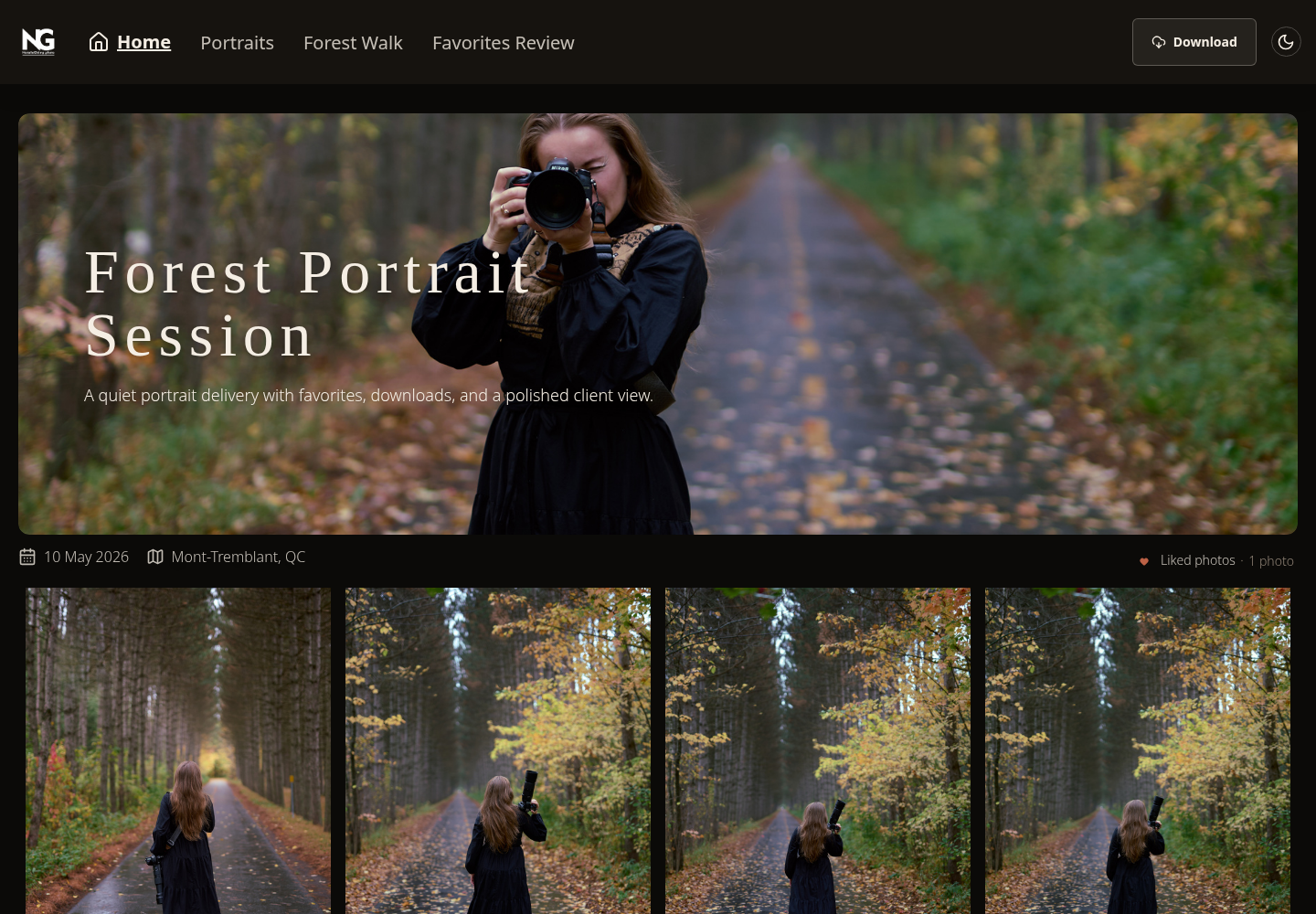
Existing SendPhoto visitor-view screenshot. The visible Liked photos indicator illustrates preferences, not a written comment thread or final approval. Favorites Review in the navigation is a manually named collection. No client feedback round is being claimed from this screenshot.
A simple client review sequence
Use these five steps for an album or portrait review:
- Prepare the proof gallery. Group images clearly and retain stable identifiers. State which version is under review.
- Choose where notes go. Use one agreed email thread or access-controlled document for written feedback. Explain whether this round is for selection, retouching or final confirmation.
- Send brief instructions. Ask for the shortlist first, then specific notes on those images. Identify the person who can approve the result.
- Resolve conflicting requests before editing. Summarize disagreements and ask for a consolidated decision; do not choose silently between two reviewers.
- Return named revisions for confirmation. Keep the prior reference clear and ask whether the specified version is approved for the stated use.
Here is an illustrative exchange, not a real client thread or a product screenshot:
- Client request: “portrait-014-v1.jpg: remove the upper-left exit sign if possible. Keep the current crop.”
- Photographer response: “I can make that change within this round. I will send portrait-014-v2.jpg for you to review.”
- Delivery note: “portrait-014-v2.jpg is ready. The sign is removed and the crop is unchanged. Please confirm whether this version is approved for the agreed website use.”
- Client confirmation: “Approved: portrait-014-v2.jpg for the website use in our agreement.”
The wording does not grant rights beyond the agreement or replace any required release. Keep each message linked to the actual file/version and verify who has authority to approve. For the final handoff, see the client photo delivery guide.
Features worth using
If you evaluate a separate commenting tool, check these four capabilities. They are selection criteria for that tool, not SendPhoto features promised by this article:
- Pinned region notes: can a reviewer identify the exact area, and does the marker still point to the right place after a crop or replacement?
- Resolved states: can the photographer distinguish “edit made” from “client accepted”? Who can change the status?
- Shared discussion and history: can the right reviewers see the same instruction and version without exposing unrelated personal notes?
- Permissions and privacy: can you limit access and remove it when the review ends? What can recipients download, copy or forward?
Without those features, filenames, explicit status wording and a maintained job record can still support a review. In SendPhoto, a gallery password is an access gate, not proof of individual identity. A link and password can be forwarded; downloads and screenshots can be shared. Collections do not create separate private audiences.
Comment Templates for Common Photography Scenarios
Praise is welcome, but a review round also needs a decision. Add the actual filename and version to each of these six examples. They are wording to adapt, not messages sent to a client.
Six template examples
- Initial proofing. Specific: “Please keep portrait-014-v1.jpg in the final set. The expression feels natural and relaxed.” Unclear: “Love this.”
- Album selection. Specific: “Use wedding-032-v1.jpg for the opening spread. It shows both families and feels like a key moment.” Unclear: “Maybe this one?”
- Retouch request. Specific: “For portrait-014-v1.jpg, please remove the exit sign in the upper-left background if possible.” Unclear: “Can you fix the background?”
- Portrait preference. Specific: “headshot-008-v1.jpg is our preferred headshot because the crop feels balanced and the smile looks natural.” Unclear: “This one looks better.”
- Black-and-white decision. Specific: “Keep wedding-045-v1.jpg in color; the flowers and skin tones are part of the mood we want.” Unclear: “Not black and white.”
- Crop adjustment. Specific: “Please try a slightly tighter crop on wedding-051-v1.jpg to emphasize the couple, while retaining both hands.” Unclear: “Crop it different.”
Ask whether a request is feasible and within scope before treating it as an instruction to proceed. Do not promise that every background object can be removed cleanly.
How to guide clients toward better language
Include four short prompts with the review link:
- Favorites: “Name the image and say whether it is a preference or a confirmed selection.”
- Edit requests: “Describe the change and location, not just that something feels off.”
- Sensitive portraits: “Keep shared notes focused on the photo, styling or edit. Send personal concerns privately.”
- Partner reviews: “Please consolidate conflicting suggestions and identify the final decision-maker.”
Keep the prompts brief. If a client is struggling, work through one image together and confirm the resulting note in writing.
Beyond Feedback: The Long-Term Value of Comment History
A review record can help explain what was requested and accepted. It is not an automatic safeguard against disputes, and it should not become an indefinite archive of personal remarks.
Keep what you need for the job: the file/version identifiers, relevant requests, agreed scope, your response and explicit confirmations. Avoid collecting unnecessary details about a person's appearance, health or private circumstances. Do not reuse sensitive feedback for marketing or share it with future reviewers without an appropriate basis and clear expectations.
Set a retention and access routine:
- Explain where feedback is kept, who can see it and how the client can raise a question about it.
- Choose retention periods for your purpose and applicable obligations; there is no universal number of months for every studio or record.
- Limit access to the people who need it, including any external retoucher.
- Schedule a review of old notes and copies, and delete or anonymize information that is no longer needed, subject to obligations that require retention.
- Distinguish ending access to the gallery from deleting copies in email, documents, exports or backups.
For UK-specific guidance, the ICO explains that personal data should be kept only as long as needed and that UK GDPR does not prescribe one fixed retention period for all data: storage limitation guidance. Apply the rules relevant to your location and records rather than copying a generic retention period.
Gallery activity can help you decide when to follow up, but views and likes do not prove approval. The client engagement metrics guide explains that distinction.
Use SendPhoto gallery delivery for presenting the images and collecting likes, then keep written requests and final confirmation in the agreed channel. Clear identifiers and careful follow-through make the feedback usable.