
This SendPhoto getting started guide takes you from an empty account to a checked client gallery. Start with a few non-sensitive JPEGs, not an entire paid shoot. The aim is to confirm that uploads finish, the right people can open the gallery, and downloads behave as you intend before you send a client link.
Before you create a gallery
Sign in to your SendPhoto account and keep your original photographs in your own backup system. A delivery gallery is not a replacement for those backups. If the app asks you to verify your email, complete that step so you can use the account features that require verification.
Choose three to five finished JPEG exports for a practice gallery. Use photographs you have permission to upload, without private client information. Give the files clear, stable names, such as practice-001.jpg and practice-002.jpg. Keep those names in your editing catalog too, so a client's selection can be matched to the right original.
Check the account's storage and upload allowance before starting a large delivery. Storage capacity and lifetime upload credits are different limits: space available now does not necessarily mean another upload is allowed. Use the current SendPhoto pricing page and your account's Subscription screen for the plan available to you. Do not assume that a paid plan means unlimited storage.
1. Create and name your first gallery
Open Galleries in the app's navigation, then select Create Gallery. An empty account also offers Create New Gallery. The Dashboard has a first-gallery action too; you do not need to set up a public portfolio before creating a client gallery.
Open General in the gallery menu. Give the Gallery name a clear purpose, such as “Practice delivery”. For a real job, use a name the client will recognize without exposing more personal information than necessary. Add a short caption or description if it helps explain what the gallery contains.
Keep the first version simple. One small set of photographs is enough to test delivery. You can decide how to divide a larger job after the basic upload and access checks work.
If creation fails, read the error shown by the app before trying again. An account limit and a temporary connection failure require different fixes. Repeatedly clicking Create Gallery is not a useful way to diagnose either.
2. Upload a small set and check the result
Open the gallery and select Upload. Choose the practice JPEGs from your computer. The file picker lists accepted extensions; that is not a promise that every camera's RAW variant or every video encoding will process successfully.
Keep the upload page open until the batch reports its result. Check for individual failures rather than assuming that a finished progress indicator means every selected file succeeded. If the app reports a storage, upload-credit or file-format limit, address that specific message before submitting the same files again.
Then check the gallery itself:
- Compare the number of visible items with the number you intended to upload.
- Open each practice photograph, not just its thumbnail.
- Check orientation, crop and whether the image looks like the export you selected.
- Check the filenames where they are displayed so you can distinguish similar frames.
- Keep a note of any failed filename and its exact error message.
For a full job, repeat this check on representative photographs and any unusual file types before committing to a large batch. Do not assume an interrupted upload will resume automatically. Check what arrived first, then retry only what is missing or failed.
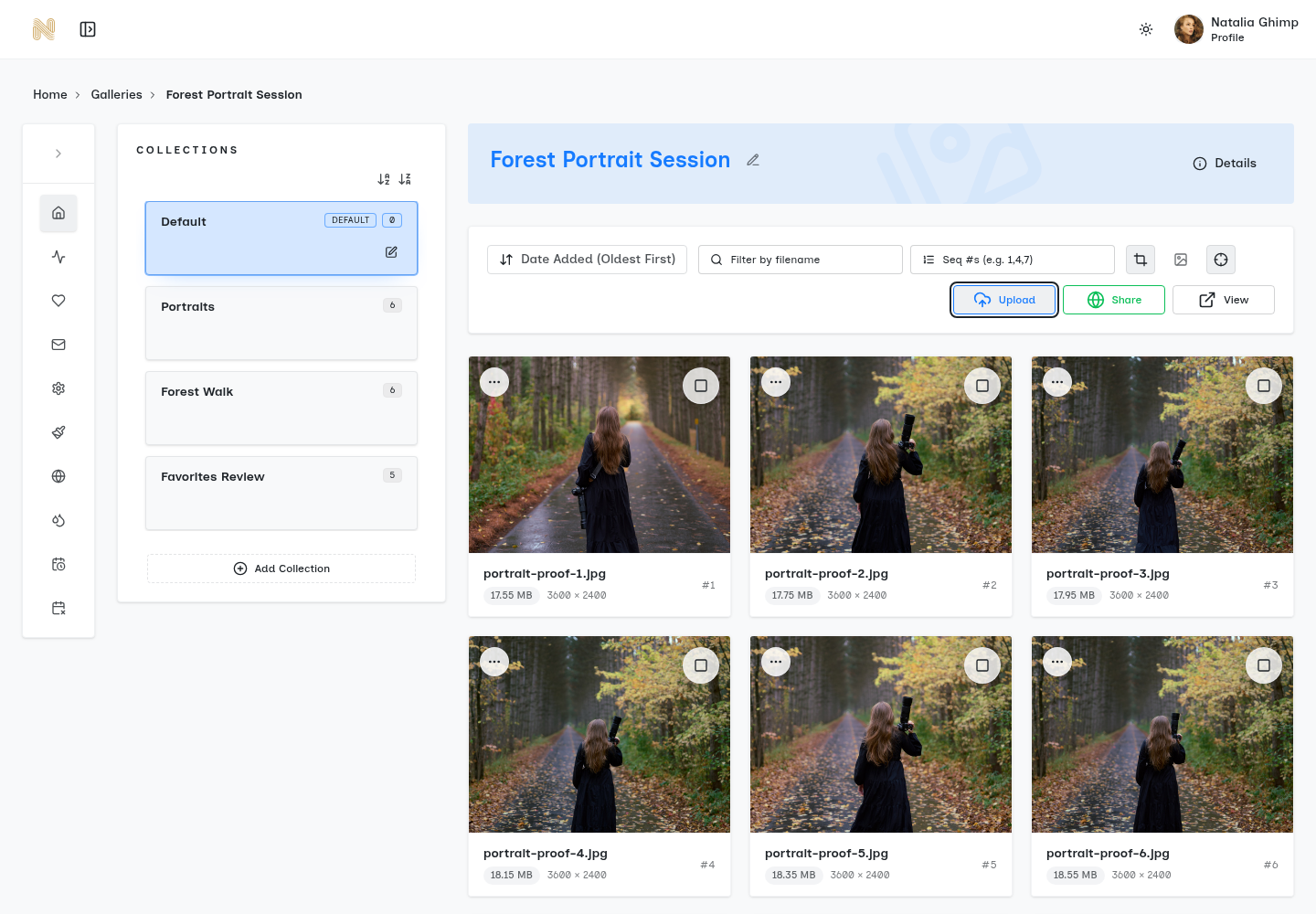
3. Make the gallery easy to navigate
For a small delivery, a single folder may be enough. For a larger event, use a few recognizable groups such as Ceremony, Family portraits and Reception. These are organizational suggestions, not a requirement to build a complex folder system for every job.
Avoid names that only make sense inside your studio, such as “export-final-v7”. If the client is choosing photographs, retain stable file identifiers throughout the selection process. Renaming files halfway through a conversation makes it harder to match their request to your edit.
The customer gallery's folder filter is not a general photo-metadata search engine. Do not rely on keyword tags, camera settings or Boolean queries to help clients find an image. The separate folder-search guide explains the supported filter and when it appears.
4. Set sharing and download permissions
Select Sharing in the gallery menu to open Sharing & Downloads. Decide whether this is a selection gallery or a finished delivery before changing its controls. For example, a selection gallery may need viewing without downloads, while a finished delivery may allow the client to download the agreed files.
Choose how the client can open it
Use Enable sharing when the gallery is ready to be accessible. If you want to distribute the general Gallery URL, also check Allow public gallery link. These are separate controls. When the public-link option is off, the app describes access through personal client links and invite links instead.
“Public gallery link” means a general link that can be passed on; it is not a guarantee that only your intended client can use it. Use the link type and access settings appropriate to the photographs. Do not put sensitive images into a practice gallery merely to test a setting.
Add a password when needed
The Password field is optional. If you use it, wait for the setting to save and test the password as a visitor. Share the password through the channel agreed with the client, rather than putting it in a public gallery description.
A password is an access control, not a promise that someone who can view a photograph cannot copy it. Likewise, hiding a download button does not prevent screenshots.
Check downloads at both levels
Use Enable downloads or Disable downloads to match the delivery stage. Review Download quality before sending finished photographs. Where the gallery has multiple folders, check their individual download controls too: the gallery-wide setting is not the only permission involved.
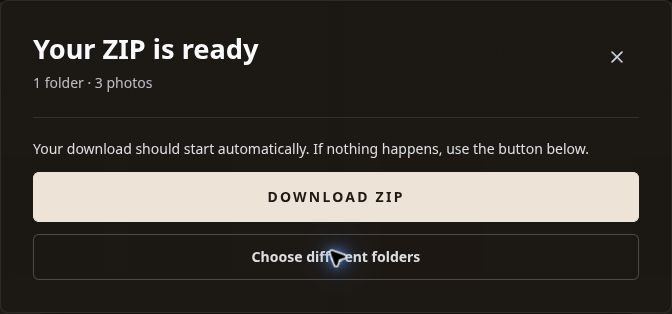
If downloads are allowed, download a practice file through the visitor view and open the result on your computer. Check that its dimensions and appearance meet your intended delivery. Do not infer the downloaded result from a sharp-looking preview alone.
5. Test the actual client link
Use Copy link for the link you intend to send. Open that exact link in a private browser window where you are not signed in as the photographer. The app's Preview gallery is useful for checking appearance, but it does not replace this visitor-access test.
Walk through the whole small gallery:
- Does the copied link open without your photographer login?
- If you set a password, is it requested and does the correct password work?
- Are the intended photographs and folders visible?
- Are downloads available or unavailable as you intended?
- If downloading is allowed, does the downloaded file open correctly?
- On a phone, can you read the gallery name, browse the images and find the relevant controls?
For a personal client link, test the intended access flow without assuming it behaves like the general URL. Avoid forwarding someone else's personal link as a troubleshooting shortcut.
If the link fails, check sharing, the public-link setting when applicable, the password and any configured expiry before blaming the client's device. Record the exact error. Test a second browser only after those settings have been checked.
6. Send a clear delivery message
Once the checks pass, send the verified link with a short explanation of what the client should do. Keep the message specific to this stage of the job. “Choose your photographs” and “Download your finished files” are different requests.
For a selection gallery, an example message is:
Your selection gallery is ready. Please choose the photographs you would like me to finish and send me the selected filenames by our agreed date. These are selection previews, not the finished delivery.
For a final gallery, an example is:
Your finished photographs are ready at the gallery link. Please download them and keep a backup. Let me know if a file does not open or if anything appears to be missing.
Add the actual link, deadline and password instructions yourself before sending. These examples do not imply that a favorite automatically locks a selection or records formal approval. For a more detailed selection workflow, see the client proofing gallery guide.
After the first successful delivery
Only after the basic flow works should you spend time refining the gallery's styling, cover and branding. Check the result in the visitor view rather than relying only on settings previews. Review current plan terms before assuming a custom domain or branding option is included.
Keep access expiry separate from deletion. Ending access to a gallery and deleting its photographs are different actions. If you configure either, check which setting you changed and communicate the actual delivery deadline to the client. Keep your own backup independent of the gallery.
For the next job, reuse the checklist, not assumptions about defaults. Confirm the name, file set, access settings and download behavior each time. A previous gallery working correctly does not prove the new one has the same permissions.
Quick troubleshooting
A file will not upload
Read the specific error and check the accepted file type, storage allowance and upload credits. Try one ordinary JPEG you know opens locally. If that works but another file fails, investigate that file instead of repeatedly uploading the whole shoot.
The client sees an access error
Check that you sent the intended link, sharing is enabled, the relevant link type is allowed and the password is correct. Check expiry if you configured it. Do not remove privacy controls from sensitive photographs merely to make an error disappear.
The gallery opens but downloading does not work
Check the gallery's download switch and the affected folder's permission. If a download completes but the file is not what you expected, review Download quality and test one file yourself. Share the filename and error with support, not the client's password.
How do I know the first gallery is ready?
It is ready when the intended files are visible, the visitor link works under the intended access rules, and an allowed download has been checked. A nice cover or an upload-complete message alone is not enough.
Open SendPhoto and start with a small practice gallery. Once its visitor checks pass, use the same process for your first real delivery.