
You've finished the edit, exported the files, and sent the client a link. Then the questions start. Which images should they select? Can they download the high-resolution files? Why does the gallery look like an anonymous folder instead of part of the studio? And will the link still expose the shoot months after delivery?
Photo presentation software can mean a timed slideshow, a client gallery or a broader business portal. Start with the client’s next action: watching a sequence, reviewing individual images, downloading agreed files or completing a business transaction. Those jobs need different tools.
Table of Contents
- What Photo Presentation Software Does for Photographers
- Slide Decks and Client Galleries Solve Different Jobs
- The Core Features That Define Modern Photo Presentation Software
- Where Photo Presentation Software Earns Its Keep Across Genres
- How to Choose the Right Photo Presentation Software for Your Studio
- A Fast Handoff Workflow From Edit to Client
- Common Pitfalls When Picking Photo Presentation Software
- Choose Around the Client’s Next Action
What Photo Presentation Software Does for Photographers
A useful handoff gives the client clear instructions and a recognizable presentation. Depending on the platform and settings, recipients may browse images, mark preferences or download agreed exports. Account requirements and access controls vary; do not treat every gallery as private or every feature as included.
For photographers, photo presentation software connects the finished edit to the intended audience. A gallery emphasizes browsing and review; a slideshow emphasizes a sequence. Keep source files and edit history in an independent archive rather than treating a client-facing presentation as your only copy.
Where the category fits
A slideshow app arranges images with timing, text or narration. Storage tools hold and transfer files. A client gallery supports image browsing and may offer collections, favorites, passwords and download settings. A business portal adds operations such as contracts or invoices. Check the actual product and plan instead of assuming those features travel together.
That distinction affects the client experience. A wedding client may need to browse a full collection comfortably from a phone. A portrait client may need to mark a shortlist. A commercial client may need view-only access while a brand team reviews images internally.
Practical rule: Treat the gallery as part of the deliverable, not as packaging around the deliverable.
For a concrete business-portal example, ShootProof’s official feature index lists contracts and invoicing alongside its gallery tools. Verify the current plan and payment arrangements before purchase. A gallery favorite is not a signed agreement or payment receipt.
Choose a focused gallery when you already have suitable business tools. Consider a broader portal when combining workflows solves repeated work. The comparison below uses official documentation and SendPhoto’s current implementation; it is not a hands-on benchmark of the three products.
| Client job | Documented example | Boundary to check |
|---|---|---|
| Watch a timed story | Desktop PowerPoint can export a presentation as video with timing options | A video does not itself provide individual-image review or a private gallery |
| Browse and suggest images | SendPhoto provides named collections, favorites and configurable downloads | Favorites are preferences; collections do not isolate audiences |
| Handle business paperwork | ShootProof lists contracts and invoicing alongside galleries | Verify current terms; a favorite is not a contract or payment |
Slide Decks and Client Galleries Solve Different Jobs
A timed presentation is useful when you want viewers to follow an image sequence. Microsoft documents video export from desktop PowerPoint: save the presentation, use File > Export > Create a Video, choose quality and timings, then save an MPEG-4 video. The guidance applies to listed desktop versions; do not assume the same menu exists in the browser app.
For a proposed anniversary presentation, arrange a small selection from preparation to celebration, add captions and choose timings suited to the audience. The output is a video to watch in order. It does not automatically provide image-by-image favorites, individual downloads or a private client gallery. This is a documentation-based example, not an export performed for this article.
From files to experiences
For an asynchronous review, a gallery gives the recipient a way to return to individual images. Name collections around the job, distinguish proofs from finals and give one clear next action. A folder of filenames may suffice for transfer, but the handoff still needs instructions and agreed versions.
Choose sequencing for a story and browsing for individual review. You can deliver both, provided each has a clear purpose and the recipient knows which files are available. A polished interface alone does not establish authorization, approval or the right to publish.
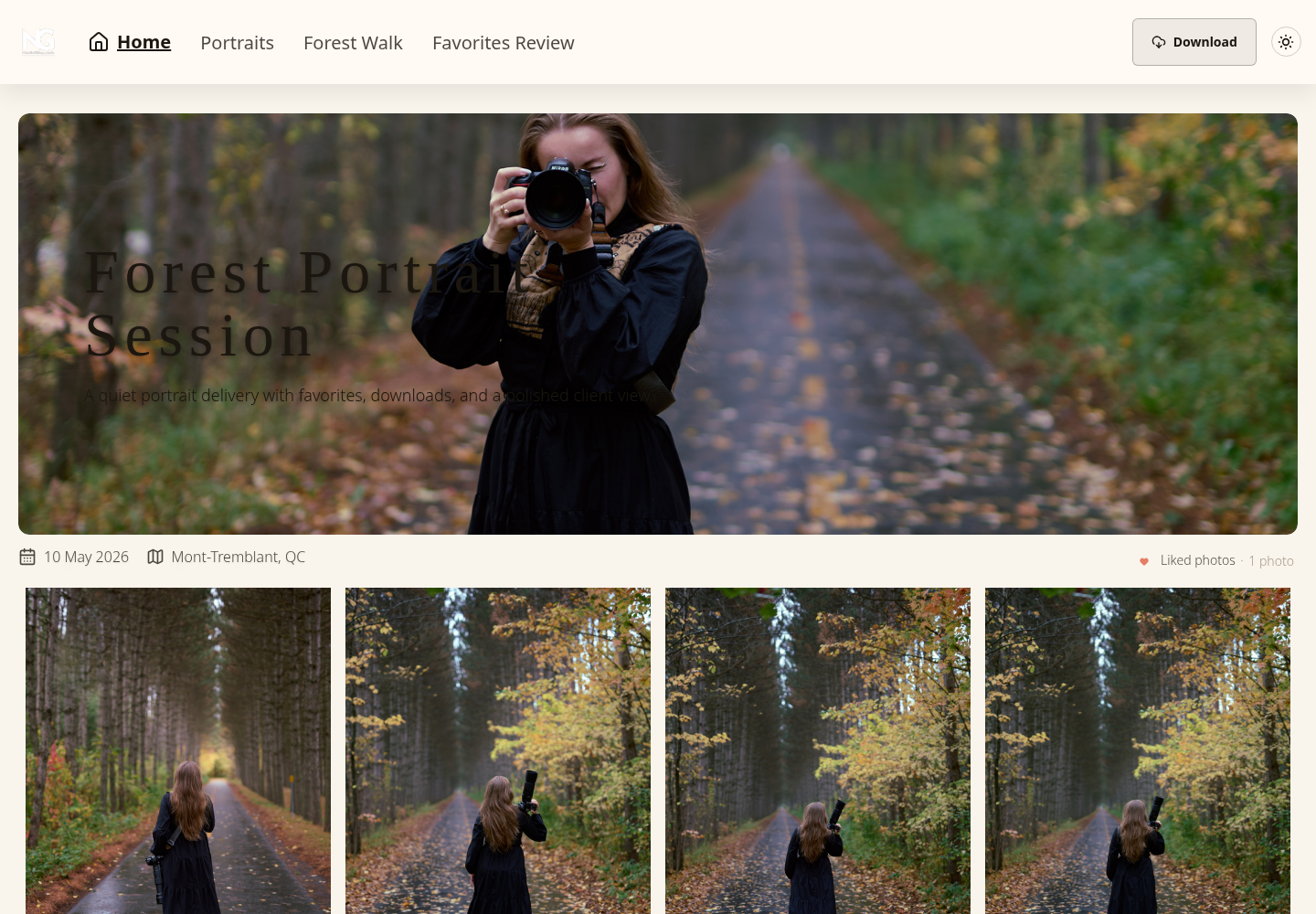
The Core Features That Define Modern Photo Presentation Software
A useful evaluation starts with four capability pillars: delivery, branding, security, and workflow. Each one solves a different failure point in the handoff.
Delivery
List the required file formats, quantities and output versions. Browser-ready JPEG proofs are a practical starting point for review; deliver camera RAW files only when the agreement and actual format support require them. Bulk upload helps preparation, but you still need to reconcile the expected filenames with the delivered set.
Check playback and download behavior separately for hybrid photo/video jobs. SendPhoto video processing can replace the upload with a stored optimized MP4, so retain an independent master. Avoid predicting load speed from a CDN feature list: performance depends on the gallery, connection and device, and this article reports no measured loading result.
Branding
Look for a recognizable studio name, an appropriate cover and clear labels. Custom domains and third-party branding controls are product- and plan-specific. A branded address changes recognition, not authentication or who may access the content.
Branding isn't decorative if it reduces uncertainty. A client should know who delivered the gallery, where to ask questions, and which action comes next. Overdesigned interfaces can distract from the work, so customization should improve recognition without competing with the images.
Security
Match access to the sensitivity of the work. Optional shared passwords add a barrier but can be forwarded and do not establish identity. Download restrictions and watermarks can guide delivery; they do not prevent screenshots or every form of copying.
Treat sharing expiry and deletion as separate decisions. In SendPhoto, expiry turns sharing off; self-deletion is a separate setting. Neither recalls previously downloaded files. For work requiring verified individual access or a formal audit trail, choose a system that actually meets those requirements rather than relying on a shared password.
Workflow
Check the review controls you actually need. SendPhoto uses named collections and client favorites; it does not provide tags. Collection names do not create separate audiences or passwords. A favorite records preference, not final approval, a print order or a publication license. Confirm approved filenames, versions and intended uses separately.
| Capability Pillar | What It Covers | Signals of a Strong Implementation |
|---|---|---|
| Delivery | Required formats, sizes, playback and downloadable versions | The intended set is present and the recipient can perform the agreed action |
| Branding | Studio identity, cover, labels and product-specific domain/branding options | The recipient knows who sent the gallery and where to ask questions |
| Security | Access method, sharing expiry, downloads, watermarks and separate retention | Settings match the audience; restrictions do not promise copy prevention |
| Workflow | Collections, supported review controls and explicit approval records | Preferences can be reconciled to approved filenames and versions |
The client proofing gallery workflow covers the review stage in more detail. Use the gallery to collect preferences and maintain an explicit approval record alongside the job.
Where Photo Presentation Software Earns Its Keep Across Genres
The same software can support different handoffs, but the agreement determines what gets delivered. Start with the audience, versions and next action rather than choosing a feature list solely by genre.
Weddings and events
Wedding galleries often work well with collections such as Ceremony, Reception and Portraits. Decide whether the couple may forward the link and whether guests should see the same set. A shared gallery password does not create individual guest permissions.
Clearly label screen-viewing and print exports, and supply the agreed files rather than assuming one size fits every use. If the physical album uses a QR link, explain that the code points to the current gallery and follows its access and expiry settings; it is not a permanent archive.
Portrait and family work
Portrait clients rarely need a complicated portal. They need to see the images comfortably, mark favorites, and understand what happens after selection. Large buttons, simple labels, and an uncluttered layout matter more than elaborate animation.
Favorites can help a portrait client suggest a retouching shortlist. Ask for a separate confirmation of the exact filenames and versions before finalizing the agreed set. Keep billing and fulfillment in the business system that handles them.
Commercial and product assignments
Commercial previews need an explicit audience and intended use. A watermark or disabled download does not authorize publication or guarantee copy prevention. Keep unreleased masters out of the review set; use verified individual access when the job requires it.
Collection names can separate products or shoot phases, but they do not necessarily separate access. For SendPhoto, use separate galleries if audiences must be separated and check each gallery’s settings. Assess team roles and approval records in the actual product rather than assuming a shared gallery provides them.
The right platform is therefore genre-dependent. A wedding studio may prioritize effortless browsing and broad delivery. A portrait studio may prioritize selection. A commercial studio may put security first.
How to Choose the Right Photo Presentation Software for Your Studio
A wedding studio sending one finished gallery has a different delivery problem from a commercial photographer sharing controlled previews. Write down the studio's most common handoff before comparing candidates. Four checks usually reveal whether a platform fits.
1. Define the delivery job
List what clients receive most often: a finished gallery, proofing set, video-and-photo collection, commercial preview, or a mixture. Record the file types, number of collections, client actions, and people involved in each handoff.
Choose a slideshow for a timed sequence, a gallery for browsing and a portal when contracts or invoicing belong in the same workflow. The photo gallery software guide can help build a shortlist, but verify each candidate against your own required handoff.
2. Score security needs
Classify the intended audience and sensitivity. Record whether the work needs a public portfolio, a shared-password review or individually authenticated access. Compare access expiry, permitted downloads and retention separately.
A password is only one control. Decide who receives it, whether forwarding is acceptable and which versions can leave the gallery. Record approval and publication rights outside a favorite list. Viewing access does not itself authorize use.
3. Test the mobile client experience
If clients will review on phones, consider a permitted sample set before adopting a tool. Use only content you may share, follow the recipient instructions and observe whether navigation and the intended action are clear. This is a suggested buyer exercise, not a mobile test performed for this article.
4. Stress-test the upgrade path
As checked on October 5, 2026, SendPhoto’s pricing page lists 5 GB and one gallery on Free, with 10 GB lifetime upload credits. Published paid storage tiers range from 20 GB Starter through 1 TB Pro. Check current terms before purchase; storage capacity and upload credits are different limits.
Estimate storage from the exports you intend to retain and the delivery windows you promise. Check plan changes, branding, support and export behavior with the provider. Do not assume an upgrade preserves every workflow or that a delivery gallery substitutes for an independent archive.
A Fast Handoff Workflow From Edit to Client
Begin with the agreement: what files, versions and intended uses should the client receive? Export the approved review set, retain the source and edit data independently, and use filenames that recipients can reference unambiguously.
Upload the intended set and organize it into clear collections. Check for omissions, duplicates and unintended material. SendPhoto collections organize the presentation; they are not tags or separate audience boundaries. Do not upload confidential masters merely because you plan to disable downloads.
The delivery sequence
- Prepare the gallery: label proofs, final exports and video clearly. If audiences differ, use the access arrangement required for each audience rather than assuming collections isolate them.
- Apply presentation controls: choose a recognizable studio identity, cover and order. Apply a watermark when appropriate and check which export the recipient is meant to receive.
- Set access rules: configure the intended audience, optional shared password, download permissions and sharing window. Choose stronger identity controls elsewhere when the job requires them.
- Send one concise link: state the requested action, deadline and contact. Do not put an access password in a public caption or portfolio page.
- Review selections: collect preferences, then obtain explicit confirmation of approved filenames, versions and intended uses. Favorites alone do not establish approval.
- Close the project: close sharing at the agreed time, review retention and deletion separately, and confirm required independent copies before removing delivery material.
The client photo gallery workflow expands on delivery. Keep a short handoff record so access instructions, requested action, approved exports and retention decisions are understandable without reconstructing a message thread.
The photographer still controls the creative judgment. The software makes the path from that judgment to the client more consistent.
Illustrative Handoff Record
This is a proposed record for a fictional portrait job, not an actual delivery or approval.
| Field | Illustrative entry | What it establishes |
|---|---|---|
| Audience | Commissioning client; forwarding policy agreed separately | Intended recipient, not verified identity |
| Review set | JOB042-portrait-001-proof-v02.jpg through 012-proof-v02.jpg | The intended proof filenames and version |
| Requested action | Suggest three images for retouching | Preference collection, not final approval |
| Approved output | Record the actual approved filenames, versions and use after confirmation | Approval remains pending until explicitly confirmed |
| Sharing window | Record the agreed closing date and time | Sharing access ends separately from deletion |
| Retention | Record independent source, work and final-export locations plus retention policy | Required copies remain independent of the client gallery |
Common Pitfalls When Picking Photo Presentation Software
Price is an easy filter, but it's a poor decision rule on its own. A low-cost plan can become expensive in staff time when it introduces storage caps, weak permissions, or a client experience that generates support messages.
Mistakes that create avoidable work
- Choosing on price alone: Compare the cost of the plan with the time spent correcting broken handoffs, moving archives, and answering access questions. A focused value analysis is more useful than the smallest monthly fee.
- Sending an unbranded link: A generic storage URL can make a premium service feel unfinished. Use a custom domain or branded layout when client perception matters.
- Relying on a hidden URL: choose access controls suitable for the assignment. A forwardable shared password is not proof that only the intended person can view it.
- Ignoring the recipient’s device: when evaluating software, use a permitted example and check the intended action on the devices that matter to the audience; do not infer results from marketing screenshots.
- Conflating expiry and deletion: record the sharing deadline and file-retention decision separately. Closing sharing does not recall copies already downloaded.
- Overbuying an all-in-one portal: Contracts, invoicing, and print sales are useful only when they replace real tools or repeated work. A studio that already has those systems may prefer a narrower presentation layer.
- Assuming photo support means master-video delivery: verify accepted formats and whether processing changes the stored download. Retain the independent master and agree on the client’s required output.
A platform should remove a handoff problem, not add a second dashboard for every task.
Compare one representative handoff against your written requirements. A proposed trial can reveal missing steps, but a feature page or screenshot does not prove a successful client delivery. Keep the evaluation separate from real private client material.
Choose Around the Client’s Next Action
Choose a sequence tool when the client should watch, a gallery when the client should browse or review, and a broader portal when the job includes business transactions. Keep the four pillars and the handoff record tied to that next action.
Check the required outputs, recognition, access and review process. Define sharing expiry and retention separately, keep an independent source archive and record approvals explicitly. There is no universal loading speed or copy-prevention guarantee implied by these features.
For the next job, write the audience, requested action and approved output in a short delivery brief. Compare candidates against it and give the recipient instructions that match the configured gallery.
SendPhoto publishes this guide. If named collections, client favorites, optional shared passwords and download settings fit your delivery job, explore SendPhoto. Downloads depend on global and collection settings: Original with watermarking can use a generated marked image, Scaled uses generated output, and ZIP downloads include permitted collections. Keep approved filenames and independent masters outside the gallery as well.