
Choose a concept around the brief
A useful photo idea gives you something to shoot and a reason for the client to use the result. Start with the subject, intended audience and required images; choose the visual treatment afterward.
If you arrived looking for trending photo ideas, treat the concepts below as adaptable starting points, not a ranking of current trends or a promise of viral reach. This guide is about planning the photographs. The photo-dump guide covers sequencing a social set; this page helps you decide what belongs in that set before shooting.
For a portrait, the brief might be a relaxed profile image and a wider environmental view. For a maker, it might be a clear product view, a materials detail and a website banner. A visual reference helps communicate mood, but agree what the finished files need to do.
Idea Matrix
Choose the row that fits the job, then adapt its light, setting and framing. The examples are proposals, not completed client campaigns.
| Idea | Works well for | Key visual choice | Watch out for |
|---|---|---|---|
| Cinematic portrait sequence | Couples, seniors, personal branding | A small action, environmental frame and close detail | Forced expressions or a story that ignores the subject |
| Nostalgic color story | Lifestyle, families, travel | A restrained palette, texture and gentle contrast | Color casts that misrepresent skin or the product |
| Seasonal mini session | Couples, families, creators | Local weather, wardrobe and usable light | Unsafe conditions or generic props with no purpose |
| Editorial product still life | Small brands, makers, food | Readable product, supporting texture and space for the intended crop | Clutter, misleading scale or obscured details |
| Photo dump gallery | Creators, travel, events | A deliberate mix of wide, close and connecting frames | Treating leftovers or private outtakes as publishable |
| Quiet luxury details | Weddings, interiors, brands | Simple backgrounds, tactile materials and controlled highlights | Empty images that fail to identify the subject or place |
For the last row, "quiet luxury" is a shorthand for restrained styling, not evidence that the subject is expensive. An ordinary object can work if the light, texture and required detail are clear.
1. Cinematic Portrait Sequences
Plan a small scene rather than asking for one perfect pose. A proposed five-frame menu is:
- The subject entering or settling into the setting.
- A close view of hands, fabric or an expression.
- A wider portrait showing the environment.
- A deliberate movement frame, with blur only if it suits the brief.
- A still portrait with eye contact, if the subject wants it.
Give the subject a comfortable task: adjust their own jacket, turn toward window light, sit at a table or walk along a clear route. Allow a stationary alternative. Let them decline a prompt without treating it as a failed shot.
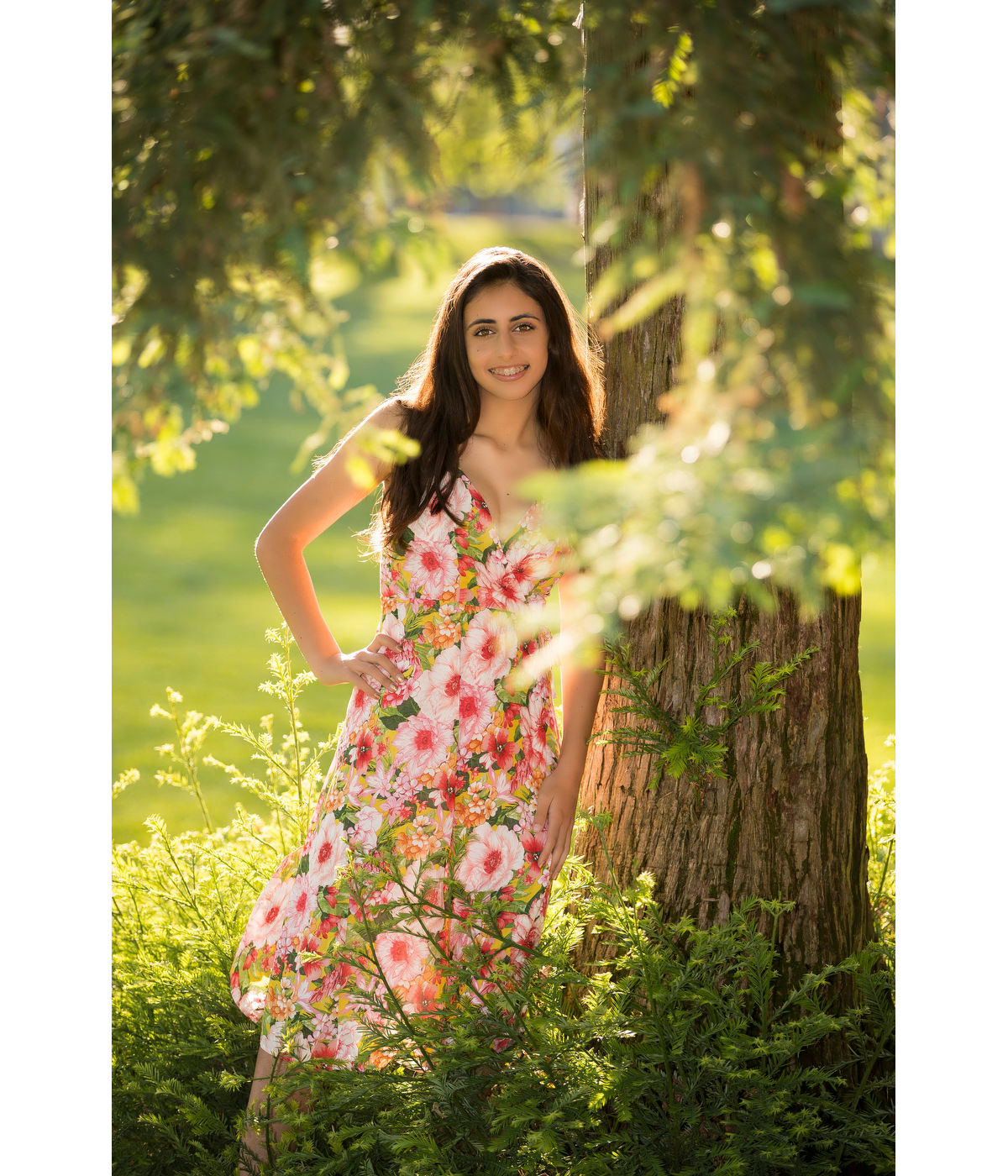
In Cable's published Canon example, the tree and foliage contribute to the portrait instead of becoming unrelated decoration. You could borrow that compositional idea for your own brief: first establish the setting, then move closer for an expression or detail. The reference does not demonstrate that proposed sequence, a current location permit or a particular client's consent.
For a wider discussion of light, framing and an agreed visual treatment, see the cinematic photography guide.
2. Nostalgic Color Without Making It Gimmicky
Use nostalgia as a direction for the whole set, not a filter applied indiscriminately. Consider:
- Warm highlights and gentle contrast where they suit the scene.
- A restrained amount of grain or texture.
- Direct-flash frames when the subject is comfortable with flash.
- Familiar colors and simple wardrobe shapes.
- A real setting with meaningful objects rather than a generic prop pile.
Keep a neutral reference alongside a creative grade when skin, clothing or product color matters. Inspect whether whites, important brand colors and fine texture remain believable.
A white-balance reference and a color-reference target do different jobs. Calibrite's target guidance distinguishes a white-balance target from a color target used for profiles and visual assessment. This is a workflow principle, not a recommendation that every casual shoot needs that product. A target also does not guarantee every viewer's display will match yours.
Agree whether the client needs neutral product files, a stylized social version or both. Label the versions instead of making the client guess which is intended for accurate representation.
3. Photo Dump Ideas With Intention
A casual-looking set can still have a deliberate sequence. Try:
- A cover that makes the subject or occasion clear.
- A wide establishing frame.
- A human detail, such as hands, shoes or a chosen expression.
- A behind-the-scenes image approved for the intended audience.
- A close crop or texture.
- An alternate angle that adds information.
- A final polished frame or quiet ending.
Not every frame needs equal polish, but each needs a reason to be included. Remove near-duplicates, accidental identifiers and outtakes the subject did not agree to share. Behind-the-scenes material needs its own permission; a client approving a portrait does not automatically approve a visible location, document or other person.
Read photo dump ideas and sequencing for the carousel-specific approach. Check the destination's current format requirements when preparing the actual post, rather than assuming one crop works everywhere.
4. Seasonal Concepts That Do Not Feel Disposable
Use the weather, light, wardrobe and place available to the subject. Seasons differ by location; use these as options, not dates on a universal calendar. Have a comfortable indoor or rescheduled alternative for unsafe heat, cold or weather.
Spring
Try soft colors, light layers, early blooms where present, fresh product backgrounds and relaxed outdoor portraits. Stay on permitted routes and leave flowers intact. A single meaningful plant or fabric texture may tell the story better than an unrelated prop collection.
Summer
Consider linen, bright food, travel details and late-day light where available. Reflections can be photographed from a safe position without entering water. Provide shade, breaks and a stationary option; the image is not worth heat exposure or unsafe footing.
Autumn
Try textured clothing, deeper colors, window light, a permitted market setting or a family walk on a clear path. Ask a venue before staging a portrait or obstructing its customers. Use actual local conditions rather than promising foliage a location may not have.
Winter
Use indoor storytelling, lamps, a simple studio set and comfortable close framing. Choose battery-operated candle props when an open flame would create unnecessary risk. Snow is optional; warm fabric, window light or an indoor routine can carry the idea without cold exposure.
5. Product Still Life That Feels Editorial
Build the scene around a product's use, while keeping the product easy to understand. A towel can support a skincare scene; tools and material details can explain a handmade object; a serving action can give food context. Keep unrelated decoration out of the way.
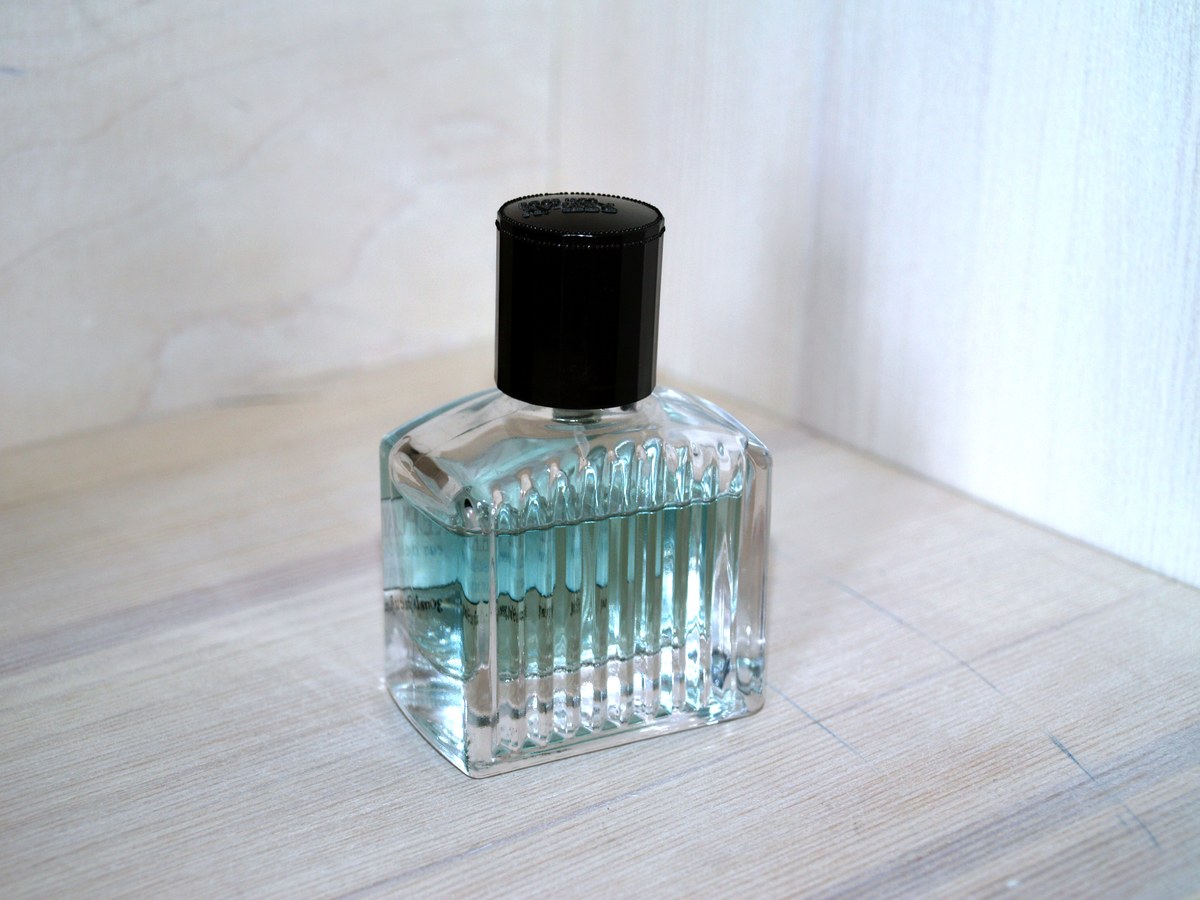
Image credit and original: Santeri Viinamäki on Wikimedia Commons; image license: CC BY-SA 4.0. The visible glass ribs, cap and reflected light give you specific details to assess. This photograph is not proof of accurate color, an advertising result or the photographer's lighting setup.

A simple bottle can anchor a context image, but a client might also need a clear label view or a differently composed banner. Those would be additional photographs or approved crops, not details you can assume this frame contains.
Before setting up, ask:
- What is the product, and what must remain readable?
- Who uses it, and which use are you showing?
- Where would it naturally appear?
- Which texture supports the story without hiding the product?
- Which colors must be represented faithfully?
- Which crop, dimensions and copy space does the actual website, social post or ad need?
Illustrative brief: a maker requests five images for a ceramic cup launch: clear identification, material detail, a use image, a wide banner and a portrait-format social image. The following is a proposed shot list, not a record of a completed shoot or a universal deliverable count.
| Frame purpose | Proposed capture | Check against the brief |
|---|---|---|
| Identification | Cup with a readable outline on a simple background | Shape, finish and required marks visible |
| Material detail | Close view of glaze and rim | Texture represented without inventing defects or smoothing them away |
| Use | Agreed hand holding the cup in a safe scene | Permission for the person and no misleading scale |
| Banner | Wider composition with space for the agreed text position | Important detail survives the actual banner crop |
| Social image | Separate portrait-oriented composition | Subject remains clear in the requested placement |
Confirm which of these are separate captures and which can be crops from one sufficiently detailed file. Do not promise that a tight product view can become any wide banner without losing content.
For a Shopify store, its product-media guidance explains how theme display and consistent aspect ratios affect product presentation. Other sites and ad placements have their own requirements. Obtain the actual brief rather than importing one platform's specifications into every job. The product photography guide goes deeper into reflections, backgrounds and export checks.
6. Couple and Friendship Movement Prompts
Choose prompts both people want to try, with a stationary or no-contact option. Clear the route and consider mobility, wardrobe, footwear and personal boundaries first. Do not direct people into traffic, toward a water edge or onto unstable ground for an energetic frame.
Six adaptable prompts:
- Walk toward the camera at a comfortable pace, with enough space to avoid bumping.
- Trade places slowly on a clear surface; holding hands is optional.
- Share a short joke or a dinner suggestion without requiring an intimate performance.
- Pause and turn toward each other at an agreed, safe stopping point.
- Sit at the distance they choose on stable seating, then look in different directions.
- Adjust a jacket, hair or sleeve themselves; offer help only if the other person wants it.
Photograph the transition as well as the final position. Check whether the expressions feel comfortable and whether hands, clothing and the important subject detail remain legible. A movement idea should serve the photograph, not create a stunt or pressure someone into contact.
7. Travel and Local Story Sets
A neighborhood, permitted hotel area, studio, market or other familiar place can support a story. A faraway destination is not a prerequisite.
A proposed set could include:
- One establishing frame.
- Two portraits that connect the person to the environment.
- Two place details.
- One safe movement frame.
- One quiet close-up.
- One cover-like closing image.
These are frame roles, not a required booking package. Add or remove images around the actual brief. Capture a useful second angle instead of repeating the same composition merely to reach a number.
Check location access and photography rules before arriving with equipment. Do not stage on active tracks, block a station's circulation or assume a publicly accessible place permits a commercial shoot. Avoid exposing accommodation details, travel schedules, identifying documents or strangers without the permission appropriate to the job.
8. Deliver the Set Like a Finished Story
Organize the approved files around how the client will use them. A branding set might have groups for:
- Headshots.
- Website banners.
- Social crops.
- Product details.
- Approved behind-the-scenes images.
- Selected favorites for discussion.
Name files and versions clearly. A proposed naming pattern is Cup-banner-neutral-v1 and Cup-social-styled-v1; replace it with the client's convention. A favorite is a selection preference, not automatic retouching approval, payment confirmation or permission to post.
SendPhoto's gallery delivery is one option for presenting a set and collecting selections. The screenshot below shows an existing demo gallery, not the ceramic-cup brief or a client campaign created for this guide.
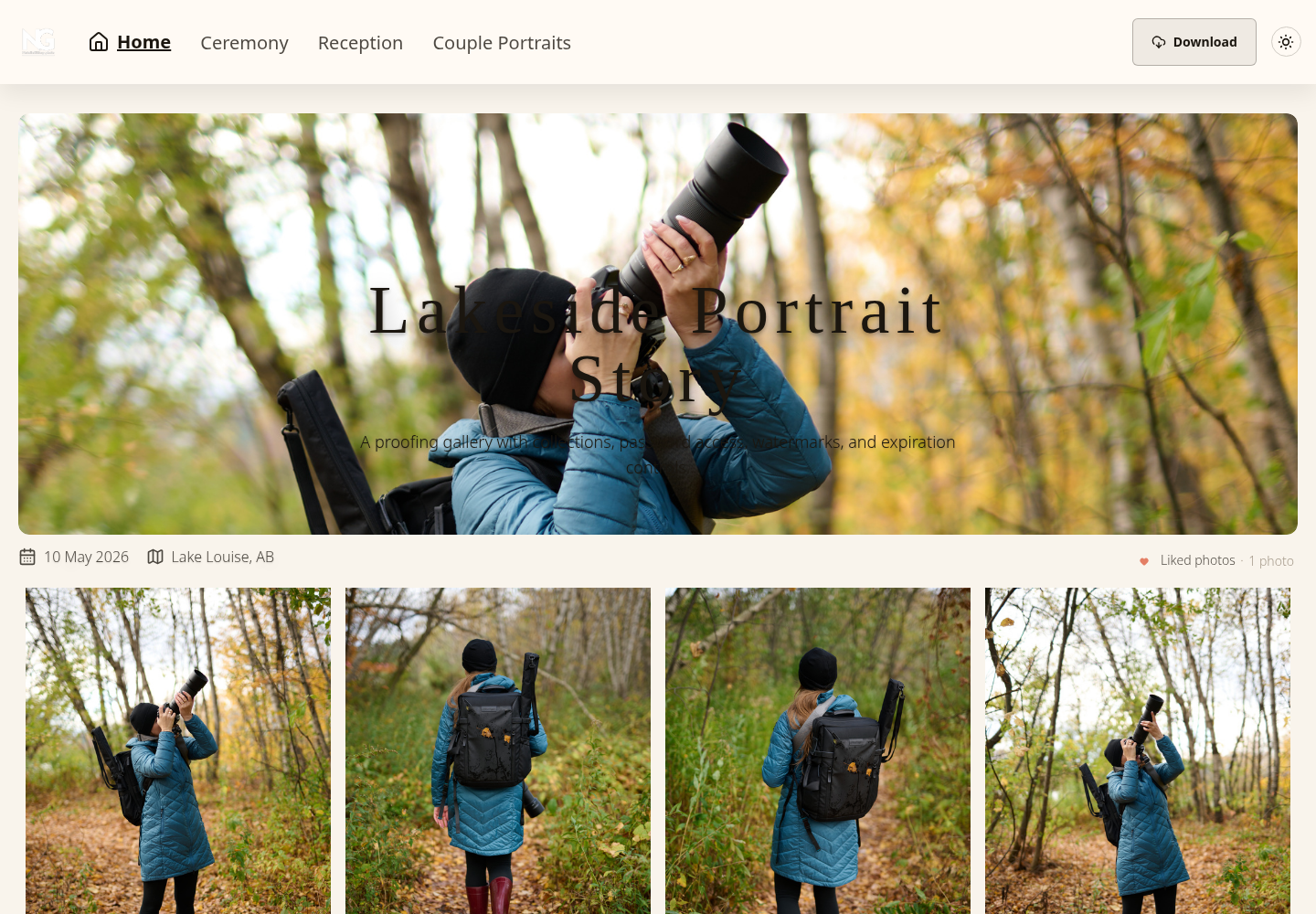
Choose access separately from organization. An optional shared gallery password restricts entry to people with the password and link, but both can be forwarded. An unlisted URL does not identify each viewer. A collection name does not isolate an audience; use separate galleries or another appropriate workflow when different people need different access.
Review download controls for the actual gallery and collections. Individual and ZIP downloads depend on the applicable permissions; a ZIP includes permitted files rather than automatically including every upload. Original is a download-quality setting, not a promise of an earlier RAW or editing master, and enabled watermark settings can change the delivered image. Disabling downloads cannot prevent screenshots or recall files already saved.
Keep your masters and agreed exports independently. Give the recipient a clear task: select proofs, confirm the final filenames or download the agreed versions. Gallery presentation does not replace an agreed usage license, explicit approval or a backup.
Shoot Planning Checklist
Before choosing a concept, answer:
- Who is the shoot for, and who should see the result?
- Where will the photographs actually be used?
- Does the treatment fit the subject's preferences or brand?
- Does the permitted location give the idea meaningful context?
- What light does the idea need, and what is the practical alternative?
- Which wardrobe or props are necessary and comfortable?
- Which file versions, crops and subject details must be delivered?
- What must stay private, and who may receive the gallery link?
- Which frames may be used publicly, by whom and for which purpose?
Record the decisions in a short brief. For the illustrative cup job, "five final images" is incomplete without the crop, purpose, audience and approval conditions. Resolve those before promising a package.
After shooting, compare the set with the agreed brief rather than judging it only by how fashionable it looks. Remove technically unusable or unwanted images, confirm versions and filenames, and label any approval still needed. When the exports are ready, create a SendPhoto gallery for the viewing and handoff stage.
FAQ
What are good trending photo ideas for beginners?
Start with a manageable window-light portrait, a safely staged still life, seasonal details or a short photo sequence. Choose one subject and a small brief. The concept list above is not evidence of current popularity, and more equipment or a difficult location is not a requirement.
How do I make a trend fit my own photography style?
Keep the useful structure, then change the subject, location, palette and framing around the brief. Discuss references without promising a copy of another photographer's image. Keep important product or skin colors believable where that is part of the job.
Are viral photo ideas worth using for client work?
Only when the concept helps deliver the client's actual goal. Virality is not guaranteed. A social-friendly image can still fail if the product is unclear, the requested crop is unusable or the people did not agree to public sharing.
What should I deliver after a concept shoot?
Deliver the agreed set and versions, not an arbitrary number of images. This may include an environmental view, close details, social crops and a banner. Separate proofs from finals where needed, and explain selection, download and publication permissions.