
A family photo gallery should help the agreed recipients find their pictures, choose favorites and save the files they need. Start with a curated set and clear delivery instructions. Keep the family's sharing choices separate from your portfolio plans, especially when children appear in the photographs.
This guide covers the handoff after a family session: culling, filenames, collections, access, downloads, review and archiving. The screenshots show existing SendPhoto demonstration galleries and a download dialog. They illustrate the interface, not a documented family client assignment.
Define the handoff before uploading
Confirm who will receive the gallery and who can approve selections. An extended-family session can involve several households with different expectations. Do not assume that one contact's wish to share includes every person photographed.
Write down the delivered image count or selection process, file types, intended uses, gallery availability and any later retrieval terms. If prints or albums are included, identify how those selections will be supplied. A digital gallery does not itself mean that a print-ordering service is included.
For children, agree sharing with the appropriate responsible adults and respect the child's comfort. Keep public portfolio permission separate from delivery: specify which photographs may be shown and where. If authority or permission is disputed, resolve it before sharing the affected images. Requirements vary by location; a gallery setting cannot establish permission for you.
Cull in three passes
A coherent gallery makes choices easier than a complete camera dump. Preserve your working originals while selecting the delivery set.
- Technical review: remove accidental test shots, missed focus and unwanted blinks from the delivery selection. Keep a technically imperfect image only when its expression or moment justifies it and it meets the agreed brief.
- Near-duplicate review: compare small groups from the same moment. Select the useful expression or gesture changes rather than every frame in a burst.
- Story and grouping review: check for wide, medium and close images, and each promised family grouping. A strong full-family portrait does not replace a missing grandparent or sibling pairing.
Review color and exposure across the selection. Keep deliberate black-and-white versions together or clearly identify them rather than making the client guess whether two files are duplicates. There is no universal number of photographs that makes a session complete; use the agreed package and coverage.
Use clear filenames without unnecessary personal data
Choose stable image identifiers that clients can quote. For example, session-024-001.jpg is easier to reference in an email than “the laughing one by the tree.” Keep the session code consistent through selection and final export, or provide a clear mapping if filenames change.
- Client clarity: use a session code and sequence instead of camera names alone.
- Album planning: ask clients to list those identifiers in the desired order.
- Studio consistency: use the same naming pattern for each job and keep the client-to-session index in your private records.
Avoid putting children's full names, school names, home addresses or detailed relationships in filenames intended for sharing. Those names can travel with a download. Keep useful private catalog information separate from the client export. Our photo organization guide covers the wider folder structure.
Check metadata and visible location clues
Before upload, inspect the files you will actually deliver. GPS coordinates, captions and keywords may reveal more than the picture's intended subject. Check the picture itself for school logos, house numbers, documents or other identifying details as well.
In Lightroom Classic, the export dialog's Metadata panel controls which information is included. Adobe's export documentation describes Copyright Only and Copyright & Contact Info Only, and says Remove Location Info removes GPS metadata. These options have format limitations, including DNG. Choose the appropriate export settings and inspect a resulting file; removing GPS alone is not a check of filenames, captions or visible clues.
Keep your archival originals under the studio's access policy. Do not rely on an online gallery or a social platform to strip sensitive information from every version someone downloads.
Organize collections around useful family groupings
Use labels the recipients can understand. Four possible groups are:
- Family portraits: the full group, parent pairings, siblings and grandparents.
- Candid moments: movement, laughter and interactions between arranged photographs.
- Playful moments: child-led activities the family agreed to include.
- Details and setting: hands, seasonal context or other details that do not reveal unwanted private information.
A small session may need only one collection. For a larger set, place a few representative images first, then maintain a clear sequence. These collection names are organizational choices, not access restrictions: putting photos into different collections does not by itself restrict which relatives can view them.
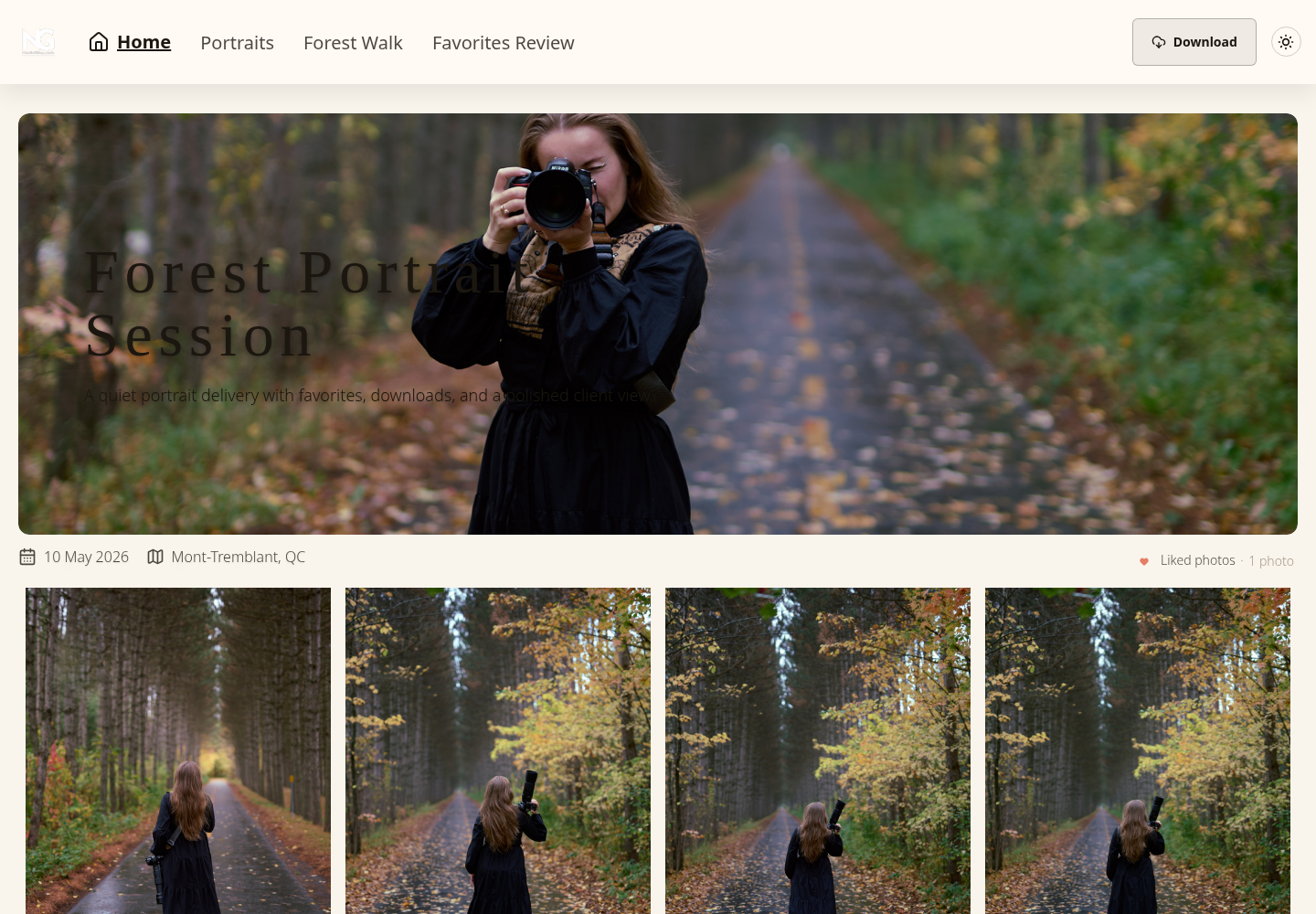
Existing SendPhoto portrait-gallery screenshot. The navigation shows named collections and a Download button. It demonstrates the browsing interface; it is not a family-session example. The location shown belongs to this demonstration and is not a recommendation to display a family's location.
A familiar studio identity and a suitable cover can make the link recognizable. Prefer clear labels and readable images over decoration. If using a custom domain or branding option, confirm that it is configured for your account before promising it to the client.
Separate viewing access from download permission
Decide what each recipient is allowed to see before choosing settings. Three common situations need different handling:
- One household receiving the complete set: agree who may receive the link and password, if used. Explain whether forwarding is allowed.
- Several households with different permissions: prepare separate galleries or delivery sets where viewing must differ. Do not use a collection label or a download toggle as a substitute for restricted viewing.
- A public portfolio selection: create a separate, explicitly approved subset. Keep the complete private delivery out of public promotion.
In SendPhoto, Sharing & Downloads includes gallery sharing, a password and download controls. A shared password can be forwarded. It does not identify each viewer or prevent screenshots. See our password-protected gallery guide for the limits as well as the setup choices.
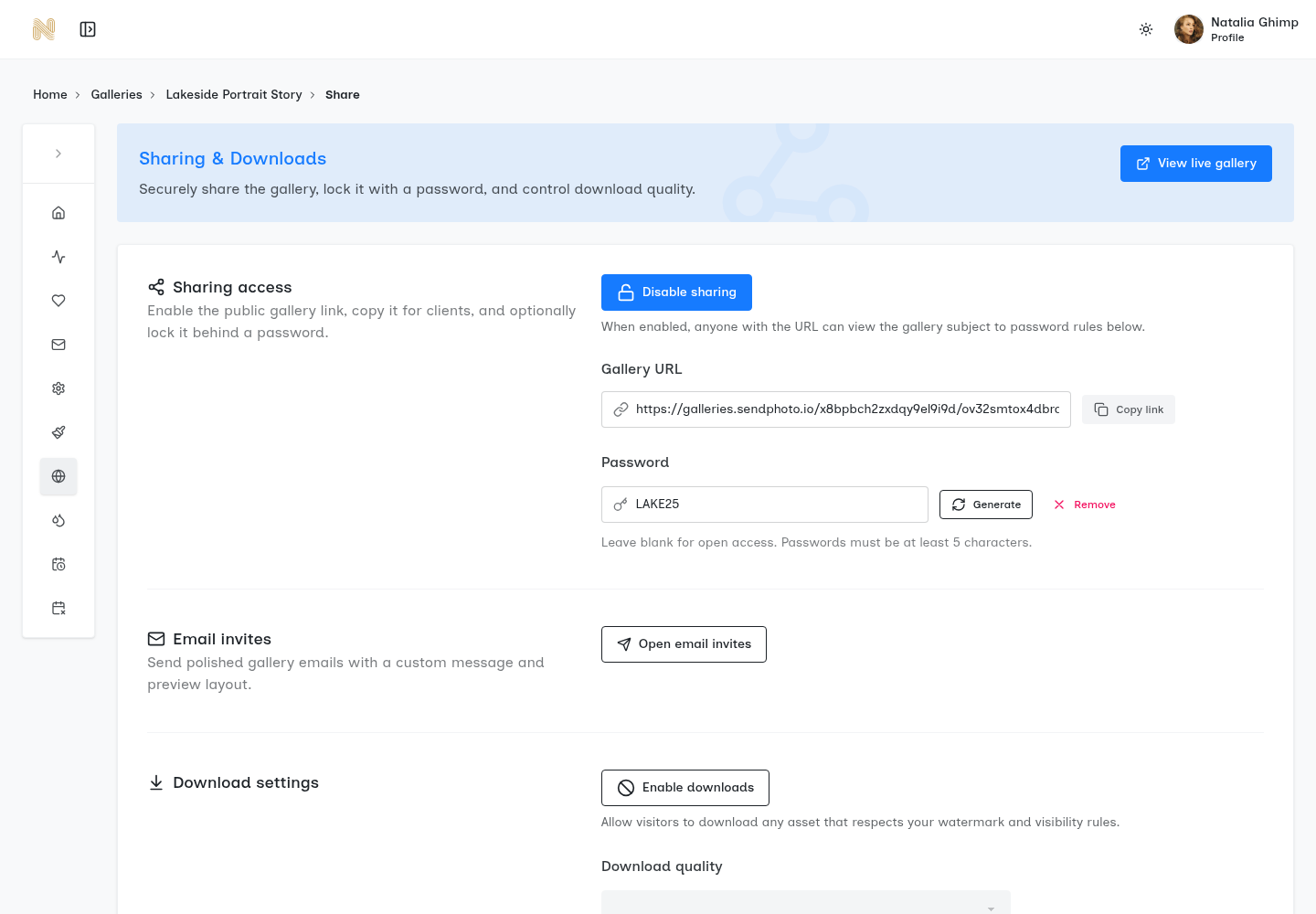
Existing demonstration screenshot of Sharing & Downloads. The displayed gallery and password are demonstration values, not instructions to reuse that password. The image shows downloads disabled at the time of capture.
For final delivery, enable the downloads you agreed to provide and select the appropriate quality. SendPhoto also has collection-level download settings. These govern downloading, not separate viewing access. Watermarks can label previews, but they do not prevent every form of copying. Explain which files are proofs and which are finished deliverables.
Give recipients a short viewing and download path
Describe the actual next step, using the controls they will see:
- Open the gallery link and enter its password if required. SendPhoto client viewing does not require creating an account.
- Browse the named collections and open an image for a closer look.
- Use Download when the photographer has enabled it, then follow the available collection and download options.
- When the archive is ready, save it and open the downloaded files. On a phone, check the browser's download location or Files app if the archive is not immediately visible in the photo library.
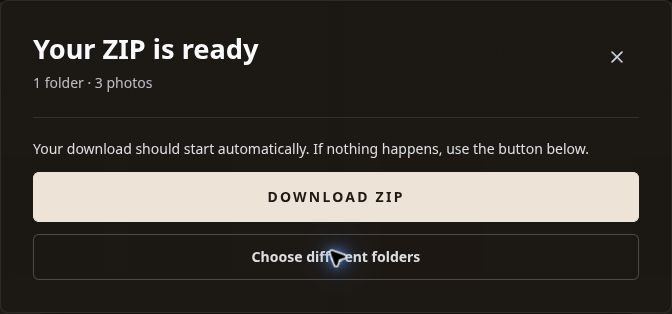
Real download-dialog capture from an earlier demonstration: one folder and three photos were prepared. This shows the ready state and manual Download ZIP button; the message alone does not prove that the recipient saved or opened the files.
If a relative needs only a small permitted subset, agree that selection first. Do not tell them to forward the entire gallery simply because it is more convenient. Our getting started guide covers the broader upload-to-delivery sequence.
Send a concise delivery message
Include a warm introduction, the direct link, access and availability details, and one clear review task. The following is a template to adapt, not a message already sent:
Subject: Your family photographs are ready
Thank you for the session. Your gallery is ready at [insert the direct gallery link].
Use the password I supplied through our agreed channel. Please share the link only with the recipients we discussed. The gallery will remain available until [agreed date]; please save your files before then.
Open the collections to browse, then use Download to save the available files. After downloading, open a few images to check that you have saved them successfully.
For your album, please send [agreed number] image filenames by [selection date], in your preferred order. If anyone has trouble opening the gallery or saving the files, reply here and tell me which step failed.
Replace every bracketed field before sending. Omit an album task if the package has none. Never invent an availability deadline that differs from the contract or configured access.
Make selections unambiguous
Separate “images we like” from the final album or print order. Agree one person to consolidate household preferences and one deadline for the final response.
If the gallery's favorites workflow meets your needs, explain how the client should mark and submit their choices. Do not assume clicking a heart completes an order or sends a final instruction. A list of stable filenames is a straightforward alternative when several relatives are involved.
Ask for specific changes tied to an image identifier, such as “session-024-018: prefer the color version.” If comments are part of your chosen workflow, explain where to leave them; otherwise use the agreed reply channel. Our photo-review communication guide discusses keeping feedback clear.
Set availability and archive terms separately
Choose the delivery window from the agreement, your storage policy and the client's needs. A year is not a universal deadline. Tell the client the date before delivery and explain what happens afterward, including any agreed retrieval fee or limits.
Gallery availability, deletion and backup retention are different decisions. Closing a shared link does not recall copies already downloaded, and it should not be described as proof that every backup has been erased. Check the applicable gallery settings against your written policy.
For your studio archive:
- Keep originals, final exports and selection records in clearly separated locations.
- Maintain multiple copies on separate storage, including an off-site copy, and check that you can restore representative files. Do not treat the online delivery gallery as the only backup.
- Keep the private session index, usage permissions and retention instructions with controlled access, instead of embedding all that information into shareable image files.
- Record when the archive should be reviewed or removed under the agreement. Explain any limits before accepting a request you cannot fulfill.
The event photography workflow guide includes a more detailed copy-and-restore checklist. After delivery, ask whether the family saved the files and needs help with the agreed selections. A testimonial request can be separate and optional; it does not grant permission to publish the photographs.
Explore SendPhoto client galleries to organize and deliver the finished set with clear access and download choices.