
A shoot can contain technical failures, near-duplicates, essential coverage and standout images. A useful photo selection process separates three decisions: what remains usable, what serves the assignment and what the client should review or receive. This guide proposes a multi-pass workflow; it does not report a timed culling benchmark.
Table of Contents
- Why Most Photographers Dread the Selection Stage
- The Fast First Pass for Rejecting Unusable Frames
- Rating and Ranking Your Keepers Into Tiers
- Where AI Culling Helps and Where It Falls Short
- Building a Client Proofing Gallery with Clear Instructions
- Delivering the Final Gallery Through SendPhoto
Why Most Photographers Dread the Selection Stage
Opening every frame and trying to judge sharpness, emotion, editing effort and client preference at once creates competing decisions. Start with the brief: required people, moments, products, orientations and delivery outputs. Those requirements explain why a less polished frame might still matter.
Technical review and creative selection need different questions. A blurred test frame can be flagged quickly, but deliberate motion or the only record of a key moment deserves context. Reserve detailed ranking for a later pass rather than applying one speed target to every photograph.
First flag probable rejects without deleting them. Then rank usable images against the brief. Revisit uncertain frames and required coverage before making any separate retention decision.
Use three passes: technical screening, assignment-based ranking and a curated client proof set. Adobe’s Lightroom Classic guidance documents flags and star ratings, but it does not prescribe a universal seconds-per-frame target or a studio’s meaning for each star.
Do not force a wedding, portrait or commercial job into a fixed keeper percentage. The brief, capture conditions and meaningful variations determine the set. Check that required coverage survives each pass instead of treating a smaller count as proof of better selection.
The same system can serve both genres, but the definition of a successful image changes. Event photographers need emotional peaks and complete coverage. Portrait photographers need expression, connection, and variety. Commercial photographers may reject a technically beautiful frame if the product angle, styling, or retouching potential doesn't support the brief.
Give each pass one decision to make. Technical flags identify issues to review; ratings prioritize useful images; the proof set helps the client make the agreed choices. None of those marks automatically records final approval or permission to publish.
The Fast First Pass for Rejecting Unusable Frames
Screen for accidental blinks, missed focus, exposure problems, test frames and redundant bursts. Judge them against the intended use: closed eyes can belong in a kiss, motion can be intentional and an imperfect frame can preserve unique coverage. Flag a likely reject rather than deleting the original during this pass.
A practical workflow looks like this:
- Back up before reviewing. Retain independent copies of the source photographs and protect edit/catalog data separately. A synchronized mirror alone is not an independent recovery copy.
- Make a simple first decision. Mark clear picks and probable rejects; leave uncertain frames unflagged for a dedicated review.
- Use an appropriate review pace. Inspect focus at a useful magnification when it matters, rather than enforcing an arbitrary time limit.
- Flag evident failures. Check whether a frame has unique value or an intentional effect before excluding it from the working shortlist.
- Keep uncertainty visible. Return to borderline frames when comparing a burst or checking the coverage list. Do not let an unresolved file disappear into an assumed reject.
A culling application’s usefulness depends on supported files, preview behavior and how flags or ratings reach your editing catalog. Check those requirements for your camera and workflow. This article provides no measured Photo Mechanic speed advantage or genre-specific keeper quota.
Keyboard discipline matters
For a documented Lightroom Classic example, select one photo in the Library module and press P to mark a pick or X to mark a reject. Adobe also documents Shift with P or X to set the flag and advance. Confirm the active image and review uncertain frames separately; flagging is distinct from deleting files.
Do not rescue every near-duplicate simply because it exists, but do not exclude a borderline frame before checking its role. Keep a short uncertainty queue, compare the relevant sequence and resolve it during the next pass. This avoids confusing provisional decisions with a finished shortlist.
The rating legend below is a proposed studio convention, not a rule from an independent culling study. Agree on its meaning before handing a catalog to another editor, and keep client approvals in a separate record.
Rating and Ranking Your Keepers Into Tiers
With probable rejects flagged, rank the usable and uncertain frames by the job they must perform. Technical cleanliness alone does not decide whether an image carries necessary coverage, a useful variation or a strong opening moment.
One illustrative four-tier legend is:
- 5 stars, hero candidate: A possible anchor image for the gallery or agreed output. Portfolio publication still needs the appropriate permission.
- 4 stars, strong delivery candidate: A frame that meets the brief and fits the proposed client set.
- 3 stars, supporting coverage: A necessary detail, transition or alternative, even when it is not the strongest standalone image.
- Lower-rated or unranked: Unresolved alternatives and excluded candidates for later review under the retention policy, not automatic deletion.
Adobe documents ratings from zero to five stars in Lightroom Classic. The meanings above are ours to propose; they are not built-in approval states or universal quality grades. Share the legend with collaborators and avoid changing its meaning halfway through a job.
Genre changes the meaning of “best”
Wedding selection has a coverage obligation. A slightly imperfect frame may outrank a polished portrait if it captures a decisive emotional beat and no stronger alternative exists. The final set should also represent the ceremony, family groups, reception, and relationships the couple expects to remember. A gallery filled only with dramatic portraits can look impressive while failing the assignment.
Portrait selection is narrower. Expression, posture, eye direction, and variation usually decide between otherwise similar frames. Several images may be sharp and well lit, but one may feel relaxed while the others look forced. Commercial selection follows another set of priorities: brand consistency, product accuracy, clean edges, negative space, and retouchability may matter more than spontaneity or a dramatic background.
Write the selection criteria for the assignment. A documentary sequence may prioritize context and completeness; a product set may require consistent angles and accurate details. A competition’s judging criteria do not automatically define a commissioned client’s delivery requirements.
For near-duplicates, compare candidates side by side. Check the eyes, expression, gesture, focus, distractions, body position, and fit within the surrounding sequence. In a wedding burst, choose the image that carries the moment and supports nearby coverage. In a commercial set, choose the version that gives the retoucher and layout the most usable options. Portraits may need fewer final variations, but those variations should feel intentional.
Use ratings to organize editing, but check required supporting coverage before spending all your time on hero candidates. In a wedding sequence, a three-star detail can still be necessary. Lightroom filtering can help display the chosen groups; a filtered view is not proof that the excluded group contains nothing useful.
Illustrative Selection Record
These fictional filenames illustrate how to record decisions. They do not represent actual reviewed photographs, a benchmark or an approved client job.
| Fictional filename | Purpose | Provisional disposition | Next action |
|---|---|---|---|
| JOB042-001 | Possible opening portrait | 5-star hero candidate | Compare expression; check publishing permission separately |
| JOB042-002 | Alternative pose | 4-star delivery candidate | Offer if it represents a useful choice |
| JOB042-003 | Required detail | 3-star supporting coverage | Keep it in the coverage check despite lower ranking |
| JOB042-004 | Uncertain motion frame | Unflagged | Review intent and sequence before excluding |
| JOB042-005 | Accidental test frame | Probable reject flag | Review coverage and retention before any deletion |
Where AI Culling Helps and Where It Falls Short
AI-assisted culling can suggest groups and technical candidates for review. Whether that reduces work depends on the tool, settings and assignment. Treat its output as a provisional shortlist rather than a benchmarked time saving or a replacement for your coverage check.
Confirm which flags, ratings or labels the selected tool produces and how those marks transfer to your catalog. Keep the originals and the selection record recoverable. Do not assume every AI product uses the same categories or recognizes the same subject priorities.
For a specific documented example, Aftershoot’s culling-genres guide explains that its wedding setting considers key faces and closed eyes, and advises reviewing kissing images again. It also says that setting is not designed for fast-moving sports or dancing. Those are vendor-specific configuration limits, not measured results from this article.
The human decision remains the valuable one
A tool’s technical suggestions need interpretation against the assignment. The commissioning client’s required people, narrative and product details can matter more than a technical score. Review an image’s purpose before accepting or rejecting the suggestion.
For portraits, compare expression, pose and purposeful variation after reviewing technical suggestions. For events, check the required moments and people, including low-rated candidates. Closed eyes and motion are not always mistakes, and automation should not trigger irreversible deletion.
Keep AI output provisional. Inspect suggested rejects and top candidates, and return to the original sequence when expected coverage is missing. A convincing shortlist can still omit a required image. The workflow here is proposed guidance, not a culling session performed for this article.
Use a catalog or photo organization system to keep selections, edits and source-file locations understandable. The delivery gallery is a separate presentation of the chosen exports; it does not replace the working catalog or independent archive.
Building a Client Proofing Gallery with Clear Instructions
Prepare a proof set from the internal shortlist. Give the client images that represent the choices you want them to make, and explain what remains provisional. A rating legend useful to an editor may be irrelevant to the client’s retouching or album decision.
Agree on the final selection limit, useful variations and any additional-selection terms before sending proofs. There is no universal rule that the gallery must contain two or three times the final limit. Use enough choices to represent the brief without presenting every burst as a new decision.
For near-duplicates, retain variations that could change the client’s choice, such as expression, pose or product angle. Omit redundant frames only after checking coverage. Do not collapse materially different alternatives merely to hit a gallery-size target.
Build the proof set around decisions
Organize the proof set by moment, outfit, location, product or story. A wedding set might follow the day; a portrait set might separate outfits. In SendPhoto, named collections organize that presentation; they do not create separate audiences or passwords.
Before sending the gallery, add:
- Image identifiers: Make every selection traceable to the correct file.
- Project and review version: Prevent an old proof from being confused with a current one.
- Selection limit: State exactly how many images the client can choose.
- Instructions and deadline: Explain the favorite or selection action and when feedback is due.
- Named decision-maker: Establish whose approval controls the next stage.
Maintain a job record outside the favorite list: proof filename, version, selection status, decision date, decision-maker and requested retouching. Record which selections remain provisional and which have explicit confirmation. These are proposed record fields, not a claim that SendPhoto supplies an approval dashboard.
Client handoff rule: Send a curated decision set, not an inventory of everything the camera captured.
Explain whether favorites are a retouching shortlist, album suggestions or requests for alternatives. In SendPhoto, favorites record preferences, not final approval. Ask the designated decision-maker to confirm exact filenames, versions and intended uses separately, then label the agreed finals clearly.
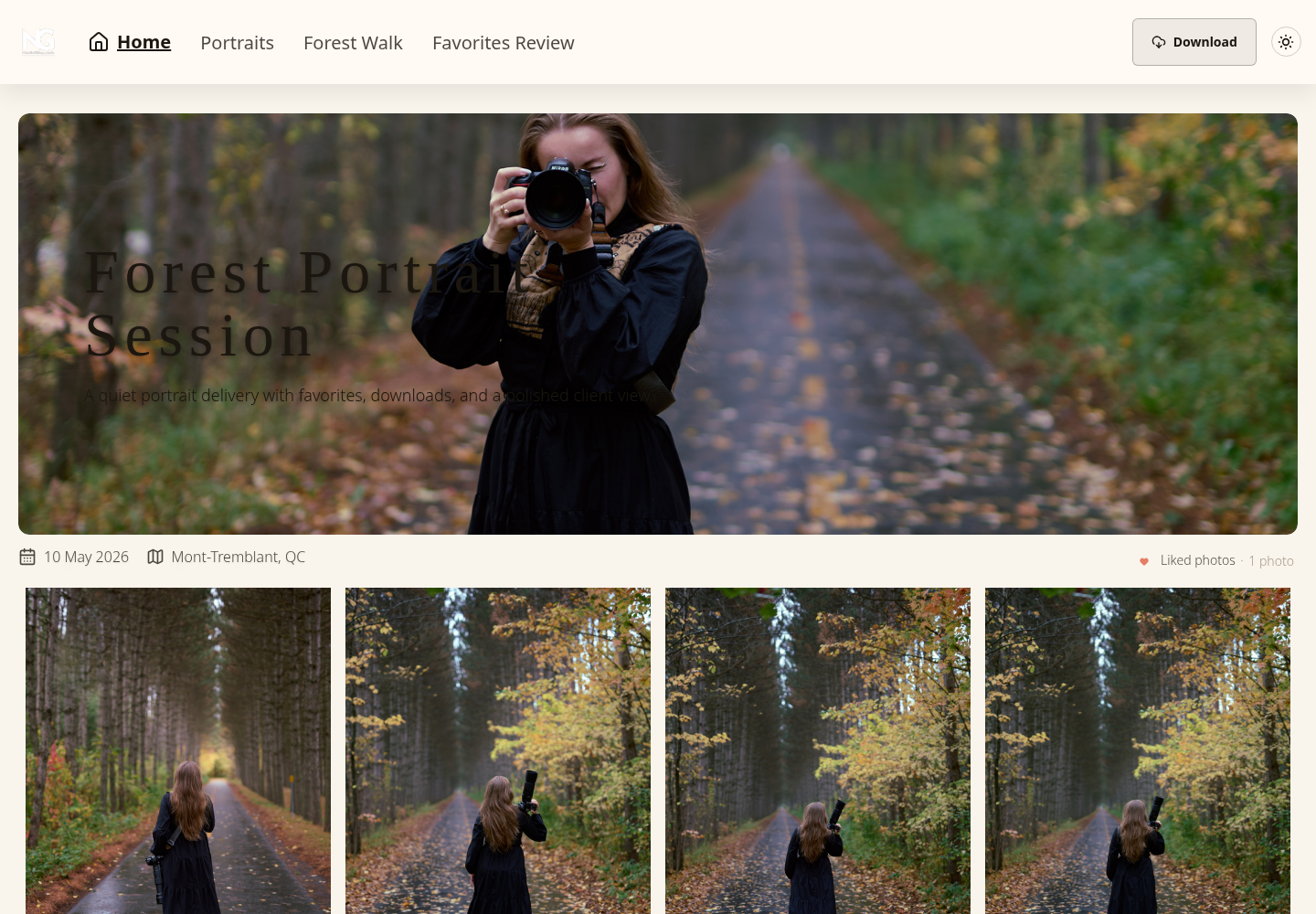
Delivering the Final Gallery Through SendPhoto
Keep filenames and version labels consistent from the proof set to final delivery. Organize the chosen exports so the recipient can understand what is final, what action remains and which download is intended. Do not upload confidential masters solely because you expect a download restriction to protect them.
SendPhoto supports bulk gallery preparation and configurable downloads. Use browser-ready proof exports; camera RAW delivery depends on the actual supported format and agreement. Video processing can replace an upload with a stored optimized MP4, so retain the independent master. Optional shared passwords can be forwarded and do not prove recipient identity; viewing access and watermarks do not prevent all copying.
A recognizable cover, collection names and a custom domain can make the handoff clearer. Paid plans remove SendPhoto branding from the public home page and gallery invite emails. Collections are presentation groups, not tags or separate audience boundaries. Favorites remain preferences rather than signed approvals.
Match the plan to the workflow
As checked on October 5, 2026, SendPhoto’s pricing page lists 5 GB storage and one gallery on Free, plus 10 GB lifetime upload credits. Paid storage tiers run from 20 GB Starter to 1 TB Pro. Capacity and upload credits are different limits; verify current terms before choosing a plan.
The getting-started guide explains the gallery setup, while client proofing guidance covers the review handoff. Set global and collection download permissions for the agreed exports. Original downloads with watermarking can use generated marked images, Scaled uses generated output, and ZIP includes permitted collections. Sharing expiry turns sharing off; deletion is a separate setting and neither recalls downloaded copies.
Finish each stage with a clear record: the reviewed technical shortlist, the assignment-based ranking and the explicitly confirmed delivery set. Preserve required source and edit data independently. A client gallery helps present selected exports; it does not certify the original cull or grant publication rights.
SendPhoto publishes this guide. If named collections, client favorites, optional shared passwords and configurable downloads fit your handoff, explore SendPhoto. Keep the selection legend, approval record and independent masters alongside the project so the gallery’s presentation matches the agreed delivery.