
Photography studio management software can keep inquiries, contracts, invoices, appointments and project tasks together. Choosing it starts with the work that currently slips: a missed reply, an unpaid booking, an unavailable room or an unclear delivery handoff.
This guide compares three named management options by job, plan and current cost, then gives you a proposed inquiry-to-delivery trial record. It also explains when a separate gallery makes sense. The comparison is based on vendor documentation checked October 5, 2026, not our own hands-on trial of those management products.
Table of Contents
- What Is Photography Studio Management Software
- Core Features and Key Benefits of Studio Software
- Mapping Your Workflow with Management Software
- How to Choose the Right Software for Your Studio
- Implementation Tips for a Smooth Transition
- The True ROI Your Business and Your Clients
What Is Photography Studio Management Software
Think of studio management software as the record of a job: who the client is, what they booked, what has been signed or paid, who owns the next task and when the work is due. It may connect several tools, but do not assume every platform includes editing, accounting, room rental and gallery delivery.
A subscription buys a particular set of capabilities and limits. Compare the actual plan that supports your workflow, including users, bookings, automations, payment costs and renewal terms. The named comparison below separates a photographer’s project CRM from a studio-rental system and a delivery gallery.
Those distinctions matter. A photographer needs a project to move from inquiry to confirmed booking and delivery. A rental studio needs to prevent two clients reserving the same room or equipment. A gallery needs to present and distribute finished work. One tool may cover several jobs; verify each rather than treating the labels as interchangeable.
It's more than a CRM
A basic customer relationship management system stores contacts and interactions. A photographer’s workflow also needs project dates, contract versions, payment status and production tasks. Look for those connections in the plan you would actually buy, not merely in a sales demonstration of a higher tier.
Write down the path from the first inquiry to the final delivery. Decide which system owns each stage, and what a staff member must see before moving it forward. A native integration is useful only when it moves the needed information reliably; a manually recorded gallery link can be enough for a small studio.
A clear next action is more useful than a long feature list. Choose the software that keeps that action visible to the person responsible.
What good software actually changes
The practical goal is less uncertainty. A project record should tell you whether the date is only being discussed, whether the booking conditions have been met and whether someone still owes a decision. Avoid one vague status such as “done” for contracts, editing, approval and delivery.
Evaluate these three outcomes during a controlled trial:
Admin control: Does the process reduce repeated entry, missed tasks and manual reminders?
Client experience: Are replies, proposals and next steps clearer to a controlled recipient?
Business visibility: Can the owner see active projects, outstanding balances and capacity?
Software can support those outcomes, but it does not guarantee saved time or better client service. Compare the same small workflow before and after adoption, including the time spent correcting records and maintaining automations.
Core Features and Key Benefits of Studio Software
The useful features are the ones that support your actual handoffs. Make a short list of required capabilities, then identify a plan and an owner for each.
Keep the architecture simple: a project record for the job, an authoritative financial record for amounts due and paid, a calendar for the resources being reserved, and a delivery record for the finished files. These can live in one platform or several, as long as their relationship is clear.
Client records should live in one place
Keep the client’s contact details, agreed package, shoot date, location, signed-document reference and next task attached to the correct job. Separate two projects for the same client rather than assuming a contact record alone describes both.
For a team, check access by role. An assistant may need the shoot brief without needing every invoice or private client note. Establish who can edit a date, send a message or change a payment record. Record only information the studio needs and set a retention policy for it.
Before importing a contact list, remove duplicates and confirm which record is authoritative. Do not activate an email sequence during import simply because a new record was created; historical clients should not receive a fresh inquiry response.
Financial tools should reduce chasing and rework
Financial tools should make the agreed terms and actual payment state easy to distinguish. A proposal is an offer, a signed contract records agreement, and an invoice requests payment. A sent invoice is not evidence that money has arrived.
For the booking and billing part of the workflow, check:
Proposals and quotes: Can you show the package, scope, price and expiry before booking?
Contracts and signatures: Can you identify the agreed version and signing state?
Invoices and reminders: Can you see amounts due and stop follow-up after a payment or cancellation?
Project-linked billing: Can the owner distinguish sent, partially paid, settled and refunded records?
Decide which financial system is the source of truth. If you connect accounting software, verify how deposits, partial payments, refunds and duplicate invoice numbers are handled. Review contract wording, taxes and cancellation terms for your business and jurisdiction; a vendor template is not automatically suitable.
Scheduling has to protect capacity
Scheduling has two layers: client appointment times and resource availability. A free calendar slot does not prove that a particular photographer, room, lighting kit or assistant is available for the whole booking, setup and cleanup period.
For a shared rental studio, try a conflict involving the same room and one piece of equipment. For a photography team, try reassigning a job while keeping the original brief and owner visible. Do not buy a project CRM on the assumption that it manages room inventory.
A calendar should show what is reserved, by whom, for how long and under which confirmation conditions.
Automation should remove repetition, not flexibility
Automate a repeatable action only after you define its trigger, recipient and stop condition. Useful examples include acknowledging an inquiry, creating a follow-up task, sending a pre-shoot questionnaire and reminding a client about an agreed balance.
Keep an exception route. A reschedule, cancellation, disputed balance or custom package may need a person to pause the normal sequence. Check that reminders stop when the underlying condition changes; do not let an old invoice trigger messages after a refund.
Use this table to separate the first workable workflow from later refinements. “Essential” means essential to that chosen process, not a promise that every product or plan includes it.
| Workflow area | Essential | Nice to have |
|---|---|---|
| Lead response | Acknowledgment and an owned follow-up task | Additional branches once the basic path works |
| Booking | Contract and payment states plus reminder stop conditions | Custom-package exceptions |
| Pre-shoot | Questionnaire and preparation checklist | Conditional sequences for distinct session types |
| Post-shoot | Review request, delivery notice and an owned follow-up | Further rules once the handoff is reliable |
Delivery is part of the management system
Delivery is a separate handoff: identify the final version, the intended recipient, what they may download and what they may do with the files. The management record should link to that handoff and record outstanding questions, rather than treating a sent link as proof of receipt or approval.
If a management platform’s client portal meets that brief, a separate gallery may be unnecessary. If it does not, keep the project status in the CRM and use a gallery for browsing and downloads. Check any claimed integration by name; this guide does not establish a native SendPhoto connection to the products below.
SendPhoto, the publisher of this guide, is a photo-and-video gallery delivery service. It offers collections, optional shared passwords and download controls; it is not a booking, contract-signing or invoicing CRM. Collections organize the gallery rather than creating separate private audiences. A shared password can be forwarded, download settings do not prevent capture, and changing access cannot recall a saved copy.
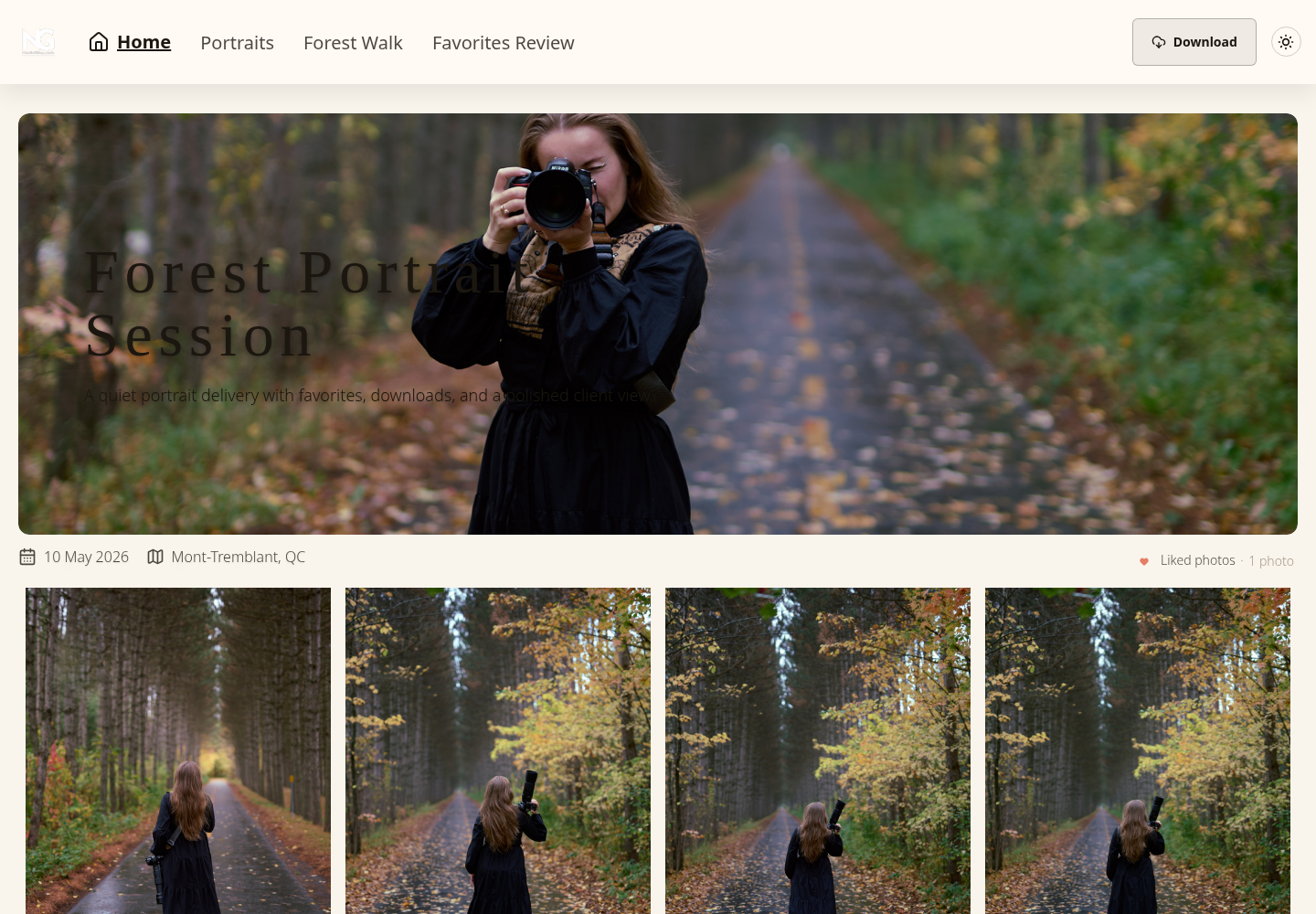
Real SendPhoto gallery screenshot already used on this site. It illustrates the finished-work delivery layer, not a booking, invoice, room-reservation or vendor-trial result. Collections and Favorites Review are visible; favorites do not by themselves record contractual approval. View the full-size gallery screenshot.
Mapping Your Workflow with Management Software
Use a fictional job to compare candidates on the same conditions. The example below is a proposed evaluation record, not a completed vendor test or an account of a real client booking.
A proposed inquiry-to-delivery trial record
Use a fictional “Portrait session A” and a date with no real booking attached. The policy in this example is signature plus deposit before confirmation; your own agreement may differ. Fill in the actual result and any gap for each candidate. These are expected checks, not reported vendor results.
| Stage | Expected record or check | Result to fill in |
|---|---|---|
| 1. Inquiry | Controlled contact address, requested date, package and follow-up owner | Observed / gap / not tested |
| 2. Proposal, contract and invoice | Agreed scope, signing state, deposit requested and due date; booking remains pending | Observed / gap / not tested |
| 3. Confirmed booking | Required signature and deposit recorded using a supported demo method; resource conflict checked | Observed / gap / not tested |
| 4. Preparation and production | Brief, location, owner and deadline visible; cancellation or reschedule pauses obsolete reminders | Observed / gap / not tested |
| 5. Review and balance | Named file version, explicit decision and remaining balance tracked under your agreed terms | Observed / gap / not tested |
| 6. Delivery and retention | Current gallery or file link, download instructions and retention date recorded; independent final copy kept | Observed / gap / not tested |
Keep the record if you buy the tool. Note the plan, test date, person responsible and unresolved question. Do not mark a real invoice paid without an actual payment, and do not send test requests to client contacts. If the trial cannot safely demonstrate the booking conditions, leave that part pending.
A typical client journey inside one system
Suppose your studio requires a signed agreement and the agreed deposit before confirming a portrait session. Create a fictional inquiry using an address you control, record the requested date and send nothing to real clients. Prepare the proposal, contract and invoice before changing the booking to confirmed.
Only move to “confirmed” after the required conditions are actually met. A draft contract or a payment button is not a completed signature or settled payment. For evaluation, use a vendor-supported sandbox or demonstration state; do not collect real money simply to complete the exercise.
After the session, track selection, editing and any client decision as separate tasks. Keep internal source files organized; the photo organization guide covers that part of the workflow. If favorites are offered in a gallery, treat them as selections rather than contractual approval unless you separately agree and record that meaning.
For delivery, record which version was shared and what the client was asked to do. Record an explicit approval separately from viewing or downloading. Keep an independent copy of final files and specify the studio’s retention period; sharing expiry and deletion are different actions.
Where the handoff usually breaks
Check four handoffs, not only the happy path:
Inquiry to booking: A reply exists, but no follow-up task or booking condition is recorded.
Booking to shoot preparation: A date is reserved, but location, brief or responsibility stays in email.
Editing to proofing: Files are ready, but no one knows who should review them or which version applies.
Approval to final delivery: A decision exists, but the final link, access instructions or retention record is missing.
For each failure, identify an owner, a next task and a visible state. Software cannot resolve ambiguity about whether a person or an automation is supposed to act.
Define the handoff before automating it: what is ready, who takes over and what evidence lets them proceed?
A useful project view shows the current stage, next action, due date and owner. If a candidate requires extra navigation, record that in the trial rather than assuming a polished dashboard fits your work.
How to Choose the Right Software for Your Studio
Choose for the studio you run now, with room for a realistic next step. Start with your main problem and compare plans that address it.
Start with business shape, not feature envy
A solo portrait photographer may need proposals, booking reminders and billing in one place. A wedding team may need several people to see project tasks and deadlines. A room-rental studio needs reservation and equipment availability. Those needs lead to different shortlists.
Translate recurring friction into required features:
If leads slip through, prioritize intake forms, project stages and a visible follow-up task.
If administration drains time, compare templates, reminders and linked project records.
If delivery is unclear, define review, downloads, branding and retention separately.
If several people touch jobs, check role access, activity history and scheduling responsibilities.
Add practical purchase checks: ease of use, the actual billing commitment, supported integrations, help availability, data export and the limits you expect to hit as the studio grows. A simpler plan can be a better fit, but only if it supports the necessary workflow.
Answer these questions before comparing a sales demo:
| Question | Why it matters |
|---|---|
| Where does work currently stall? | That's where software should create relief first |
| Who needs access? | Solo use and team use are very different purchases |
| What must clients do inside the system? | Signing, paying, reviewing, downloading |
| What tools already work well? | These may stay in place through integrations |
Named options and current costs
Documentation check: October 5, 2026. These examples solve different problems; they are not a ranking or a claim that we completed a hands-on vendor trial. Prices are standard public figures, before applicable taxes, payment costs and extra subscriptions. Confirm your country, billing currency, renewal price, cancellation terms and required integrations before purchase.
| Need and candidate | Documented plan and cost | What to verify for your studio |
|---|---|---|
| Photographer project workflow: Studio Ninja Pro | US$27 monthly or US$270 yearly; one brand, three users, unlimited jobs, workflow automation and three online booking forms | Booking conditions, task ownership and the named accounting or gallery integration you need |
| Client projects, proposals and billing: HoneyBook Essentials | U.S. page: US$49/month billed yearly, equivalent to US$588/year; scheduler, automations, QuickBooks Online integration and up to two team members, alongside Starter’s proposals, contracts, invoices and client portal | Business-country eligibility, payment requirements, accounting sync and the exact subscription term |
| Shared studio rooms and equipment: Spacebring | Business pricing: request a EUR quote; local-currency displays are informational. Includes 100 monthly active users and one location, with a six-month minimum commitment; eSignature is usage-billed | Room and equipment conflicts, external booking rules, added-user costs and any required add-ons; not a substitute for every photographer’s project workflow |
| Finished-work gallery delivery: SendPhoto Free | US$0/month; 5GB storage, one gallery and 10GB lifetime upload credits | Enough storage and galleries for the intended delivery; booking, contracts and invoices belong in another system |
Studio Ninja lists a seven-day trial without a credit card. HoneyBook lists a free trial; check its current duration and payment conditions at signup. Spacebring offers a requested seven-day trial without a credit card. Trial availability does not establish that live payments, every integration or higher-tier features can be tested safely.
Shortlist by the problem: compare project CRMs for inquiries and paid bookings, or a resource-booking system for rental inventory. Add a gallery only if your existing delivery flow needs one. The SendPhoto row is our own product and covers a separate delivery task, not a fourth management CRM.
All-in-one versus best-in-class
Use one platform when its core modules meet your brief and sharing one project record reduces re-entry. Keep a separate specialist tool when that part of the experience matters enough to justify another subscription and an explicit handoff.
An all-in-one can simplify client communication, but a weak module may leave manual work elsewhere. A separate stack can fit each task more closely, while introducing extra records, permissions and update points. Neither arrangement is automatically cheaper or better.
If you keep an existing accounting or gallery tool, check whether the candidate has a named supported integration, which direction information moves, what subscription it requires and what happens when it fails. Until verified, plan for a manual handoff rather than promising automatic sync.
Make a simple responsibility map: the CRM owns project status; the chosen financial record owns the balance; the booking system owns resource availability; the gallery owns the delivery link and offered downloads. If one product owns several of those, name it in each place.
For the gallery part of that choice, see the photo delivery service guide. It addresses file handoff; this article focuses on selecting and introducing the management system.
What to test before committing
Trial the smallest complete workflow with fictional data and controlled recipients. Turn off outbound automations first, then enable only the one you intend to inspect. Read the candidate’s demonstration or payment-testing instructions before changing financial status.
Can you complete the booking path? Inquiry, proposal, signature state, payment state, calendar and follow-up, using only safe demonstration methods.
Can a controlled recipient understand the next step? Record any instruction they need beyond the message itself.
Can you handle exceptions? Try a reschedule, partial-payment scenario, custom package and delayed approval without sending to real clients.
Can the team keep it current? Identify who maintains templates, statuses, dates and balances.
Use these questions to record gaps. If a payment, signature or integration cannot be exercised safely in the trial, mark it “not tested” and request a documented demonstration; do not interpret an untested feature as a pass.
Implementation Tips for a Smooth Transition
Plan the transition before importing active work. Choose an owner, a pilot workflow, a cutover date and a way back if required records or communications are missing.
For solo photographers
For a solo studio, begin with one workflow such as portrait booking. Prepare templates and a fictional rehearsal first; then introduce the approved process for a small, clearly identified set of bookings. Keep unrelated workflows in their existing system until their turn.
Check how a controlled recipient sees the inquiry response, proposal and contract. Use a documented sandbox for payment evaluation if available; otherwise leave that step untested and verify it through vendor documentation or a demonstration. Review the content of every automated message before using it for a real job.
Three habits make the first migration easier to inspect:
Template repeatable communication: Start with messages you already use, leaving personal decisions to a person.
Clean data before import: Remove duplicate records, outdated contacts and unnecessary notes; keep automations paused.
Keep a manual backup list: During the pilot, separately track deadlines and reconcile them with the authoritative record.
For growing studios and teams
Assign an owner for intake, scheduling, billing, production and delivery. One person may hold several roles, but every transition still needs someone accountable for maintaining it. Test role permissions with fictional data before giving access to sensitive client records.
During a parallel migration, identify which system can send messages and issue invoices for each pilot job. Keep the old system as a reference where possible; avoid running two live reminder sequences or creating two invoices for the same obligation. Reconcile dates and balances before retiring the old record.
Keep one authoritative record for each task and financial obligation, with a named owner responsible for updating it.
Check edge cases before wider adoption: a reschedule with a room conflict, staff reassignment, a partial payment, a cancellation, an export of the project record and a client who needs corrected delivery instructions. Document the fallback and the owner for unresolved cases.
The True ROI Your Business and Your Clients
Measure the result against a small baseline: administration time per booking, missed follow-ups, corrections, unpaid balances and time from final edit to delivery. Define each measure consistently; a faster automated email is not proof of a higher booking rate.
Use a cost worksheet rather than market-size forecasts. Include subscription commitments, applicable payment fees, other tools you keep, migration time and continuing maintenance. A quoted monthly equivalent on annual billing is not a month-to-month purchase.
For a purely hypothetical time-value check, suppose the new workflow saves two hours per month and you value that time at US$30 per hour. That gives US$60 of capacity value; subtracting a US$27 monthly subscription leaves US$33 before other costs. This is not measured profit or cash received. Six setup hours valued the same way add US$180 of one-time cost, which is about US$15 per month when spread over a year.
Judge client experience separately: clear instructions, correct dates, accurate balances and a usable delivery link. Ask clients or colleagues about specific friction rather than attributing repeat business to a tool without evidence.
If you need a separate delivery layer, explore SendPhoto for photo-and-video galleries. Choose the management software for booking, contracts, payments and project ownership; choose the gallery for the finished-work handoff, with access settings and retention explained to the recipient.