
The best place to sell photographs depends on what the buyer needs: a license for an advertising project, a print for a wall, or files from a session they booked. Stock agencies, print marketplaces and direct client galleries serve those different jobs. A higher advertised royalty does not automatically mean more income; sales volume, rights, production costs and your time also matter.
This guide compares ten channels using their published contributor and seller terms, checked October 5, 2026. It is a documentation-based comparison, not a contributor earnings study or a ranking from our own sales accounts. The numbered order groups stock, print and client-delivery options; it does not predict which will earn the most for your work.
Start with a small, rights-cleared selection. A wedding archive is not automatically stock inventory: possessing the files does not establish permission to resell them. Before listing client assignments, check copyright ownership, the client contract, privacy obligations, releases and any exclusivity commitments.
Check rights before choosing a sales channel
- Ownership and contract: Confirm you own or are authorized to license the image. Review assignments of copyright, work-for-hire terms, confidentiality, embargoes and client restrictions. Permission to deliver a wedding gallery or show portfolio samples may not cover commercial stock or public print sales.
- People and property: Check the destination's release requirements. Adobe's model-release guidance covers recognizable people, including identification beyond a face. Its property-release guidance covers recognizable private or protected property. A client's signature may not cover every guest, child, artwork or location.
- Use and exclusivity: Choose the intended commercial or permitted editorial submission route and read its terms. An editorial label is not a workaround for missing ownership or contractual permission. Check whether exclusivity covers an image, similar versions, a content type or your wider portfolio before cross-listing.
Keep permissions and restrictions with the image record. Where rights are uncertain, resolve them before uploading. Watermarks can identify previews; they do not establish resale rights or prevent copying. Our photo watermarking guide explains their role in presentation.
Table of Contents
- 1. Adobe Stock
- 2. Alamy
- 3. iStock by Getty Images
- 4. Shutterstock
- 5. Dreamstime
- 6. Depositphotos
- 7. Etsy
- 8. Fine Art America
- 9. SmugMug
- 10. Direct client galleries
- Top 10 Photo-Selling Platforms Comparison
- Start Selling Your Next Steps
1. Adobe Stock
Adobe Stock is a stock-licensing channel for contributors with commercially usable images. Its connection with Adobe's creative tools can make it relevant to photographers producing assets for designers and marketers. Acceptance and a useful subject do not guarantee downloads.
Why Adobe Stock works
Consider Adobe when you can produce technically sound files, clear concepts and accurate metadata. A photograph with useful copy space or an identifiable business topic gives you a concrete buyer use to describe. Treat that as a selection method, not a claim that a particular genre outsells another.
Adobe's current royalty guide lists standard rates of 33% for photos, vectors and illustrations, and 35% for video, applied to the net price per licensed asset under its stated calculation. Custom agreements and nonstandard plans can use attributable amounts or flat payments. A headline percentage is not a fixed payment per download.
- Prepare the files: Select distinct, useful images and check technical submission requirements.
- Handle releases: Verify the intended use and collect required model/property documents before submitting.
- Separate previews from submissions: Watermark client previews where appropriate; follow the agency's requirements for the actual submission.
- Keyword accurately: Describe subject, action and setting without adding irrelevant search terms.
A practical trial is one small, nonexclusive batch that meets the current agreement. Record preparation time, acceptance and actual royalties before deciding whether repeated uploads are worth the work.
2. Alamy
Alamy is worth considering for a well-captioned archive with specific places, events or subjects. Its editorial and commercial routes make accurate dates, locations and permitted uses particularly important. This is a possible fit for contextual material, not a promise of higher or faster sales.
The current contributor-contract FAQ lists contributor shares of Bronze 15%, Silver 20%, Gold 40% and Platinum 50% for qualifying exclusive content. New contributors start in Silver. The binding contract uses a September 1–August 31 revenue year and sales thresholds; ordinary tier bands are below $250, $250–$3,000, above $3,000–$25,000, and qualifying Platinum at the upper threshold. Refunds affect threshold calculations; the contract governs boundary cases and changes during the year.
Platinum is not a blanket 50% payment for every image or every contributor. Distributor and affiliate arrangements can affect the calculation, and the exclusive-content conditions still apply. Read the contract for your route before estimating receipts.
- Caption precisely: Include verified location, date, event and subject where relevant.
- Choose the submission route: Distinguish commercial eligibility from allowed editorial uses.
- Audit legacy records: Check inconsistent dates, missing releases and earlier licenses.
- Review terms: Check the current tier, exclusivity and distribution settings rather than relying on an old royalty headline.
3. iStock by Getty Images
iStock's contributor guide describes a reviewed application and a nonexclusive agreement to start. Accepted work can be distributed through iStock, Getty Images subscription customers and other partners. Contributors can later apply for exclusivity.
The published royalty range is 15%–45%, depending on the contributor agreement. It is not a universal photo rate or proof that a larger distribution network produces a better return. Customer license prices vary too.
The exclusivity decision needs particular care: the guide describes licensing only through Getty/iStock for one or more content types, such as photos. Do not assume it limits only the individual files you submit. Review the supply agreement and rate card before committing a category of work.
- Commercial fit: Submit original, technically suitable work with a clear use.
- Operational consistency: Keep releases, metadata and permissions with each submission.
- Opportunity cost: Compare the rights you would give up with actual income from your current channels, not a guessed return from exclusivity.
A disciplined contributor workflow can make reviewing this option easier. It does not establish that iStock is more forgiving, more selective or more profitable than every alternative.
4. Shutterstock
Shutterstock offers another stock distribution channel. Evaluate it against your available rights, preparation time and realized royalties rather than assuming a large library guarantees frequent sales.
What sells on Shutterstock
Start with photographs whose subject and potential use you can explain accurately: a business activity, food preparation, a location or a seasonal scene. This is a way to build a coherent test batch, not a measured list of best-selling subjects. Your own acceptance and licensing records should determine what to repeat.
Shutterstock's earnings policy lists six levels from 15% to 40% of the amount it receives for licensing your content. Image and video levels progress separately by download count. All contributors reset to level 1 on January 1 each year. Reaching a high level is not a permanent lifetime rate.
Track contributor receipts per accepted image and per hour of preparation. A download count alone cannot tell you whether the channel covers your production costs. If you cross-list a nonexclusive batch, check the other agencies' agreements first.
5. Dreamstime
Dreamstime is another stock outlet for properly released and keyworded files. It can widen distribution where agreements allow, but this comparison does not establish that it is less crowded or produces steadier long-tail income than other agencies.
Where Dreamstime fits in a sales mix
The contributor terms distinguish nonexclusive contributors at 25%–50% of net sales, exclusive media at 27.5%–55%, and exclusive contributors at 60%. The seller page also lists specific subscription payouts; do not apply the largest percentage to every license. Image level and purchase model affect earnings.
- Use case: An additional channel for files whose agreements permit further distribution.
- Best fit: A photographer who can reuse accurate metadata and permissions without duplicating excessive work.
- Watch-out: Exclusive media and exclusive-contributor status are different commitments. Small variations of an exclusive image do not necessarily create a different eligible image.
Read the removal conditions before a trial. The terms require at least 70% of the portfolio to remain online for six months, with limits on disabling recent submissions. Do not plan to upload everything and immediately withdraw it if the first month disappoints.
6. Depositphotos
Depositphotos' contributor program and rate table provide a direct starting point for application requirements and earnings. Contributors pass an initial examination; subsequent uploads are also inspected. You must have the required rights and documents.
When to use Depositphotos
Consider it as an additional permitted distribution channel when you already have an organized commercial archive. Avoid judging its value solely by the number of extra uploads you can make.
For photos and vectors sold in Packs, contributor levels pay 30%–38%. The listed standard subscription payments range from US$0.25 to US$0.33 per file by level. Subscription downloads count as one-third of a download toward level progression, unlike Pack downloads. The separate Revenue Share Special Program allocates 40% of net subscription revenue among participating contributors; it is not the same as paying each contributor 40% of every file's list price. Discounts, taxes paid to third parties and partner sales can affect payments.
- Useful extension: A rights-cleared batch with captions and keywords already prepared.
- Poor use: Adding another account to avoid resolving missing permissions or weak metadata.
- Decision measure: Actual contributor receipts minus incremental preparation and administration, rather than a guaranteed subscription-income forecast.
7. Etsy
Etsy is a consumer-product marketplace rather than primarily a stock-licensing agency. Original photography can become a print, framed product or digital download. You manage the offer, customer communication and fulfillment arrangements.
How Etsy differs from stock sites
The fees policy lists US$0.20 to create or renew a listing and a 6.5% transaction fee on the applicable item price plus shipping and gift wrapping. Payment processing varies by bank-account country and is additional. Setup fees, advertising, currency conversion and other applicable charges can also matter. Eligible Offsite Ads attributed orders incur 12% or 15%; they are not a fee on every ordinary sale.
Etsy's Creativity Standards permit sellers' original digital designs and original designs produced by a production partner. Disclose that partner and give accurate dispatch information. A production partner does not remove your responsibility for the listing or customer's expectations.
- Sell a defined product: State dimensions, paper or finish, framing, delivery time and what a digital buyer receives.
- Write for purchase intent: Describe the subject and product accurately, including crop and color expectations.
- Check the margin: Include production, packaging, shipping, fees, returns and your time before setting a price.
A print listing needs an understandable product offer as well as a strong photograph.
8. Fine Art America
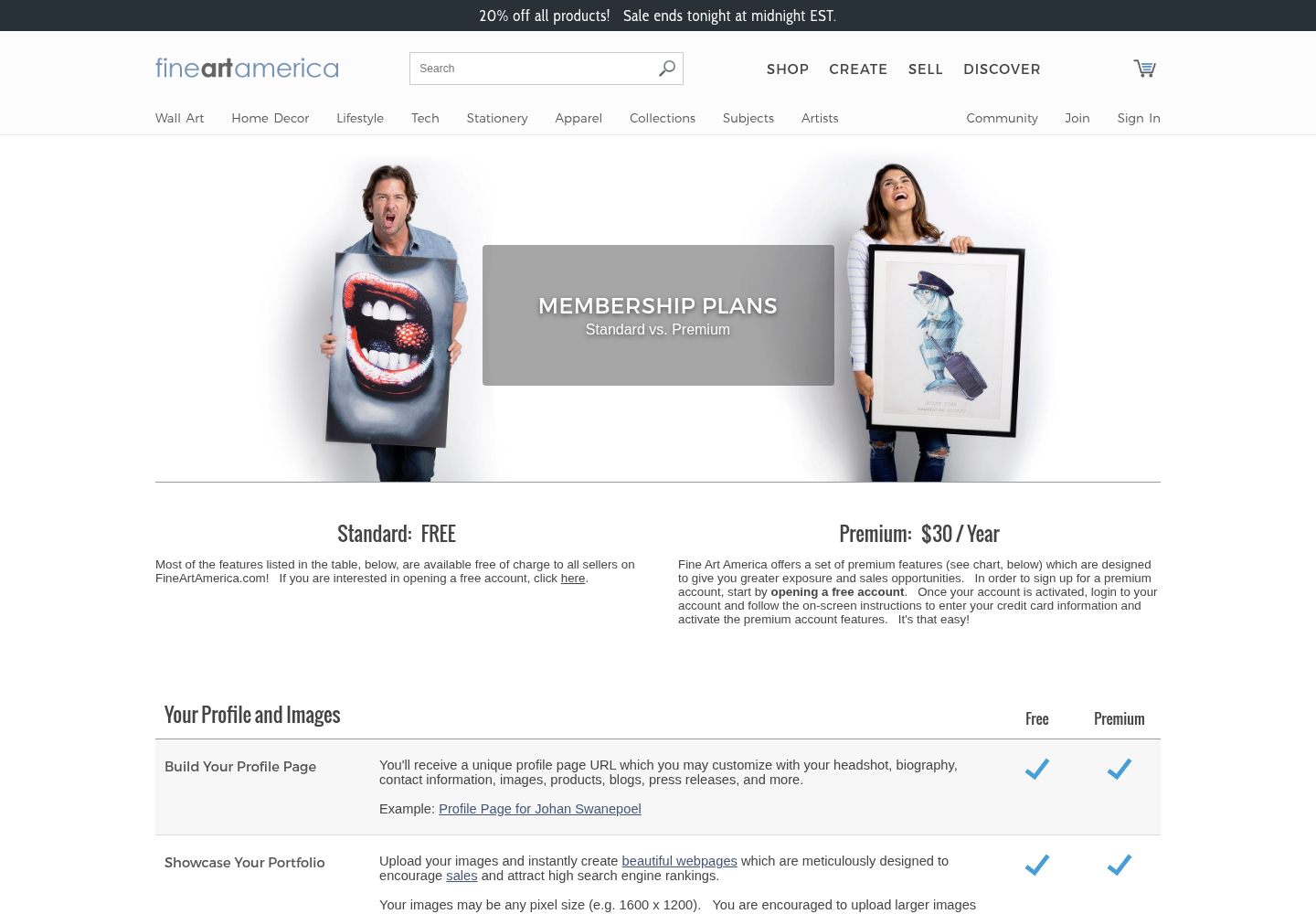
Fine Art America combines a public art marketplace with print-on-demand fulfillment. Consider it for work you can present as wall art or other products, while recognizing that a listing still needs relevant presentation and promotion.
Its membership page lists free Standard and US$30/year Premium, with free accounts limited to 25 images and Premium allowing unlimited image uploads. For manufactured products, the published model is a base price plus the markup you set; the stated artist earnings are that markup on an ordinary sale. This is not the whole retail price. Review discounts and promotion conditions before estimating a particular order.
Where Fine Art America fits
A coherent collection can help a buyer understand the work: a local landscape series, a set of wildlife photographs or matching architectural images. That is merchandising advice, not evidence that one genre earns more on this platform.
Check the printable size and crop for each product, then compare your markup with the work needed to create and promote the listing. The photographer SEO guide can help with describing and promoting your own portfolio.
A stock license and a wall-art sale are different products. Choose the use you can support and price it accordingly.
9. SmugMug
SmugMug is an owned gallery/store option for photographers who bring their audience. Its public plans put profit-making print and digital sales on Portfolio and Pro, rather than the delivery-focused Direct plan. This is relevant for portrait, wedding or event customers who already want your images.
Why client-driven photographers use SmugMug
The annual-billing prices shown are US$23.50/month equivalent for Portfolio and US$37/month equivalent for Pro: US$282 and US$444 per year. They are annual subscriptions, not quotes for month-to-month billing. Pro adds features such as multiple pricelists, packages, coupons and client favoriting.
According to the profit policy, you keep 85% of the markup above the default print or download base cost. The retained 15% includes card fees and administration; it is not 15% of the full retail sale. Unlimited full-resolution JPEG storage does not include unlimited RAW storage: RAW is a separate add-on.
- Branded galleries: Present the session and explain which downloads or purchases are included.
- Lab fulfillment: Review available products, base costs and delivery destinations.
- Clear menus: Choose products and prices the customer can understand.
A photo delivery workflow supports the handoff, but purchasing features and subscription costs must be checked separately. Gallery convenience is not proof of increased sales.
10. Direct client galleries
Direct client galleries are a channel category, not a tenth public marketplace. The buyer already knows you through a session, event or commercial assignment. Depending on the platform, ordering can be native or handled through a separate invoice, store or lab.
Where direct client galleries shine
Use this route when client service and delivery matter more than marketplace discovery. Agree on the fee, included files, license and any extra print orders before handing over the gallery.
- Curate for the client: Organize the delivered selection around the job, not stock-search keywords.
- Explain access: State who may receive the link, what they can download and how long sharing is available.
- Separate selection from purchase: A favorite or download is not automatically a paid order or acceptance of a license.
SendPhoto can supply password-protected sharing, photo previews with optional watermarks, configured download choices and favorites. It has no native print store or client payment checkout; arrange the sale, invoice and fulfillment separately. Password-protected links can still be forwarded with their passwords. Watermarked photo previews and watermarked or resized downloads are generated versions. An allowed unwatermarked Original download provides the uploaded image source; a preview watermark alone does not protect that download.
Check SendPhoto's current plans for storage and branding terms. Gallery delivery can serve a sale agreed elsewhere; it does not replace a stock agency or create a new buyer audience.
Top 10 Photo-Selling Platforms Comparison
Rates below are published terms checked October 5, 2026, not net take-home profit or interchangeable percentages. Open each linked policy for the applicable agreement, exceptions, tax and payout conditions. USD figures are stated where relevant.
| Platform | Target audience | Core features | Pricing & fees | Value and limits |
|---|---|---|---|---|
| Adobe Stock | Commercial stock contributors | Reviewed licenses and contributor tools | Standard photos 33%; video 35%; net-price basis and nonstandard exceptions | A stock channel; measure actual royalties |
| Alamy | Contextual editorial/commercial archives | Captioned stock licensing; tiered contracts | Bronze 15%, Silver 20%, Gold 40%, qualifying exclusive Platinum 50%; distribution exceptions | Specific subject coverage; verify permitted uses |
| iStock by Getty Images | Contributors considering broader stock distribution | Reviewed entry; optional content-type exclusivity | 15%–45% by agreement; not a single universal photo rate | Check distribution rights before exclusivity |
| Shutterstock | Stock contributors with organized submissions | Separate image/video earnings levels | 15%–40%; annual January 1 reset | Measure receipt per file and preparation hour |
| Dreamstime | Additional permitted stock distribution | Nonexclusive, exclusive-media and exclusive-contributor options | 25%–50% nonexclusive; 27.5%–55% exclusive media; 60% exclusive contributor; net-sale basis/model exceptions | Check six-month retention and exclusivity |
| Depositphotos | Prepared commercial archives | Reviewed submissions; level-based earnings | Packs 30%–38%; standard photo subscriptions $0.25–$0.33; separate revenue-share program | Incremental reach; no fixed income guarantee |
| Etsy | Print, decor and original digital-product buyers | Shop listings and checkout; seller-run fulfillment | $0.20 listing/renewal + 6.5% transaction; processing/ads/other charges additional | Product control brings retail responsibilities |
| Fine Art America | Print-on-demand art sellers | Marketplace and product fulfillment | Base cost plus artist markup; Standard free, Premium $30/year | Published ordinary-sale markup model; check promotions |
| SmugMug | Photographers bringing their own clients | Gallery/store with lab fulfillment | Portfolio $282/year or Pro $444/year; 85% of markup retained by you | Owned client store; JPEG storage/RAW add-on distinction |
| Direct client galleries | Existing session, event and commercial clients | Delivery, selection and a separate or native sales process | Platform subscription plus any external payment/fulfillment costs | SendPhoto supplies delivery; no native payment or print checkout |
Compare the bases before comparing percentages
These fictional examples show the calculation, not actual orders or identical products. At a US$10 net licensed-photo amount under Adobe's standard rate, 33% gives US$3.30 before your taxes and costs. At US$100 retail and US$40 base cost on SmugMug, the markup is US$60 and your 85% share is US$51, before allocating your subscription and other business costs. Fine Art America's ordinary published model would pay a US$20 artist markup on a hypothetical US$40 base plus US$20 markup sale; promotions can change the outcome.
For a hypothetical Etsy US$40 item plus US$5 shipping, the 6.5% transaction charge alone is US$2.925, approximately US$2.93. Add a US$0.20 listing charge, country-specific processing and applicable ads/other costs. This partial calculation is not an all-in margin. Different royalty bases cannot support a simple claim that one channel always pays better.
Start Selling Your Next Steps
Build a manageable channel mix around permissions and products. Commercial stock, wall art and booked client delivery can complement one another, but there is no requirement to use all three.
- Commercial archive: Choose a permitted stock route; prepare a small coherent batch with accurate releases and keywords.
- Print collection: Choose Etsy when you want to manage a product shop, or evaluate Fine Art America's fulfillment model. Check crop, finish, shipping and margin.
- Client assignments: Prioritize the agreed handoff and any authorized extra orders. Do not repurpose private session images as public inventory without checking rights.
- Make a rights and exclusivity record for the selected files.
- Read the current contributor/seller agreement and payout conditions before signing up.
- Budget editing, metadata, fulfillment, fees and promotion time.
- Publish a small permitted selection and keep records of acceptance, actual royalties or orders, refunds and preparation hours.
- Review the results after a defined period. Keep channels that cover their work; check withdrawal and retention terms before removing files.
A landscape photographer might test a personal print collection and a nonexclusive stock batch. A wedding photographer might focus solely on client delivery and authorized print orders. These are possible starting plans, not sales forecasts.
For client handoffs, SendPhoto helps you present galleries with password protection, optional photo-preview watermarks, download choices and favorites. Agree on licensing and payment separately, then use the gallery to deliver the files your client is entitled to receive.