
A startup photography business needs an offer someone will pay for, a price that covers the whole job, and a process you can repeat. Start with one buyer, one service and a small budget before committing to a studio or a major equipment purchase.
This guide gives you a niche-validation sequence, an illustrative launch budget, a worked package calculation and an inquiry-to-delivery workflow. The registration, tax and copyright checklist is for the United States. Other countries have different requirements; even within the U.S., state and local rules need checking. All dollar examples below are invented planning inputs in USD, not market rates, vendor quotes or a studio's results.
Table of Contents
- Turning Your Passion into a Profitable Business
- Find Your Niche and Validate Your Idea
- Build Your Business and Legal Foundation
- Choose Your Essential Gear and Technology
- Develop Your Pricing and Package Strategy
- Master Your Client Workflow from Shoot to Delivery
- Market Your Business and Get Your First Clients
Turning Your Passion into a Profitable Business
Write a one-page offer before buying anything: who the buyer is, what problem the photographs solve, what the client receives, where the work happens and how you will deliver it. “Product photos for local jewelry sellers' online listings” is more actionable than “creative photography for everyone.”
Then investigate whether buyers can support that offer at a viable price. Employee wage statistics and nationwide job openings do not establish a self-employed photographer's income or prove local client demand. A global market forecast cannot tell you whether a nearby buyer will accept your quote.
A relevant portfolio shows what you can make. A clear scope, price and delivery plan lets a prospect decide whether to hire you.
Set a spending limit, identify which equipment you already have, and estimate your available working hours. Keep personal living costs separate from business expenses, then include both when deciding whether you can afford the launch. A side-business schedule and a full-time income requirement are different plans.
Use genuine portfolio work and feedback. Label practice projects, ask before publishing client images or testimonials, and do not invent paid clients to make a new business look established.
Find Your Niche and Validate Your Idea
Choose a first service you can demonstrate and deliver competently. You can expand later; focusing the first offer makes its costs and response easier to understand. The SBA planning guide includes market research questions about demand, location, competition and pricing.
Choose a focused first offer
A generalist can run a successful business. The practical difficulty at launch is explaining several unrelated services while estimating different costs and building several portfolios. A focused offer gives you one workflow to evaluate.
Look for three things:
- A reachable buyer: identify actual people or businesses with the need, rather than relying on a national market total.
- A manageable job: understand the lighting, access, scheduling, editing and delivery requirements before offering it.
- Relevant proof: create samples you have permission to show and can reproduce under the conditions you will sell.
Compare niche requirements, not promised income
The following table is a planning comparison, not an income ranking or a claim about typical startup costs. Replace its questions with local quotes and buyer conversations.
| Niche | Work to scope | Cost or capacity to investigate | Buyer to contact |
|---|---|---|---|
| Weddings | Coverage hours, key moments, final delivery | Backup equipment, travel, assistance and non-repeatable-event readiness | Couples or planners |
| Products | Product count, angles, backgrounds and usage | Lighting, workspace, handling, retouching and revisions | Brands or online sellers |
| Real estate | Property size, access, image list and deadline | Travel, suitable lenses, scheduling and requested additional services | Agents or property marketers |
| Portraits | Session length, participants, location and files | Location permission, lighting, editing and weather alternatives | Individuals, families or graduates |
Choose a niche because you can find buyers and fulfill its requirements at an acceptable price. Do not add services such as aerial work simply to make a package larger without separately checking skills, permissions, equipment and regulations.
Validate before buying more gear
Use this four-step sequence:
- Choose one buyer and one problem. Write down the intended use and what a satisfactory result would include.
- Build a small relevant portfolio. Practice projects can demonstrate the offer, but label them accurately. Specify any collaboration and publication permissions.
- Present one scoped starter offer. Include deliverables, turnaround, usage and a price informed by the calculation below. Ask prospective buyers what prevents them from booking.
- Record actual buying behavior. Separate compliments, inquiries, accepted quotes, signed bookings and collected payments. Each is a different signal; none alone proves repeat demand.
Keep a short log of whom you contacted, the date, their need, your quoted scope and price, and the outcome. If inquiries repeatedly stop at price or missing deliverables, adjust the offer or its costs and try again within your spending limit. A few positive conversations justify further investigation, not a large debt-funded expansion.
Build Your Business and Legal Foundation
U.S. launch checklist: use the SBA launch guide to identify the authorities relevant to your location and business activities. Confirm your own requirements with those authorities and, where needed, a local attorney or accountant. A national checklist does not establish that your particular business is compliant.
Choose a structure that matches the stage
Compare ownership, liability, administration and tax treatment before choosing a sole proprietorship, LLC or another structure. The SBA explains that structure affects these obligations and that requirements vary by state. An LLC is not a blanket guarantee against personal liability or a substitute for suitable insurance.
Before taking bookings, check:
- Registration and business name: ask your state and local authorities which entity or trade-name filings apply.
- Licenses, location and permits: check business licensing, home-studio zoning and permissions for your intended shooting locations with the relevant authorities.
- Tax identification: determine whether you need an EIN. The IRS EIN page explains when one is needed and offers a free application. If forming an LLC or corporation, follow its instruction to form the entity with the state first.
- Tax registrations and payments: check state and local tax treatment for your services and products. The IRS self-employed tax center explains federal income and self-employment taxes and how to determine estimated-payment obligations.
Record the authority, requirement, filing confirmation and renewal date for each applicable item. Do not assume a gallery account or an online booking form takes care of business registration, tax or permits.
Separate the business from personal life fast
Use a separate business bank account where appropriate, keep receipts and reconcile transactions regularly. Track invoices and money collected separately: an accepted quote is not cash in the bank. Ask a qualified insurance provider about the work, locations, equipment, assistants and risks you actually intend to cover; verify exclusions and any venue requirements.
Keep one organized job record containing the quote, signed agreement, invoice, payment status, permissions, correspondence and delivery record. Restrict access to client documents and avoid putting unnecessary personal information in filenames or public gallery descriptions.
Maintain a tax reserve based on your circumstances and professional advice. Money reserved for tax or future equipment replacement is not automatically available for a new lens. Owner drawings and tax-deductible business expenses are not interchangeable bookkeeping categories.
Contracts and records matter before the first difficult client
Have an agreement appropriate to your jurisdiction and service reviewed locally. It should address at least these five jobs:
- Scope: subjects, location, session or coverage length, final image count, editing level and excluded work.
- Payment: price, applicable tax, payment dates and agreed treatment of cancellation or rescheduling. Do not assume every payment labeled a “non-refundable deposit” is enforceable everywhere.
- Delivery: file formats, dimensions, delivery date, access window, download instructions and additional-work procedure.
- Rights: the client's permitted uses, any agreed ownership transfer and separate permission for your portfolio or publicity.
- Changes and interruptions: weather, illness, access problems, missed appointments and how both sides will handle them.
The U.S. Copyright Office's photographer guide says the photographer is generally the initial author and owner, with a work-made-for-hire exception. Do not assume every commissioned job has the same ownership outcome. Put the intended rights in the agreement and get advice on unfamiliar work-for-hire or transfer language. A client's right to download is separate from your permission to publish their photographs.
Choose Your Essential Gear and Technology
Build the kit around the first service and a contingency plan. A purchase can improve capability, but it also uses money you may need for insurance, travel, software or living costs before the next payment arrives.
Build a minimum viable kit
Plan for five practical needs:
- Capture: a suitable, dependable camera and a contingency for equipment failure on work that cannot be repeated.
- Lenses: the focal lengths and performance your booked work requires.
- Lighting: lights, modifiers, supports and safe setup where the job needs them.
- File protection: cards, batteries, storage and independent backups, with a way to check that files can be recovered.
- Editing and delivery: a computer and tools capable of completing the agreed files, plus time to learn their workflow.
Equipment already owned is not a reason to omit eventual maintenance or replacement from your plan. For events, consider what happens if a body, lens or card fails during an irreplaceable moment. For repeatable product work, consider setup consistency and space. Do not promise a job your kit and experience cannot support.
Buy gear that earns money or saves time
Before buying, answer three questions:
- Which part of the planned job requires this capability?
- Can renting, borrowing with an agreement or using equipment already owned satisfy it reliably?
- What is the total cost, including maintenance, accessories, training and any financing?
Compare actual quotes and rental conditions. Inspect used equipment and return terms rather than assuming “used” is automatically a better deal. Measure whether an upgrade changes your own work time or accepted bookings before describing it as a financial return.
Put workflow tech in the budget from the start
Separate one-time setup, recurring expenses and per-job costs. The SBA's startup-cost guidance uses this distinction. Keep a longer forecast as well as an immediate launch-cash plan.
Illustrative lean launch budget: this example assumes you already own an adequate camera, lens and computer. It is not a complete kit recommendation or current price list.
| One-time item | Assumed cash cost | What to verify |
|---|---|---|
| Additional lighting and supports | $250 | Suitability, accessories and safe setup |
| Backup drives | $180 | Capacity and independent backup arrangement |
| Cards and batteries | $120 | Compatibility and contingency needs |
| Website setup | $150 | What is included versus recurring |
| Setup filings and professional help | $300 | Actual local fees and service quotes |
| Total assumed setup cash | $1,000 | Add every missing item for your situation |
Suppose recurring cash costs are software $55, insurance $45, website $15, storage $20 and other services $15: $150 per month. These are arbitrary model inputs. Three months of those costs plus setup would require $1,450, before per-job spending, taxes, owner living costs, loan repayments or any omitted equipment. Three months is an example horizon, not a sufficient reserve for every business.
List payments by due date and compare them with realistic collection dates, including a no-bookings scenario. Do not use a client's future balance to fund bills due earlier. The photo organization guide covers file-handling tools separately; storage subscriptions are not a substitute for independent copies of your originals.
Technology should reduce repeat work
Use templates for routine replies, agreements and export settings where suitable, but review each job's details. Presets and AI tools may help with some tasks; do not build the budget around an unsupported percentage time saving. Track your actual culling, editing, administration and delivery hours.
Keep a complete set of original files and independent backups. Check copies before reusing cards, and keep a recovery plan separate from the client gallery. Choose tools for the work they demonstrably support, including access and download requirements, rather than expecting one application to replace your whole business system.
Develop Your Pricing and Package Strategy
A one-hour session can create several more hours of planning, travel, editing and support. Quote the complete scope and record the assumptions behind it. A low price is not viable merely because it covers fuel and card-processing fees.
Start with your cost floor, then build for profit
Illustrative portrait-package calculation: assume six hours per job across inquiries and planning (one), travel and shooting (two), editing (two), export and delivery (half), and follow-up administration (half). Assign your time a planning value of $30 per hour; this is a chosen compensation target, not a market wage.
| Planning component | Calculation | Amount |
|---|---|---|
| Job-specific owner time | 6 hours × $30 | $180.00 |
| Per-job cash expenses | Assumed travel and other job costs | $40.00 |
| Monthly cash overhead | From the example above | $150.00 per month |
| Equipment replacement reserve | Assumed planning allocation | $100.00 per month |
| General marketing time | 8 hours per month × $30 | $240.00 per month |
| Monthly overhead and planning allocations | $150 + $100 + $240 | $490.00 per month |
| Allocation at four jobs per month | $490 ÷ 4 | $122.50 per job |
| Total planning cost per job | $180 + $40 + $122.50 | $342.50 |
For a target 20% margin above those planning costs, divide by 0.80: $342.50 ÷ 0.80 = $428.125. Rounding the example price to $450 leaves $107.50 per job, about 23.9% of revenue, after the included compensation target and allocations at four jobs. Adding 20% to cost would instead be a markup, not a 20% margin.
This is an economic planning model, not a tax-profit calculation. As IRS Publication 334 explains, a sole proprietor cannot deduct their own salary or personal withdrawals. This worksheet's time allowance is a planning input. A replacement reserve is also not automatically deductible depreciation; IRS Publication 946 explains depreciation of qualifying property. Applicable sales tax, income and self-employment tax, startup-cost recovery, financing and omitted expenses need separate treatment. Revise the price when your actual costs, hours, scope or booking level change.
The SBA break-even framework divides fixed costs by price minus variable costs. With this model's owner-time allowances included, each $450 job contributes $230 after its $40 cash cost and $180 labor allowance. Covering the $490 monthly allocations takes $490 ÷ $230, or three whole jobs. That is a planning threshold, not an accounting break-even certification.
Booking sensitivity: four jobs leave $430 above the included monthly costs and allowances; two jobs leave a $30 shortfall. At two jobs, the cash receipts are $900 and the example cash expenses are $230, leaving $670 before owner withdrawals, reserves and tax. That apparent cash balance is not evidence that the full compensation and replacement plan was met.
Build packages that control scope
Use three tiers only if they make the offer clearer:
- Starter: a narrow session, final-image count, usage and delivery date that you can fulfill at its own viable price.
- Core: the service designed for your intended buyer, with a clearly costed amount of planning, editing and delivery support.
- Premium: specified additional coverage, locations, images, usage or priority work that you have capacity to deliver and have separately priced.
Consumer packages and commercial assignments may need different structures. Include the relevant rights and revision limits rather than copying a competitor's menu. A repeat product buyer may prefer an agreed rate sheet; another project may need a custom estimate.
Price the delivery work, not just the shoot
Budget for export inspection, naming, uploading, access instructions, revisions and download questions. If a client needs both web and print files, state what each version is for. Separate additional retouching or new crops from correction of a mistake in the agreed work.
Use the client photo delivery guide to plan that handoff. Track its real duration and update future estimates; do not assume a gallery eliminates all support work or guarantees repeat bookings.
What usually goes wrong
Watch for three pricing risks:
- Copying a low price without its costs: you do not know the competitor's overhead, income requirement or scope.
- An expanding menu: extra locations, people, images and rush deadlines may each change the work and price.
- Unbounded revisions or rights: define included edits, additional requests and permitted uses before booking.
Compare estimates with actual time and expenses after each job. If the same stage repeatedly exceeds its allowance, change the process, scope or price rather than quietly absorbing it forever.
Master Your Client Workflow from Shoot to Delivery
Give each booking a status and a next action: inquiry, quoted, agreed, paid as scheduled, photographed, edited, delivered and followed up. Those statuses should reflect actual records rather than hoped-for progress. Automation can assist with routine work, but no AI speedup or satisfaction percentage is assumed here.
A hypothetical client journey from inquiry to handoff
Here is a proposed portrait workflow, not a documented client case:
- Inquiry: ask about the people, intended use, location, timing and any specific needs.
- Quote and agreement: confirm scope, rights, price, payment schedule, weather alternative and delivery date; obtain the agreed approval and payment before treating the job as booked.
- Preparation and shoot: send relevant preparation guidance and check equipment, access and the agreed shot list.
- Preserve and edit: copy all originals, make independent backups, check files, then cull and edit without relying on the gallery as the only archive.
- Export and review: inspect the actual final files for focus, editing, crop, dimensions, profile and unintended personal metadata.
- Handoff: send the correct destination and access instructions, explain which versions to download and give the agreed access window.
- Follow-up: address issues within scope and invite optional feedback or a review. A referral, public post or favorable review is not a guaranteed outcome.
Post-production is where time needs tracking
Keep four controls in the workflow:
- Selection criteria: check focus, expression, coverage and duplicates while preserving the original set.
- Consistent editing: use an appropriate baseline when useful, then inspect individual images rather than applying a preset indiscriminately.
- Revision boundaries: document what feedback is included, its timing and how additional requests are agreed.
- Purposeful exports: prepare the actual agreed web, print or editing files and check them before delivery.
Measure this stage yourself. A fast edit that misses an agreed deliverable can create more work later; an open-ended perfection pass can exceed the priced scope.
Delivery is part of the product
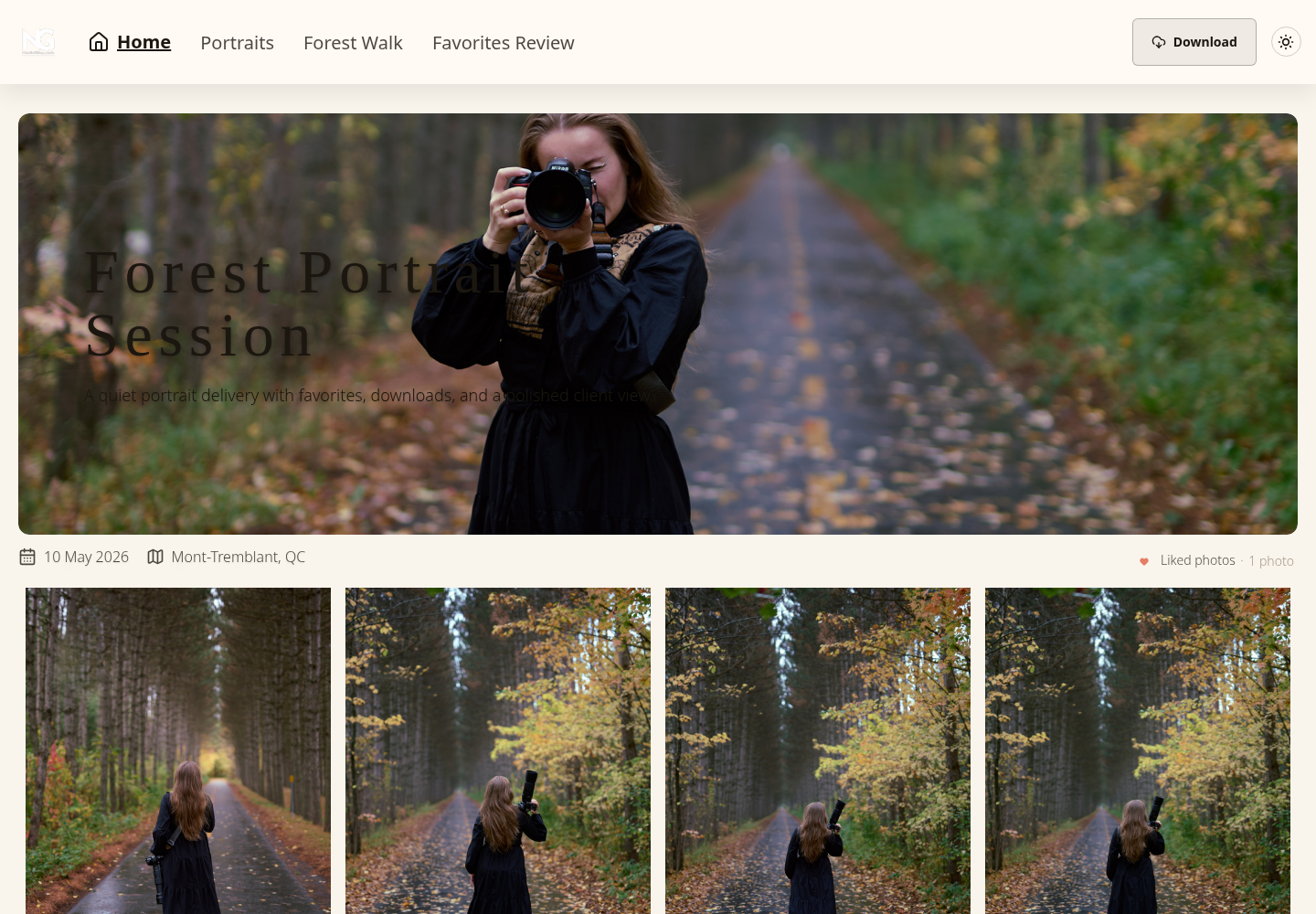
A gallery, file link or other destination can be appropriate if it meets the client's needs. Explain access, file versions and downloads clearly. A simple folder is not inherently unprofessional, and a branded gallery does not guarantee privacy or satisfaction.
SendPhoto offers client galleries with password protection and download controls. Select the settings for the actual handoff; a shared password can be forwarded, and already downloaded files cannot be recalled. Keep independent originals and honor the delivery agreement. Use the gallery-delivery overview for the platform's role rather than treating it as a contract, accounting tool or backup plan.
Market Your Business and Get Your First Clients
Choose a small number of channels you can maintain, then record inquiries and bookings by source. The aim is to learn which buyers respond to the scoped service at the price you need. There is no single channel guaranteed to produce the first clients.
Start with the channels you can control
Build a focused website with relevant samples, service area, intended buyer, a clear inquiry route and accurate expectations. Keep pricing guidance consistent with the scope you can provide. Use sample work and customer comments only with appropriate permission and accurate descriptions.
Social posts can support that offer, but do not treat followers as bookings. For local search, see the SEO guide for photographers. Track which inquiries lead to accepted quotes and payments; visibility alone does not show profitability.
Evaluate local relationships alongside online visibility
Try three relevant approaches:
- Complementary businesses: introduce your service to vendors who serve the same buyer, with clear collaboration terms rather than promised referrals.
- Relevant samples: show work that matches a potential buyer's needs and label practice or collaborative projects.
- Buyer gatherings: attend appropriate community or industry events within your time and spending budget.
Record the time and money each approach uses and any resulting inquiries. Local relationships may help, but they are not automatically faster or more profitable than online channels.
Follow up after a completed job
When the agreed work is delivered, consider three optional requests:
- Ask for honest feedback or a review without requiring praise.
- Ask separately whether you may publish specified images and where.
- Invite referrals without implying an obligation or a promised reward you have not agreed.
Respect a client's refusal or private project. Permission for delivery is not permission for publicity. Compare collected revenue, actual costs, total hours and client issues before deciding what to repeat.
Your launch decision should rest on the offer buyers accept, the work you can deliver and the cash you can sustain. Revisit the budget as real bookings replace assumptions. When a client gallery fits that delivery plan, explore SendPhoto gallery delivery and choose access and download settings that match the agreement.