
The best photo sharing app is the one that lets your client complete the next task: open the photographs, choose a shortlist, explain a retouch, download finals or order prints. Those tasks do not always work in the same place. A mobile album can be view-only even when the provider's full gallery supports downloads and shopping.
This comparison focuses on the recipient's experience across ten professional services. For broader website, storage and studio-package choices, use our photo gallery software comparison.
SendPhoto publishes this guide and is one of the products compared. We reviewed official product and help pages on September 27, 2026. This is a documentation-based comparison, not a timed test of all ten apps. The recommendations are our interpretation of the documented workflows; we have not measured which service is fastest or easiest for clients.
What kind of photo sharing app do you need?
First separate three meanings of “app”:
- Browser gallery: the recipient follows a link in a desktop or phone browser. Access, downloads and feedback depend on the gallery settings.
- Home-screen gallery app: the recipient saves a web gallery or album to their phone's home screen. This does not automatically mean an App Store download, offline access or the full gallery feature set.
- Native mobile app: a separately installed application. Check whether it serves photographers, clients or both, and whether the required action is supported on that device.
Then name the action you need. A heart or favorite may record a preference without submitting a final selection. A comment may be visible to everyone with access. A download button may provide a resized JPEG rather than the uploaded original. Compare these details before choosing on appearance alone.
Quick navigation
- 1. SendPhoto: browser delivery of finished photographs.
- 2. Pixieset: galleries, favorite lists and downloads.
- 3. Pic-Time: repeat gallery access and shopping.
- 4. ShootProof: full galleries versus view-only Mobile Apps.
- 5. CloudSpot: home-screen galleries with client actions.
- 6. PASS Gallery: different permissions for different visitors.
- 7. Zenfolio: guest favorites versus account-based lists.
- 8. PhotoShelter for Photographers: shared lightboxes and permission-based review.
- 9. Picflow: comments, annotations and approval status.
- 10. picdrop: selections and desktop retouch annotations.
1. SendPhoto
Client task: open a gallery and download finished photographs. SendPhoto's client galleries open in a browser without requiring a client account. A gallery password, when enabled, is a separate access step. Collections let the photographer divide a shoot into groups, while watermark and download settings shape what recipients can view and obtain.
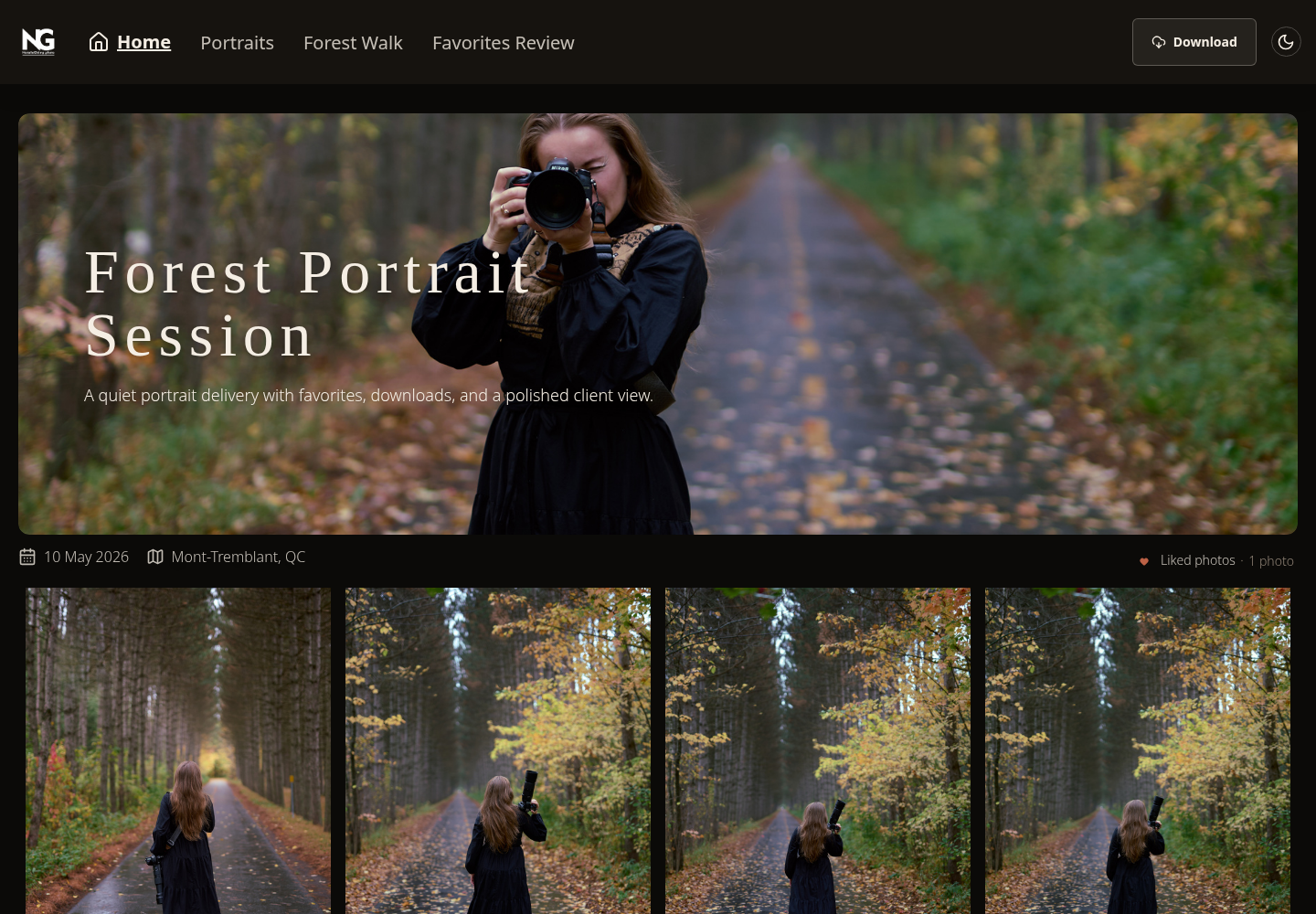
Existing SendPhoto visitor-gallery screenshot. The top bar shows collection links and Download. Gallery titles and collection names are example content; they do not establish a formal selection or approval workflow. View the full-size client gallery.
This is a candidate for a finished-photo handoff when the client needs a link and clear access instructions. If your brief requires retouch annotations, submitted selection lists or a print storefront, compare the specialist workflows below rather than assuming those features from the word “gallery.”
Free currently includes 5 GB, one gallery and 10 GB of lifetime uploads. The upload allowance is cumulative and does not reset when files are deleted. Check the current SendPhoto limits and getting-started workflow. A password and watermark are useful controls, but neither prevents someone copying a photograph they can already see.
2. Pixieset
Client task: favorite images, then receive the right download. Pixieset Client Gallery supports viewing, favorite lists, downloads and print ordering. Favorite lists are useful when a client must return a selection instead of describing filenames in an email. The photographer can review those lists and, where appropriate, send selected images as a download. See Pixieset's Client Gallery workflow.
Do not confuse Client Gallery with its Mobile Gallery App. Pixieset's installation guide uses the phone browser's Add to Home Screen or Install App action. That is different from requiring a native app-store installation.
For final delivery, check resolution as well as whether downloading is enabled: original-resolution collection downloads require an upgraded Client Gallery or Suite plan. Its download-size documentation distinguishes collection downloads from Store digital products.
Watch for: Client Gallery, Website and Studio Manager are separate products, with a broader Suite available. Choose the plan containing the actual client action you need, not simply the product family name.
3. Pic-Time
Client task: return to galleries and buy products. Pic-Time is a relevant choice when delivery continues into print sales. Its current plans combine galleries with a store and sales tools; premium selection and album-proofing features vary by tier. Compare the Client Delivery Suite plans before treating all review tools as standard.
Pic-Time 2.0's client-access documentation makes an important distinction: clients first open the secure invitation link to connect the gallery to their account. In a browser, the gallery dashboard is scoped to the selected photographer or brand; the mobile app can bring together connected galleries from different photographers.
Watch for: the first invitation link, account email and later dashboard login are different steps. Explain the intended route in your delivery message. Use help instructions for your version of Pic-Time, and keep client review separate from guest access and shopping promotions. Sales automation is a capability, not evidence that a gallery will generate a particular return.
4. ShootProof
Client task: use the full gallery when they need to act on photos. ShootProof's documentation explicitly separates galleries from Mobile Apps. Its Mobile Apps are visual albums of up to 250 photographs: clients cannot favorite images, download the photo files or buy products inside them. The full galleries provide those actions when the photographer enables them. See what a ShootProof Mobile App includes.
That distinction matters more than whether an album looks convenient on a phone. Send the gallery link when the job is selecting photographs, collecting finals or placing an order. A view-only album can serve a different purpose, such as showing a small selection to friends.
Watch for: ShootProof also offers contracts and invoices, while online booking is an add-on in the current plans. Those studio tools may help you consolidate administration, but they do not change the Mobile App's documented limitations. Avoid asking clients to download finals from the wrong surface.
5. CloudSpot
Client task: return from a home-screen shortcut and use gallery controls. CloudSpot calls its client shortcuts Mobile Gallery Apps. Its Mobile App FAQ says they are saved from the web, require no App Store download and cannot be viewed offline. This corrects the assumption that a mobile gallery must be a native application.
Unlike ShootProof's view-only Mobile Apps, CloudSpot documents downloading, favoriting, sharing and purchases within its client apps, subject to the gallery's configuration. The apps draw from the collection, so changes to its images can appear there too. Installation follows the phone-browser home-screen process.
Watch for: being able to reopen the gallery does not guarantee offline availability. Explain that an internet connection is needed. Also check CloudSpot's plan columns: lower tiers have gallery and file-type limits, while wider studio-suite tools are a separate purchasing decision. Its invoicing and online-payment features are currently limited to the US.
6. PASS Gallery
Client task: enter with the correct role and download permission. PASS distinguishes Main Client, Photographer Invited, Client Invited and Guest users. Those roles affect gallery visibility, download permissions and sales campaigns. For example, you can reserve free high-resolution downloads for the Main Client rather than everyone who receives a guest link. See the PASS client-type explanation.
For a wedding, that means the couple's link and a guest's link need not provide the same experience. The store and fulfillment options may also suit a print-sales brief, but access rules should be settled before relying on a broadly forwarded link.
Watch for: do not promise that every visitor can complete every action without signing in. PASS's login documentation describes different invitation and sign-up paths, including account prompts when visitors start interacting. Confirm the intended path for your invitation/settings. Check current plans for commission and storage conditions; older help articles may use older plan names.
7. Zenfolio
Client task: distinguish a quick favorite from a saved selection list. Zenfolio's current Favorites documentation allows visitors to continue without an account and mark favorites within a gallery. That route does not provide named Favorite Lists or the central Favorites Dashboard.
With a free visitor account, clients can create named lists and send a list to the photographer with an optional message. Downloading or shopping from that list still depends on the gallery's download and price-list configuration. “I clicked the heart” and “I sent my final selection” are therefore different milestones.
Watch for: decide which milestone completes the client's task and put it in the invitation. Zenfolio also combines websites, galleries and volume-event tools, but those broader features should be weighed against your actual work. Check the current plans and use NextZen help when that is your product, rather than mixing instructions from Classic Zenfolio.
8. PhotoShelter for Photographers
Client task: collaborate through a shared lightbox. PhotoShelter's Lightboxes guide for clients describes grouping photographs, ratings and comments. Shared lightboxes require invitees to log into a free PhotoShelter account. A guest can begin a temporary lightbox, but saving or sharing it requires signing in or creating an account.
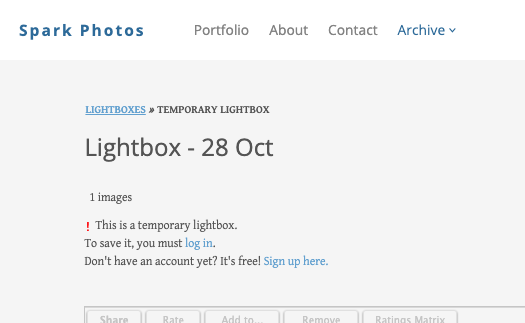
Screenshot credit: PhotoShelter Support's Lightboxes guide. This older documentation example illustrates the temporary-lightbox login prompt; it is not a newly captured client session. View the full-size PhotoShelter example.
The guide also says a lightbox is not automatically visible to the photographer: the client must share it. Downloads depend on permission, and an entire lightbox cannot be downloaded at once. Those details matter when an editor expects a batch of selected files.
Watch for: this is PhotoShelter for Photographers, separate from PhotoShelter for Brands. Its Client Proofing tool is plan-dependent; do not treat every individual plan or the separate business DAM as the same product.
9. Picflow
Client task: attach feedback and a decision to the image. Picflow's online proofing documentation describes comments, on-image annotations, favorites and approval statuses. It says reviewers can use a shared link without creating an account. This is a relevant shortlist option when a retoucher needs to know which area of an image to change, or an agency needs a clear approval decision.
Keep reviewer access separate from workspace membership. Picflow's pricing page says reviewers do not need a paid user license; licenses are for creating and managing projects. Storage, seats, workflow credits and advanced features still vary by plan. An unlimited-reviewer allowance is not unlimited storage or unlimited access to every feature.
Picflow also lists a mobile app for iOS and Android, while browser review remains available. Watch for: choose one feedback route and define who can approve the work. If version history, a particular integration or private comments are essential, check their exact plan entitlement instead of assuming the entire feature list is included.
10. picdrop
Client task: select images and leave precise retouch notes. picdrop offers color flags, likes, comments and Scribbles. Its voting guide distinguishes likes for collecting votes from several people from color flags for a single person's selection. Decide which signal you will treat as the final shortlist.
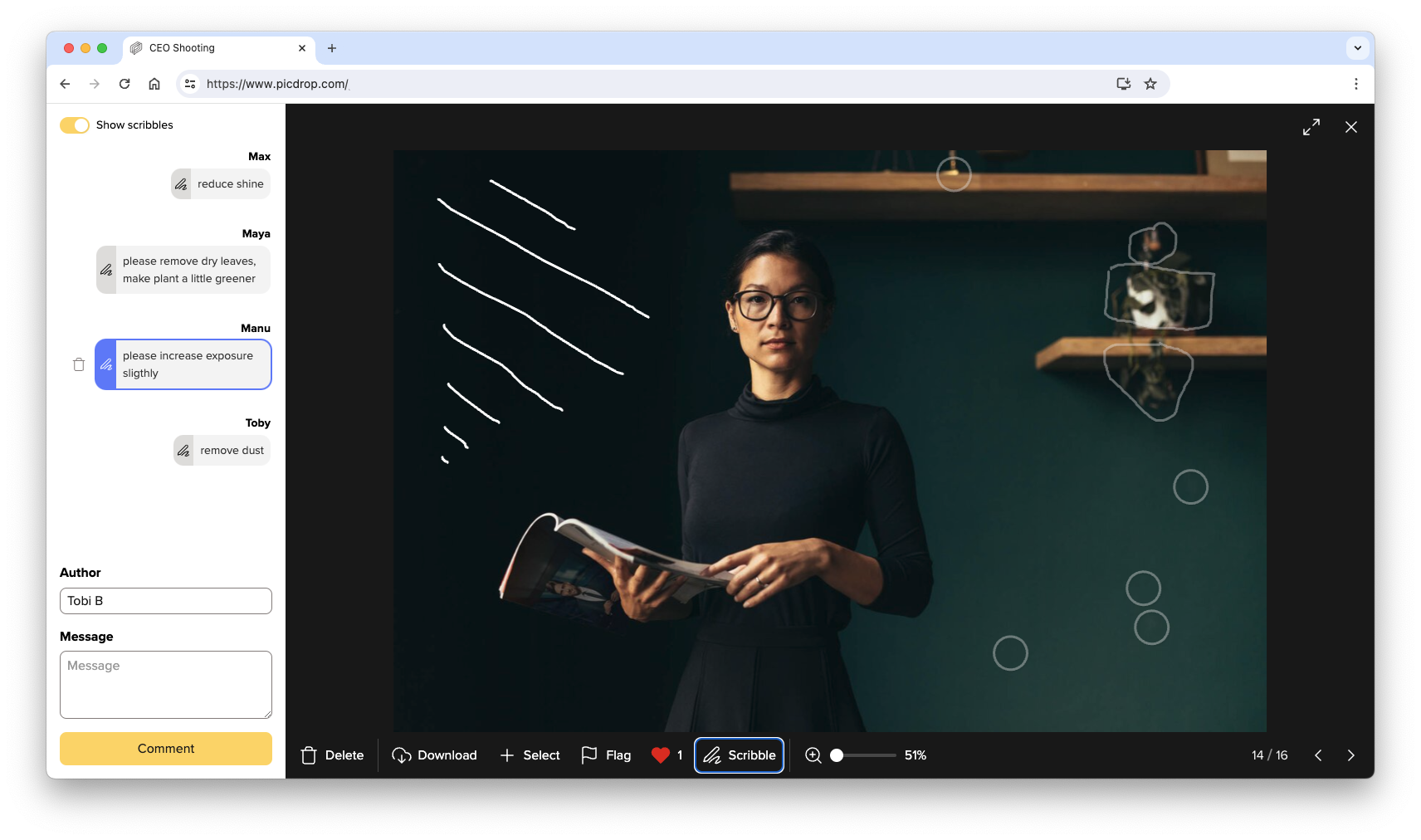
Screenshot credit: picdrop's Scribbles documentation. Marks identify areas of the photograph while the comment panel explains requested changes. This is the provider's example, not a SendPhoto client review. View the full-size annotation example.
A significant device limit appears in the Scribbles help page: drawing and editing Scribbles is supported on desktop; the mobile version displays existing Scribbles and comments. Do not promise a phone-only annotation workflow on that evidence.
Watch for: this review-and-selection use case differs from a print storefront. Check picdrop's current plans for the storage, collaboration and presentation tools you need, and tell clients whether their task requires a desktop.
Match the invitation to the client task
For finished-photo delivery, provide the gallery link, any separate password, what the Download control provides and the agreed availability period. SendPhoto is one candidate for that browser-based handoff; use its getting-started guide if those requirements match.
For client selections, specify the number of images and how to submit the decision. Pixieset lists, Zenfolio's Send to Photographer action and PhotoShelter's explicit lightbox sharing show why liking an image may not complete the request. For retouch review, consider Picflow or picdrop and state whether comments, annotations or an approval status are expected.
For print purchases, direct clients to the full gallery store and explain whether a download is included, free or separately purchased. Pic-Time and PASS are worth comparing for that workflow. For studio administration, consider ShootProof's contracts/invoices or a broader suite, but keep the client's actual gallery task clear.
A useful delivery message contains four things: the link, the access instruction, the requested action and the deadline. For example: “Open your gallery, choose 12 photographs for retouching, then send the named selection list by Friday.” This is sample wording; use only the actions your chosen service actually supports.
Before paying, compare the plan that includes the required resolution, feedback tools and storage. Include any commission, payment processing, printing, shipping and add-ons. For a practical handoff checklist, read our client photo delivery guide. If SendPhoto fits your delivery brief, review its current plans and create an account.