
A photography slide show gives a selected set of still images a fixed order and viewing time. Build the story first, set the holds deliberately, clear any music, then export a file the recipient can open.
This guide focuses on a client handoff: a short reveal accompanied by access to the full gallery. You will find a real silent 30-second teaching example, a timing table, documented Clipchamp steps and an export checklist. The example uses credited stock photographs, not a client session.
Wedding photographs can follow the day in sequence; family portraits can alternate expressions and details; event photographs can become a recap for stakeholders. Choose the purpose with the client before deciding which images to include or whether public sharing is appropriate.
A slideshow complements the gallery rather than replacing individual files. Keep a clear route to the full set, whether that is a dedicated photo gallery on a website or an agreed download. Presentation is an editorial choice, not evidence of a better business outcome.
Table of Contents
- Where a Slideshow Fits in Client Delivery
- Plan Your Story Before Touching Any Software
- Mastering Pacing Timing and Transitions
- Choose Music with Suitable Rights
- Exporting Your Slideshow for Web and Mobile
- Delivering the Final Slideshow Professionally
Where a Slideshow Fits in Client Delivery
A gallery shows the work. A photography slide show interprets it.
A slideshow lets you choose the order, duration and emphasis. A gallery lets viewers browse at their own pace. Offer both when the client needs a brief introduction and individual files; some recipients will prefer to go straight to the gallery.
Use sequence to give images context
Try a wide establishing view, a close detail and a final portrait or closing scene. Their order can create context without adding more photographs. Review the sequence with sound off first: if its meaning depends entirely on a song, revise the image selection.
A gallery is for browsing. A slide show is for impact.
For a wedding, a chronological sequence may be useful. For a family session, alternate group photographs with quieter details. For a commercial recap, use only images cleared for that audience and distribution channel; a private delivery does not automatically grant permission to repost.
It's also a branding tool
Use consistent title treatment, spelling and delivery instructions. These choices make the handoff recognizable, but they do not establish that clients will remember more, pay more or recommend the service.
A strong slide show helps in three ways:
- It creates a reveal moment that feels closer to a presentation than a transfer.
- It shows taste and restraint by proving the photographer can edit down, not just shoot a lot.
- It gives clients something easy to share with family, friends, or internal teams without asking them to sort through a full gallery first.
Put branding in the opening or closing title if the brief calls for it. Keep contact information readable and avoid covering faces or important details. A client logo needs permission just as a photograph does.
Plan Your Story Before Touching Any Software
Before importing files, decide what the viewer should understand by the end.
Make a paper edit: list the opening, development and closing image, then write a reason for each choice. For longer projects, repeat that structure with additional moments rather than automatically importing the whole gallery.
Build the narrative before the timeline
The first decision isn't software. It's purpose.
A wedding slide show may be chronological. A branding session might work better as a theme-based sequence, moving from environment to interaction to polished hero portraits. A family session might build around connection, using quieter details between expressive frames to keep the piece from feeling repetitive.
A useful planning pass answers a few direct questions:
Who's watching this first A couple viewing privately wants a different rhythm than an event client showing a recap to a team.
What should they feel at the end Warmth, excitement, nostalgia, confidence, celebration. The answer shapes pacing and music later.
Which images carry the story Not every strong still belongs in motion. Some images are excellent as prints but dead weight in sequence.
Where does the piece open and close The first frame sets trust. The final frame is what lingers.
If you mix stills and video, include a clip only when it adds information, and account for its sound, duration and permissions. A still-only first draft is easier to review.
Cull for motion not just for print
Slideshows need variety in framing and energy. A sequence of all wide shots feels distant. A sequence of all close portraits feels claustrophobic. Good curation usually mixes wide, medium, and tight compositions so the viewer gets visual breathing room.
This is also where photographers need to think about point of view. Low-angle images can add presence and drama, but in people-focused work they can also exaggerate features a subject may already feel sensitive about. That trade-off matters in a slide show because an unflattering frame feels more obvious when it fills the screen and arrives with musical emphasis.
Practical rule: If an image only works because the viewer can glance past it in a gallery, it probably doesn't belong in the slide show.
A useful paper edit often looks like this:
- Opening frames establish place, mood, and tone.
- Middle sequence carries the emotional or narrative build.
- Hero images get extra space because they can hold attention.
- Ending frames resolve the story instead of trailing off.
That restraint is what separates a professional photography slide show from a long highlight dump.
Mastering Pacing Timing and Transitions
Timing changes how a selected image reads. Start with a rough cut, watch it continuously, then lengthen images that need more time and shorten repeats. The suggestions below are editorial starting points, not measured engagement rules.
Use duration to control emotion
Not every frame should stay on screen for the same amount of time. That's one of the fastest ways to make a slide show feel mechanical.
A quiet portrait can hold longer because the viewer needs time to read expression and detail. A burst of dance floor images, crowd reactions, or candid event energy often works better with faster cuts. The shift in duration is what creates rhythm. It tells the viewer when to settle in and when to move.
Choose a target length from the brief, not an assumed platform limit. The worked example below lasts 30 seconds; it uses three unequal holds to make their effect easy to compare. A fast social teaser would usually need a different edit and current requirements for its named placement.
For portraits with text, allow time to read both. Ask the intended viewer whether the pace feels rushed or slow; do not treat any single seconds-per-slide value as a universal setting.
Keep transitions invisible
Choose transitions that serve the brief. Straight cuts keep changes clear; crossfades can soften a portrait sequence. Busy effects may distract from the photograph, but a deliberate graphic treatment can still suit a particular commission.
Better options are simpler:
- Straight cuts work well for energetic sections or beat-driven moments.
- Crossfades help portraits and emotional sequences breathe.
- Subtle pan or zoom moves can add life to still frames, especially when used sparingly.
- Motion should support composition rather than distract from it.
Check any pan or zoom against the source crop: it can cut off faces, hands or text. Preview the full movement, not only its first frame. The teaching example uses straight cuts so its 8-, 10- and 12-second holds add to exactly 30 seconds.
Sync with music without forcing it
Music sync is less about cutting every frame exactly on the beat and more about respecting musical structure. Major image changes should often land on phrase changes, swells, or clear rhythmic accents. Small moments can float between beats if the emotional flow stays coherent.
After rearranging photographs, check the music start, finish and any chosen accents again. A transition can change the total running time in some editors. Inspect the finished export rather than assuming timeline markers still line up.
A good sequence usually follows this pattern:
| Section of slideshow | Best pacing approach | Common mistake |
|---|---|---|
| Opening | Slower, confident setup | Starting too fast |
| Middle build | Alternating holds and quicker cuts | Making every image equal |
| Peak emotional moment | Longer holds on strongest frames | Overediting with flashy transitions |
| Ending | Controlled slowdown or clean final hit | Letting the slideshow simply stop |
A worked 30-second sequence
This silent teaching example uses three existing stock photographs by different contributors. We assembled the actual file with FFmpeg, using straight cuts and fitted images on a 1920 × 1080 canvas. It is an illustration of sequencing and unequal holds, not our own coffee shoot or a completed client commission. The generous holds make the differences easy to inspect; they are not an engagement recommendation.
| Time and file | Image and purpose | Duration |
|---|---|---|
| 0–8 seconds; 01-context.jpg | Brewer and server: introduce the coffee setting | 8 seconds |
| 8–18 seconds; 02-detail.jpg | Coffee beans: move to a contrasting detail | 10 seconds |
| 18–30 seconds; 03-close.jpg | Cup and shadow: provide a quiet final frame | 12 seconds |
The still below is the first source photograph, not a player screenshot. Open the actual 30-second slideshow MP4 to compare the changes at 8 and 18 seconds.

Source photographs: Szymon Satora’s brewer and server, Jocelyn Morales’s coffee beans, and Robert Stump’s cup and shadow, under the Unsplash License. These are separate images, not consecutive moments from one session.
Local export inspection found a 30.000-second MP4 with 900 H.264 video frames at 30 fps, 1920 × 1080 pixels, and no audio track. Its file size is 1,312,713 bytes. We decoded the entire file and inspected a frame from each hold; this checks the sample export, not any production gallery, mobile device or social-platform upload.
For an alternative that exposes command-line settings, the general slideshow tutorial provides a reproducible FFmpeg recipe and a different nine-second portrait example. Here the three input durations are 8, 10 and 12 seconds, with a landscape canvas and no text overlay.
Build the sequence in Clipchamp
The following is a documentation-based route for Clipchamp personal accounts, checked October 5, 2026. Our downloadable example was rendered with FFmpeg, not produced in a Clipchamp account. Use your own authorized photographs; the labels below describe the table’s sequence.
- Name the three working copies 01-context.jpg, 02-detail.jpg and 03-close.jpg. Keep the originals separately.
- In an editing project, use Import media to add the files, following Microsoft’s image-import guide.
- Drag each image onto the timeline in that order. Place them consecutively on the same visual track so they do not overlap or leave gaps.
- Select the first image and drag its trim handle until it spans 8 seconds. Adjust the second to 10 seconds and the third to 12 seconds. Use the timeline timestamps and zoom in for precision; Microsoft documents image duration through trim handles and the split tool. Check the boundaries at 00:08, 00:18 and 00:30.
- Review the full sequence and image framing. Leave out transitions and music for this first draft. If you later add either, check duration and the permitted soundtrack uses again.
- Choose Export at the top right and select 1080p for a suitable viewing copy. Wait for rendering to finish and save the MP4, as described in Microsoft’s export instructions. Premium assets or features can require an eligible plan; remove them or confirm entitlement before promising delivery.
Reopen your finished file and compare it against the timing table. Record actual duration, image order, crops, file size and any sound problems before sending it. Microsoft’s documented export produces MP4 at 30 fps; it does not mean its output bytes or encoding controls match our FFmpeg example.
A useful review question is simple: does each change help the viewer understand the photographs?
Choose Music with Suitable Rights
Music carries a huge share of the emotional load in a slide show. It also creates one of the biggest professionalism tests in the entire workflow.
Choose music you may use for the specific project. A song being available online, purchased for listening or included in an editor does not by itself establish permission for client delivery, advertising or reposting. A silent slideshow is also a valid option.
Why unlicensed music weakens professional work
For a U.S. rights reference, the U.S. Copyright Office explains musical works and sound recordings as separate protected works, often licensed separately. It also states there is no fixed minimum excerpt that automatically avoids permission requirements. Check the relevant jurisdiction and intended use rather than assuming a short or private slideshow is exempt.
The Texas Music Office permission guide distinguishes synchronization permission for using a song with audiovisual material from permission to use an existing recording. Identify both the composition and the recording, and retain the applicable written license or permission.
- The video can be muted or blocked on platforms where the client tries to share it.
- The photographer loses control of the presentation because availability depends on someone else's rights enforcement.
- The client experience suffers when a beautiful reveal becomes a troubleshooting exercise.
- The brand message gets diluted because the process feels patched together.
Clear the intended uses before spending time cutting to a track.
For a library track, read the actual license: who may create the project, whether client delivery and client reposting are covered, which channels and territories apply, whether advertising is included, and what attribution is required. A royalty-free label is not a universal grant. Save the track ID, receipt and terms that applied when licensed; check any subscription expiry or reuse conditions. If the rights are unclear, use silence or choose a track with suitable documented terms.
Choose music like an editor not a fan
The best song for a client slideshow usually isn't the photographer's favorite song. It's the one that supports sequence, tempo, and tone without hijacking attention.
A useful selection process looks like this:
- Match mood first. A family film and a product launch recap need different emotional temperature.
- Check structure. Tracks with clean intros, builds, and endings are easier to edit than songs with messy arrangements.
- Avoid lyric overload. Heavy lyrics can compete with the images, especially in emotional portrait or wedding work.
- Listen for edit points. Clear swells, pauses, or phrase shifts make image transitions easier to place.
- Think about replay value. Clients often watch their slideshow more than once. A track that feels exciting once can become grating fast.
Some photographers also make the mistake of choosing music that is too grand for the material. A small, intimate session can feel inflated when paired with an overly dramatic cinematic track. The reverse problem happens too. A high-energy event recap can collapse under a soft acoustic piece with no momentum.
Choose a track that supports the agreed mood and whose license covers the handoff. Editing quality and permission are separate decisions.
Exporting Your Slideshow for Web and Mobile
A finished slideshow is a video file, not the editor project. Export a viewing copy and keep the project, source photographs and a separate export master so you can revise it later.
Ask where the recipient will watch: browser, phone, local television player or presentation computer. Confirm aspect ratio and whether sound is expected before exporting.
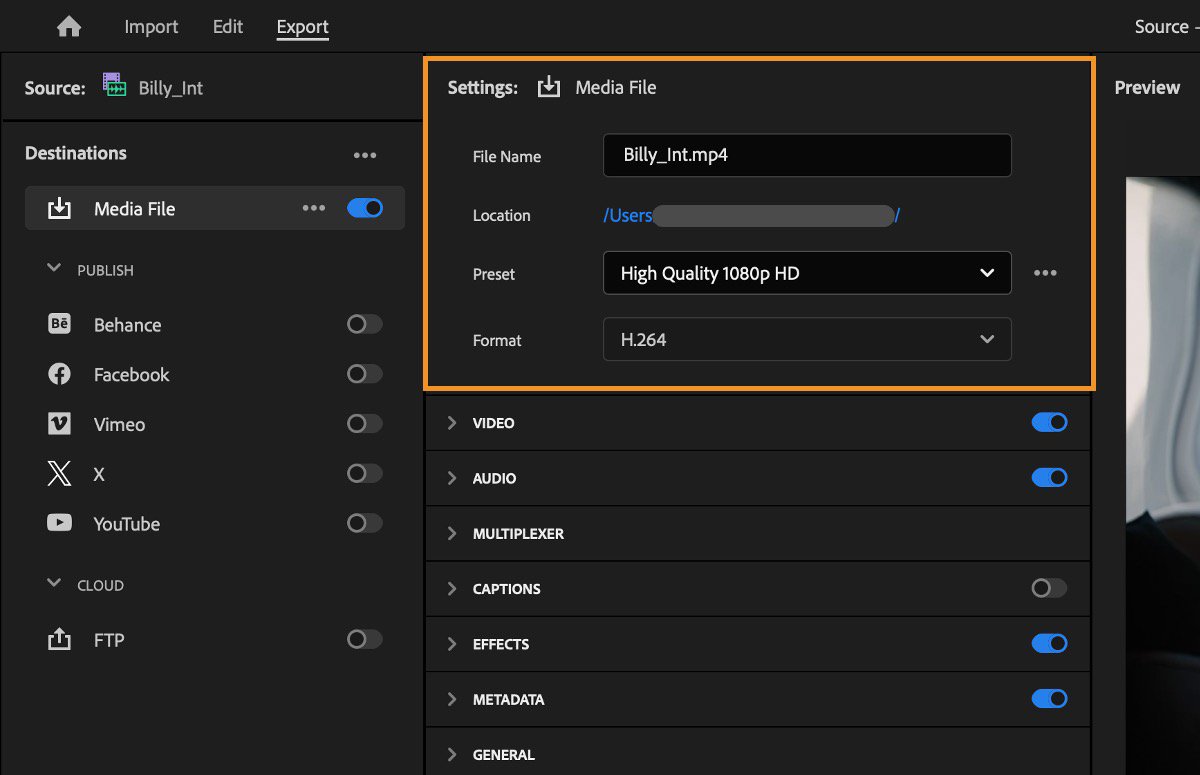
Reference screenshot from Adobe’s Premiere export documentation, reproduced unchanged. It shows where file name, preset and format are checked; it is not the sample slideshow’s export or a Clipchamp screen. Bitrate and codec profile are not visible. View the full-size Adobe reference.
Choose settings based on where clients watch
For a landscape viewing copy, 1920 × 1080 is a useful starting canvas when the source images support it. Higher resolution may suit a specified display; upscaling does not invent missing image detail. Agree the destination and inspect the result rather than calling one resolution best for every client.
A few export choices usually matter more than anything else:
Resolution and shape: decide both pixel dimensions and aspect ratio. Fitting a portrait inside a landscape canvas leaves margins; filling the canvas crops it. Review faces and edges before choosing.
Container and codec: an MP4 filename alone does not specify its video encoding. MDN’s web codec guide identifies MP4 with H.264 video and AAC audio as a broadly supported combination. That is a starting point, not proof of playback on a particular device.
Bitrate or quality control: compare the exported details, gradients and file size. A fixed bitrate target is not interchangeable with a quality-based encoder setting. Some simple editors choose these settings for you.
Frame rate: use the agreed export setting and check any mixed video clips. Our silent still-image example is 30 fps; it is not a requirement for every slideshow or evidence of every service’s playback support.
A simple export decision table
| Delivery use | Starting approach to verify | Trade-off |
|---|---|---|
| Web gallery playback | Landscape 1920 × 1080 MP4/H.264 as a starting copy; add AAC if using cleared sound | Inspect the host’s processed result and browser playback |
| Mobile sharing | Agree landscape or portrait delivery, then check on the intended phone | Cropping, file size and the receiving app can change the experience |
| Social teaser | Make a separate cut for the named placement and permitted audience | Current placement specs and soundtrack terms need checking |
| Local premium playback | Use the display’s supported format and a suitable resolution | Larger files and player compatibility need checking |
Export for the client's real device, not the editor's monitor.
Watch the entire exported file in the actual delivery environment before a client handoff. Check the opening and final frame, crops, text, sound if present, and playback after upload. Keep a separate copy if the host processes video. See the broader video sharing guide for delivery choices.
If a recipient cannot play the viewing copy, provide an agreed compatible alternative. Preserve the editable project rather than repeatedly recompressing a downloaded copy.
Delivering the Final Slideshow Professionally
Finish with a concise message that tells the client what to watch and where to find the full gallery.
Include the viewing link or file, the full-gallery link, download instructions and any sharing conditions. A simple transfer can be appropriate when that is what the client asked for; the important part is a clear, usable handoff.
Make the handoff easy to understand
Consistency helps a recipient find the slideshow and the individual photographs. Use an understandable file name and identify the current version so an older export is not mistaken for the final one.
Physical media is optional. If a client requests a USB copy, confirm the actual player’s supported formats and provide a tested viewing file. Packaging by itself proves neither playback compatibility nor the features of an online service.
A thoughtful handoff often includes:
- A branded viewing environment instead of a bare transfer page
- A clear path to the full gallery so the slideshow acts as the reveal, not a separate dead end
- Simple playback on mobile because many clients watch the first time on a phone
- An option for family or team sharing without making access messy
For a television or event-screen presentation, ask which device and player will open the file, how sound will be played, and whether internet access is available. Check that setup before the event.
Protect the work without creating friction
Match access settings to the brief and explain their limits. A shared password can be forwarded with the link. A viewer able to see a video may record it, and a downloaded copy cannot be recalled by changing gallery settings.
Use these controls as delivery boundaries, with separate written instructions for permitted use:
| Need | Professional delivery approach |
|---|---|
| Private client access | Optional shared password; it does not verify identity or prevent forwarding |
| Time-limited sharing | Expiry closes future gallery sharing; saved copies remain and file deletion is separate |
| Controlled file use | Download permissions limit the offered download flow; they do not prevent capture or grant a license |
| Cohesive brand presentation | Use the branding available on the selected plan; do not assume full white labeling |
Collections organize a gallery; do not assume they create separate audiences. Download settings govern the offered download flow, not copyright ownership or permission to publish. Expiry closes sharing; it does not erase copies that recipients already saved.
SendPhoto, the publisher of this guide, offers photo and video galleries as a delivery layer. Its current gallery code uses an MP4 player for video items, and the processing pipeline can replace an uploaded video with an optimized MP4. This is not a slideshow editor or a guarantee that every input codec and recipient device will work. Keep your source photographs, project and independent export master. The photo delivery guide explains the broader handoff.
Choose presentation, access and retention separately. Describe the finished handoff in terms the client can act on.
Explore SendPhoto if a gallery suits your photo-and-video handoff. Set any optional password and download permissions deliberately, explain who may share the link, and keep an independent backup of the final slideshow.