
To submit an interior design project for publication, choose a suitable outlet, read its current submission guidelines, confirm image permissions and prior sharing, and assemble the requested story, photographs and credits. Send everything through the publication’s specified channel. A gallery link is useful only when the editor accepts one.
For interior designers and their photographers, the preparation starts before posting the finished rooms online. An editor may want an unpublished project, scouting photographs or access for a new shoot. Checking those expectations first helps you avoid unnecessary exports and premature public sharing.
Start with the publication’s requirements
Read recent project features to understand the publication’s interests, then find its official submission instructions. Check whether you are approaching the print magazine, digital team or a particular section.
Create a short requirements sheet with:
- The intended publication and section.
- Its submission form, email address or accepted file-transfer method.
- Required project information, image count and file specifications.
- Whether it wants scouting photographs or finished photography.
- Its policies on previous coverage and simultaneous submissions.
- Any requested homeowner participation, interviews or further photography.
Requirements differ substantially. For example, ArchEyes’ architectural submission guidelines request at least 10 high-resolution photographs, 300–800 words, project credits and image credits. They list specific transfer services and ask for one organized folder. Those instructions belong to ArchEyes; they are not a template for every interiors magazine.
Check exclusivity before sharing photographs
Exclusivity means reserving specified access or publication opportunities for one outlet. Ask what it covers: the project story, particular photographs, print coverage, digital coverage or a defined period. Record the actual agreement rather than assuming a standard embargo, which is an agreed restriction on release timing.
Architectural Digest’s submission guidance, reviewed November 16, 2026, discourages simultaneous submissions and favors projects that have not been publicly shared. It asks designers to disclose earlier sharing. Its decisions are case by case.
By contrast, ArchEyes explicitly accepts previously published projects when rights and credits are in place. Being published elsewhere is therefore something to disclose, not an automatic disqualification everywhere.
Before pitching, list any exposure through studio websites, social media, supplier portfolios, awards, property listings or other publications. Include links and identify which rooms or images appeared. Ask collaborators to coordinate future posts while you clarify the intended outlet’s expectations.
A publisher’s stated preference and a commitment you have agreed to are different things. Keep correspondence and agreed restrictions together so the designer, photographer and publicist can work from the same record.
Write a project story an editor can understand
Explain what makes the project worth a reader’s attention. A list of attractive finishes gives an editor less to work with than a specific design problem and its solution.
Prepare a concise overview covering:
- Location, at a level of detail cleared with the homeowner.
- The original brief and main constraint.
- The design decisions that changed how the space works or feels.
- Distinctive materials, objects, craftsmanship or architectural features.
- The project team and available interviewees.
- Any reason the story is timely.
The World of Interiors’ pitching guidance for writers recommends a strong central story, distinctive property or owner details, suggested interviewees and disclosure of anonymity needs. Use that as an example of the information an editor may need, while following your chosen outlet’s instructions.
A hypothetical project summary
“A narrow rowhouse needed space for family meals without losing its separate front sitting room. The designer moved storage into a built-in wall and used a glazed partition to bring daylight deeper into the dining area. The owners can discuss how the new layout works in daily use.”
This proposed example gives the editor a constraint, a solution and potential interview material. Replace it with facts you can substantiate about your own project. Avoid unsupported descriptions such as “the city’s most sustainable renovation.”
Choose scouting images or finished photography
Scouting images help an editor assess the space and potential story. Finished photographs are edited images prepared for an intended use. Confirm which the publication wants before commissioning additional work or completing publication exports.
For example, AD accepts scouting images of completed projects and may commission a reshoot even when professional photographs exist. Hiring a photographer does not guarantee that those images will become the published set.
For a proposed image sequence, consider:
- An opening view that communicates the project’s character.
- Wider photographs showing the principal spaces.
- Connecting views that explain room relationships.
- Details supporting the written story, such as joinery or material transitions.
- Exterior or contextual views when relevant and requested.
Avoid filling the selection with near-identical angles. Each photograph should explain something useful. For capture planning, see our architectural photography guide.
Follow the outlet’s image specifications rather than assuming every editor needs the same dimensions, file size or PPI setting. Our photo resolution guide explains those terms when you need to interpret an export request.
Assemble credits and permission records
Prepare a credit sheet that connects each photograph to its filename, caption and photographer. Keep spelling, studio names and preferred credit wording consistent across the pitch and supporting documents.
| Item | What to record |
|---|---|
| Project team | Designer, architect, stylist and relevant collaborators |
| Image identification | Exact filename and room or subject |
| Caption | What the image shows and why it matters |
| Photography credit | Photographer’s requested name and copyright wording |
| Submission permission | Who authorized sharing and any limits on use |
| Homeowner preferences | Approved identification, location detail and interview availability |
| Rights contact | Person authorized to answer licensing questions |
Confirm that the intended submission and potential publication uses are covered by the relevant permissions. Read the outlet’s terms with the photographer before uploading. For instance, ArchEyes states that submission requires rights or permission, describes publication across its platforms and says it does not pay for photography.
Keep licenses, permissions and correspondence outside the gallery. A credit line, a shared password or a favorite selection does not replace written authorization. Our U.S. photo copyright guide provides background for discussing ownership and licensing with the appropriate rights holder.
Prepare a short selection and supporting files
Make the initial review easy. Give the editor the requested overview and image selection, with further coverage available in the accepted format. Keep project text, drawings and credit sheets in the requested documents or form fields.
Do not assume that dividing everything by room will help. AD recommends an edited selection plus the full shoot and discourages room-by-room Dropbox folders. Other editors may prefer another arrangement.
Use stable, descriptive filenames, such as CedarHouse_LivingRoom_01.jpg, and repeat them exactly in the caption sheet. Avoid including a homeowner’s private address in filenames unless it is necessary and authorized.
Use a controlled viewing link when accepted
SendPhoto can help a designer and photographer prepare an image selection privately, or share it with an editor who accepts gallery links. It does not replace a publication’s submission form or required transfer service.
SendPhoto collections organize photographs within one gallery. An opening selection and supporting views can make a project easier to browse. Named room or detail collections can help during preparation, provided that structure suits the recipient.
Collections share the gallery’s audience. They do not give different editors or collaborators separate viewing permissions. Use separate galleries when audiences need different access.
Password protection adds a shared-password barrier without requiring ordinary viewers to create an account. Choose download settings deliberately: viewing only during preparation, or downloads enabled for an agreed file handoff. Neither setting establishes exclusivity or prevents screenshots.
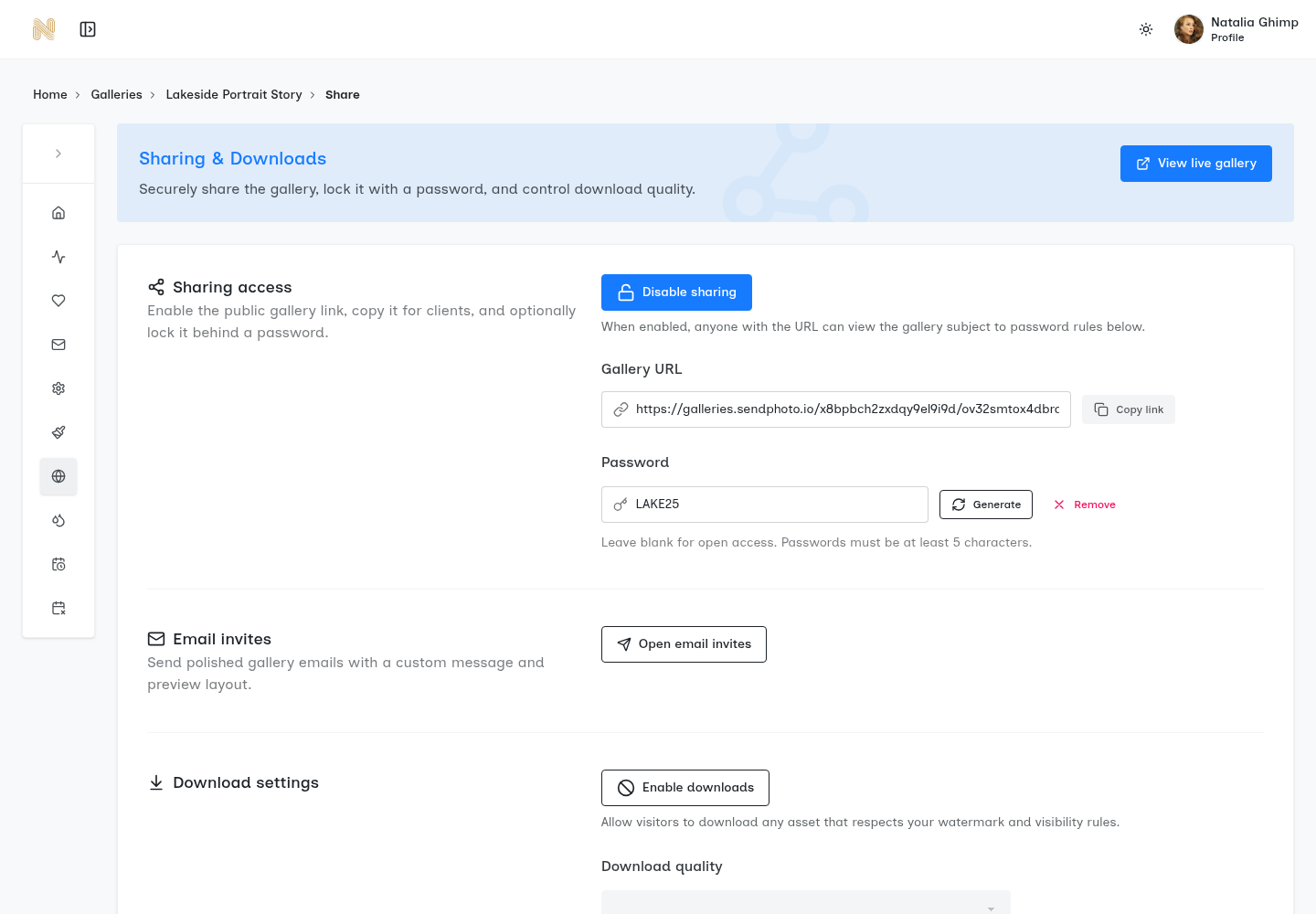
SendPhoto interface example, courtesy of SendPhoto. This shows general sharing controls, not an actual interiors publication submission.
As of November 16, 2026, SendPhoto’s Free plan includes one gallery, with collections, password protection and download controls available. If you need separate galleries for separate audiences, check the current plan limits before organizing the handoff.
Match downloaded files to the editor’s specifications
Prepare compliant exports before uploading. SendPhoto’s Original download option delivers the uploaded files; it does not automatically convert them to a publication’s required dimensions or format.
Download a sample yourself and check its filename, dimensions and appearance. If the editor requests a ZIP, inspect the archive structure too. Our high-quality photo delivery guide explains how to check finished files before sending them.
If you use favorites while discussing the selection, treat them as preferences. Confirm the final filenames and permission to submit separately in writing.
Check the submission and record the response
Before sending, confirm:
- The pitch identifies a clear project story and the intended section.
- Image count, file format and supporting documents match the current instructions.
- Filenames agree with captions and credits.
- Permissions and homeowner disclosure preferences are documented.
- Prior sharing and other active submissions are disclosed where required.
- Links and passwords work in a signed-out browser.
- Downloads behave as intended and contain the correct files.
- The recipient or submission form is the one specified by the publication.
Keep a separate record of the submission date, materials sent, replies and any agreed restrictions or release dates. Follow the publication’s stated response guidance; there is no universal follow-up deadline. Silence is not acceptance.
A clear submission helps an editor evaluate the project, but it cannot guarantee coverage. Keep the photographs, story and permissions ready so you can answer questions accurately or approach another suitable outlet when your commitments allow.
For related preparation and delivery advice, browse the SendPhoto photography guides.